

Use AVCLabs Video Enhancer AI to fix blurry videos, remove noise and grain, upscale low-resolution footage to 4K/8K, restore old videos, colorize black-and-white clips, stabilize shaky footage, and blur or remove unwanted objects.

AVCLabs Video Enhancer AI restores clarity to blurry, overexposed, or low-resolution videos. Powered by advanced AI models like CNN, RNN, and LSTM, it sharpens details, smooths motion, and enhances video quality — delivering stunning results up to 8K and 120 FPS.
Using GAN technology, AVCLabs Video Quality Enhancer helps recover detail and texture in degraded or low-res videos through deep learning. Perfect for restoring memories, improving mobile clips, or enhancing any footage with professional-level quality.
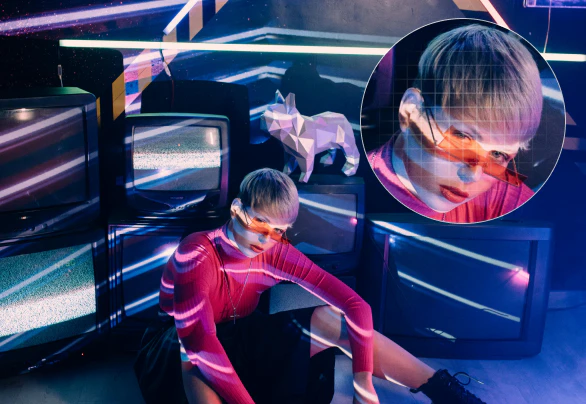
Powered by advanced AI technologies like ViT Transformer, GAN, and RNN, AVCLabs 4K video enhancer can intelligently analyze your videos and enhance details, reduce noise, and improve contrast, resulting in stunning 4K resolution.
Whether it's old home movies, smartphone footage, or gaming clips, AVCLabs video upscaler can significantly upscale them from SD or HD resolutions up to 1080P, 4K, and even 8K. It will be easier than ever before to upscale your beloved video content with maximum quality preservation.

AVCLabs Video Enhancer AI uses deep learning to colorize black-and-white videos automatically, restoring natural and balanced tones to grayscale footage.
This AI-powered video colorizer analyzes the structure, content, and context of each frame, identifying objects, environments, and lighting conditions, to apply colors that align with the scene's semantics. It also maintains temporal consistency to avoid flickering or shifting colors between frames.
Works on a wide range of footage—from old home videos to historical documentaries and personal projects. No manual editing required. The AI colorization model handles everything.
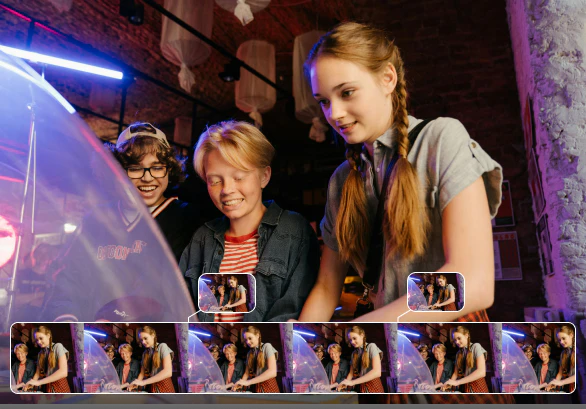
Enhance video smoothness with AI frame interpolation. AVCLabs Video Enhancer AI inserts intermediate frames to increase frame rates—from 24FPS or 30FPS up to 60FPS or 120FPS, reducing stutter and making motion more natural in low-frame-rate or older video footage.
It also supports creating detailed slow-motion effects through AI motion compensation. Rather than simply slowing down footage, AVCLabs analyzes motion vectors and temporal patterns to synthesize accurate intermediate frames. This helps maintain sharpness, preserve motion continuity, and avoid ghosting or blur when slowing down fast-moving scenes.
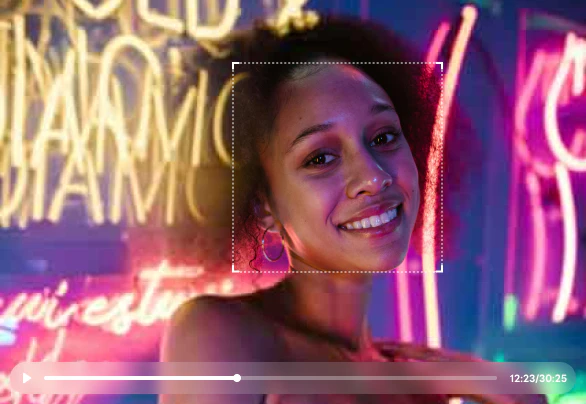
AVCLabs Video Enhancer AI works as an AI video denoiser to remove noise and grain from video footage. It can reduce low-light noise, film grain, compression artifacts, and low-bitrate distortion while keeping faces, textures, objects, and scene details as natural as possible.
Whether your video was recorded at night, compressed by social media, downloaded in low quality, captured by an old camera, or affected by visible grain, AVCLabs helps improve clarity and create a cleaner result for restoration, editing, and upscaling workflows.
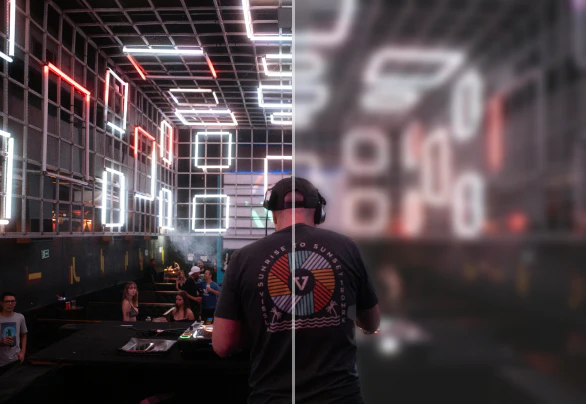
AVCLabs Video Enhancer AI integrates with Video Blur AI, which can automatically detect and blur faces, backgrounds, license plates, and other objects in videos. By combining Human Body Head-Shoulders Detection with face recognition, it improves detection accuracy and reliably identifies faces of different sizes for quick, targeted blurring.
This video blurring software can track and blur moving objects smoothly using motion analysis, without the need for manual adjustments. Specific areas—such as license plates or sensitive information—can also be selected for custom blurring when needed.
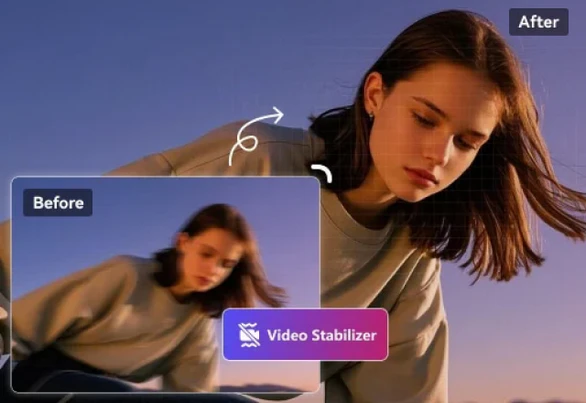
Shaky handheld footage and stable tripod shots aren’t the same—neither should be the way you fix them. AVCLabs Video Enhancer AI uses motion-aware stabilization to analyze camera movement frame by frame, correcting shake without cropping or warping the scene.
Whether it’s walking footage, panning shots, or old home videos, the AI tracks scene dynamics and compensates for unintended motion. The result is cleaner, smoother playback—no manual tuning required.
Get local processing, GPU acceleration, batch enhancement, flexible AI models, and professional-quality results without the file size and privacy limits of many online video enhancers.
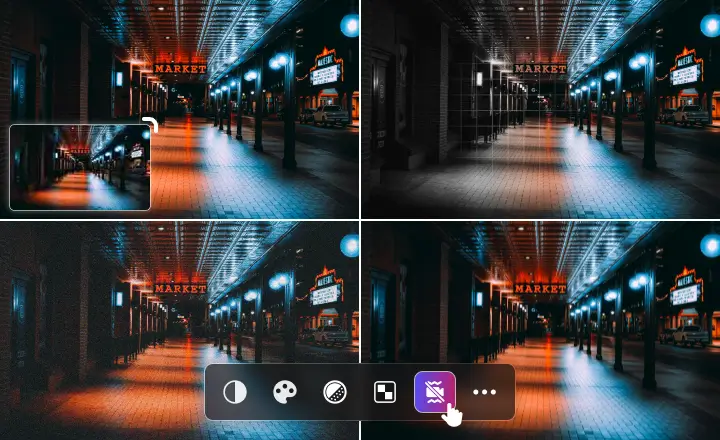
Every stage of video enhancement is driven by AI—from upscaling and denoising to colorization, stabilization, and frame interpolation. As an advanced AI video upscaling software, AVCLabs AI Video Enhancer integrates a full suite of specialized models so you can apply the right algorithm to the right job, with no need for external tools.
With multiple AI modes (Ultra, Standard, Anime, Denoise, Colorize, and more) available, you can easily increase video resolution by up to 400%, upscale footage to 4K or 8K, fix blurry video and shaky footage, remove grain and noise, and even blur unwanted objects. Choose high-quality or fast-processing models to match your hardware and workflow.
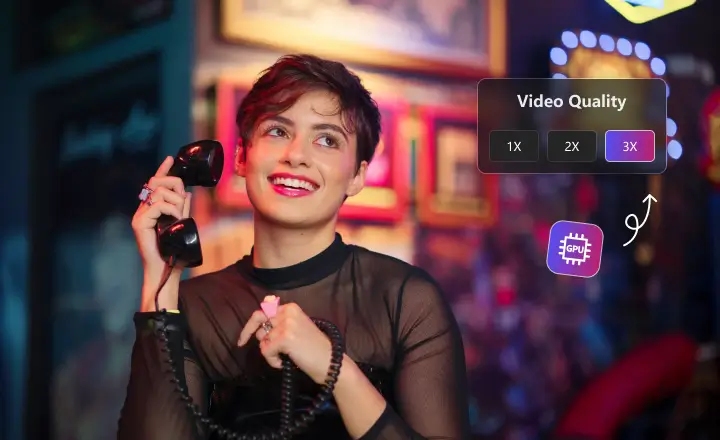
AVCLabs Video Enhancer AI is optimized for GPU acceleration, using your hardware’s full potential to deliver up to 3X faster processing. Whether you're working with 720p footage or rendering in 8K, this AI video upscaling tool enhances video quality efficiently across Apple M series, NVIDIA, AMD, and Intel graphics cards.
Faster processing doesn’t mean compromising quality. With real-time preview and fast export options, you can test settings quickly and iterate with confidence, reducing production time while continuing to enhance video quality with stunning accuracy.
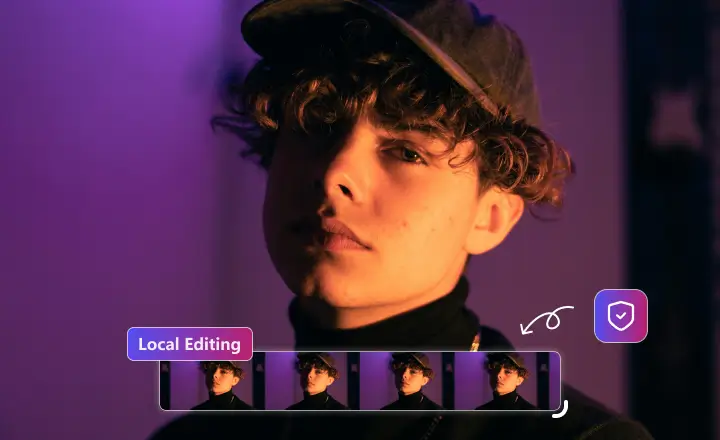
AVCLabs AI Video Enhancer offers full local video processing, keeping your entire workflow offline. There are no uploads, no cloud dependencies, and no risk of data exposure — just secure AI video enhancement, colorization, stabilization, and blurring directly on your device. Your media assets stay private, with complete control at every step.
This local-first design isn’t just about privacy—it also enables more responsive performance and freedom from subscription-based cloud rendering fees. You get a secure, predictable workflow tailored to your own hardware.
AVCLabs Video Enhancer AI is a reliable AI video editor for creators working in video restoration, content production, and post-processing. From personal archives to commercial footage, it delivers professional-grade results with minimal setup.
Praised for its consistency and practical output, the video quality improver has become a go-to tool across industries. Whether you're fixing blurry video, restoring historical footage, stabilizing shaky footage or enhancing video quality, it's trusted by those who care about quality.
 See how TBS used AVCLabs Video Colorizer to achieve exceptional results in historical video colorization!
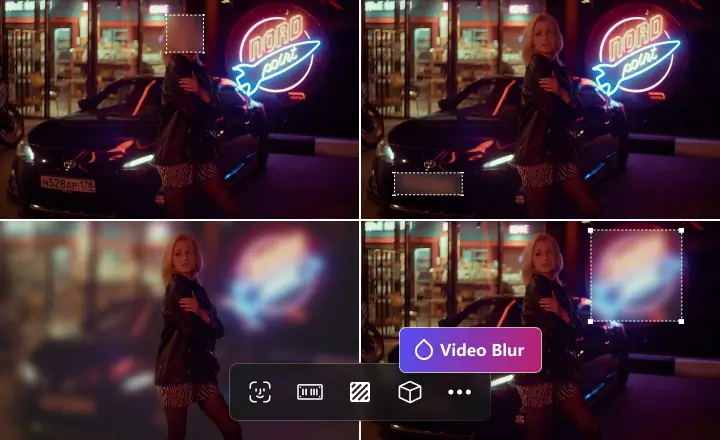
AVCLabs Video Enhancer AI goes beyond video quality improvement—it also lets you blur faces, logos, license plates, and other unwanted objects in your footage. No need to manually mask each frame—the AI automatically detects all faces so you can simply select and blur with ease.
It also handles backgrounds and moving objects with precision. Powered by image segmentation and optical flow tracking, it ensures accurate blurring without reducing overall clarity. Multiple blur styles are available for fine-tuning, giving you professional-level control—within the same enhancement toolset.
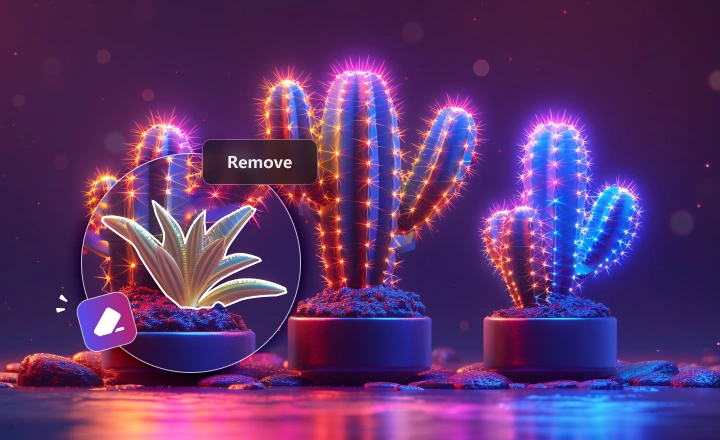
AVCLabs Video Enhancer AI is an ideal solution for creating professional and distraction-free videos. With the intelligent object tracking and removal function, you can easily remove unwanted elements from the video, such as watermarks, passersby, or unexpected objects in the frame.
Unlike traditional manual masking, AVCLabs Video Enhancer AI uses advanced AI inpainting technology to automatically analyze surrounding pixels and intelligently fill in the removed area. Even in moving shots, it ensures the background remains natural and seamless in every frame, without any unnatural effects such as ghosting or blurring.
Fine-tune video quality, process multiple files, and choose the right enhancement workflow for old footage, low-resolution clips, anime, faces, movies, and more.

Convert interlaced footage from old cameras, DVDs, or VHS transfers into smoother progressive video with fewer jagged lines and flickering artifacts.

Adjust brightness, contrast, and saturation to create more natural colors while keeping enhanced details clear and balanced.

Import and export common video formats such as MP4, AVI, MOV, MKV, and more for easier editing, sharing, and archiving.

AVCLabs keeps improving its AI models for clearer details, more stable motion, better texture recovery, and more natural restoration results.

Advanced model designs help analyze spatial and temporal details across video frames, improving clarity while reducing artifacts and flicker.

Enhance multiple videos with the same settings, making it easier to restore archives, process client projects, or upscale large video collections.

Analyze multiple frames together to reduce flickering, preserve motion continuity, and create more stable enhancement results.

Enhance each frame individually to recover sharper details in low-motion videos, portraits, old footage, and frame-by-frame restoration tasks.

Bring black-and-white films back to life with AI colorization. AVCLabs analyzes scenes, lighting, and objects frame by frame to add natural-looking colors while preserving the original tone, texture, and atmosphere.

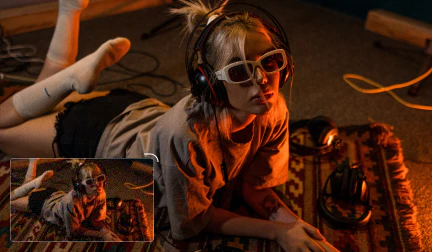
Improve low-resolution or noisy videos with AI. AVCLabs enhances details, reduces grain and compression artifacts, and helps upscale SD or HD footage to sharper, cleaner results.

Stabilize shaky handheld footage with AI motion analysis. AVCLabs helps reduce unwanted camera movement while keeping the scene natural and clear.
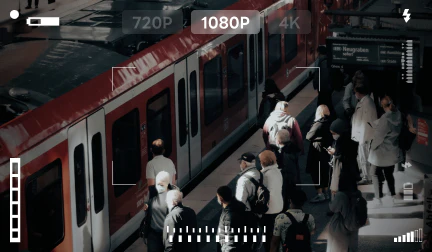
Enhance dark, noisy, or low-resolution surveillance videos. AVCLabs helps reduce noise, improve contrast, and reveal clearer details in challenging low-light footage.
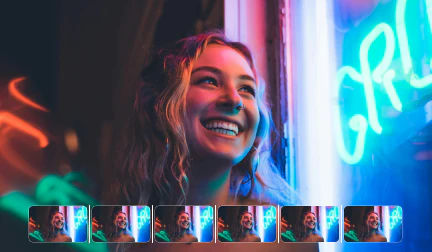
Create smoother playback or slow-motion effects with AI frame interpolation. AVCLabs generates intermediate frames to reduce stutter and make motion look more natural.

Restore archival and documentary footage by upscaling low-resolution video to 4K, reducing noise, and revealing more detail while preserving the historical look.

Repair old, blurry, noisy, or degraded videos with AI restoration. AVCLabs helps improve clarity, recover details, reduce artifacts, and make aging footage easier to watch and preserve.
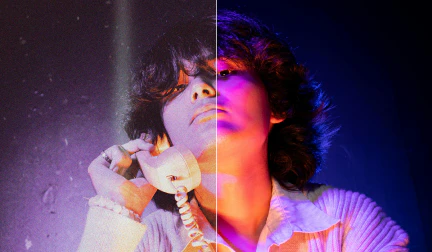
Remove grain and noise from old film footage while preserving important textures and details. AVCLabs helps create a cleaner, more natural restoration result.
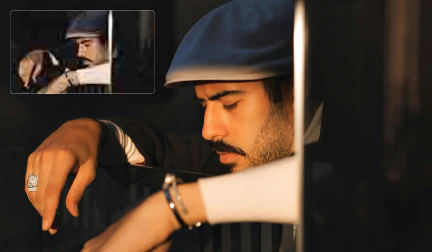
AVCLabs 4K Video Enhancer leverages deep learning and advanced neural networks to intelligently distinguish between detail and noise. It enhances contrast and uses Super Resolution to increase video resolution.

AVCLabs Video Enhancer AI restores old film footage of historical artifacts by enhancing clarity, reducing degradation, and bringing out original details with advanced AI models.
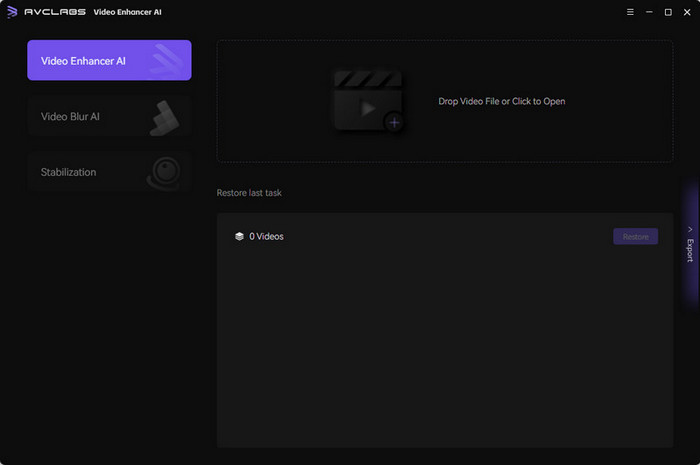
Learn more about the system and hardware requirements for AVCLabs Video Enhancer AI.
If you have any other questions about AVCLabs Video Enhancer AI, you can easily reach out to us here.

AVCLabs Video Enhancer AI offers a free trial that lets you explore its full range of features, including AI video quality enhancement, restoration, colorization, face enhancement, slow motion, and more. You can download the latest version from here:
Navigate AVCLabs Pricing page and choose the licensing plan that best suits your needs. You can usually choose between subscription-based plans or perpetual licenses. After successful payment, you will receive a registration key for AVCLabs Video Enhancer AI via email. This key is unique to your purchase and allows you to activate the software.
Yes, you can upscale a 480p video with AVCLabs Video Enhancer AI.
AVCLabs is specifically designed to enhance video quality, and upscaling from 480p to higher resolutions like 720p, 1080p, or even 4K is one of its key features.
By using AVCLabs ai upscaler you can significantly improve the clarity and detail of your 480p videos, making them more enjoyable to watch on modern displays.
Using cracked software is both illegal and risky. Cracked versions often contain malware or viruses that can compromise your computer and data. For a safe and fully functional experience, we recommend downloading the official version of AVCLabs Video Enhancer.
Yes. AVCLabs Video Enhancer AI is designed for desktop video enhancement, which makes it suitable for long videos and batch processing. You can import multiple videos, apply AI enhancement or upscaling settings, and process them more efficiently without uploading each file to an online tool.
This is especially useful for users who need to restore large video collections, enhance old family videos, process multiple social media clips, upscale archived footage, or improve several project files with the same output settings.
AI video enhancement does not change the storyline, objects, or main content of your video. It is designed to improve visual quality by reducing blur, noise, artifacts, and low-resolution softness, while enhancing details, colors, and clarity.
That said, AI may reconstruct details based on patterns learned from similar videos, so the enhanced result can look slightly different from the original. For best results, users should preview the output and choose the AI model and settings that match the source footage and desired look.
With the desktop version of AVCLabs Video Enhancer AI, your videos are processed locally on your computer. This means your original files do not need to be uploaded to the cloud for AI enhancement, which helps protect privacy and gives you more control over your footage.
This local-processing workflow is useful for private videos, client projects, business materials, family archives, and large files that are not convenient to upload online. If you use a separate online or cloud-based tool, the processing method may be different, so you should always check the privacy and upload policy of that service.
Yes, AVCLabs Video Enhancer AI is available for Mac. It excels in upscaling low-resolution footage from iPhone or other devices, improving sharpness, reducing noise, and enhancing colors. The result is videos with exceptional clarity and detail.
As a Mac-native application, you can expect dedicated support and timely updates specifically for the macOS version.
Yes, AVCLabs provides AI Video Enhancer Online that makes it easy to upscale videos online free. You can enhance low-resolution footage to stunning 1080p or even 4K resolution with just a few clicks. Simply import your video and let our AI do the rest.
You can enhance a wide range of videos, including: old home movies, old movies, low-resolution videos, videos recorded in poor lighting conditions, videos with noise or artifacts, videos from various sources like smartphones, cameras, and drones, etc.
Unmatched AI Power: AVCLabs AI Video Enhancer AI uses cutting-edge attention-based ViT Transformers to build and continuously refine its AI models for better performance. By combining advanced algorithms like CNNs, RNNs, LSTMs, GANs, and Autoencoders, AVCLabs excels in tasks such as upscaling, noise reduction, and stabilization, resulting in video quality that boasts sharper detail, smoother motion, and less noise.
Exceptional Video Quality: AVCLabs Video Enhancer AI can enhancer video quality from SD to 1080P and 4K while maintaining detail and minimizing artifacts.
Flexible Output settings: AVCLabs Video Enhancer AI offers a range of flexible settings, allowing users to adjust parameters such as frame rate, sharpening level, upscaling factor, and even fine-tune color and contrast, enabling precise control over the enhancement process and achieving the desired visual outcome for each video.
User-Friendly Interface: AVCLabs' user-friendly interface makes it easy for anyone, from beginners to professionals, to enhance videos with minimal effort. Achieve professional-level results without any technical expertise.
Flexible Subscription Plans and Affordable Pricing: AVCLabs offers flexible pricing plans, including a one-time purchase for $299.99 (lifetime use) or affordable subscriptions at $39.95/month or $119.95/year. This pricing is highly competitive for an AI-powered tool that delivers advanced video enhancement features like upscaling, noise reduction, deblurring, and colorization—at a fraction of the cost of similar professional editing suites.
No, AVCLabs Video Enhancer AI is primarily designed for use on desktop computers (Windows and macOS). However, you can use the AVCLabs Video Enhancer Online tool to enhance video quality or upscale video to 4K on Android or iOS device for free online.
Yes. AI can help fix blurry videos by analyzing each frame and reconstructing missing details, sharpening edges, enhancing faces, and improving overall clarity. AVCLabs Video Enhancer AI can make old, low-resolution, compressed, or slightly out-of-focus videos look clearer and more natural.
However, AI enhancement works best when the original video still contains enough visual information. If a video is extremely out of focus, heavily corrupted, or missing important details, AI can improve the appearance but may not fully restore it to perfect quality.
An AI video enhancer improves the overall visual quality of a video. It may sharpen details, reduce noise, enhance faces, restore old footage, improve colors, stabilize video, or make blurry videos clearer.
An AI video upscaler focuses mainly on increasing video resolution, such as converting 480p to 1080p, 720p to 4K, or 1080p to 4K/8K. Instead of simply stretching the image, AI upscaling predicts and reconstructs extra details so the enlarged video looks sharper and more natural.
In short, video enhancement improves quality, while video upscaling increases resolution. AVCLabs Video Enhancer AI combines both capabilities, allowing users to enhance clarity and upscale videos in one workflow.
Desktop AI video enhancement is usually better for users who need higher quality, stronger privacy, longer video processing, batch enhancement, and more control over output settings. Since the video is processed locally on your computer, you do not need to upload private or large files to an online server.
Online video enhancers are convenient for quick, short, or casual clips, but they often have limits on file size, video length, resolution, processing speed, watermarks, or export quality. A desktop AI video enhancer such as AVCLabs is more suitable for long videos, old family footage, professional projects, 4K/8K upscaling, and batch processing.
 AVCLabs Video Enhancer AI
Upgrade now and get both Video Enhancer and Photo Enhancer for one low price — saving you up to $189.9!
Shop Now
Pioneering in AI, AVCLabs is committed to providing comprehensive tools for enhancing and restoring visual content across industries.


© 2026 AVCLabs Inc. All Rights Reserved





 Free Download