

The lightweight version of Video Enhancer AI, designed for a streamlined experience that lets users with lower-end systems—or computers without a dedicated NVIDIA or AMD GPU—instantly enjoy cloud-powered video enhancement and improved image quality.
 Buy Now
$9.95, Get 100 Credits
Buy Now
$9.95, Get 100 Credits
100% Secure, No ads
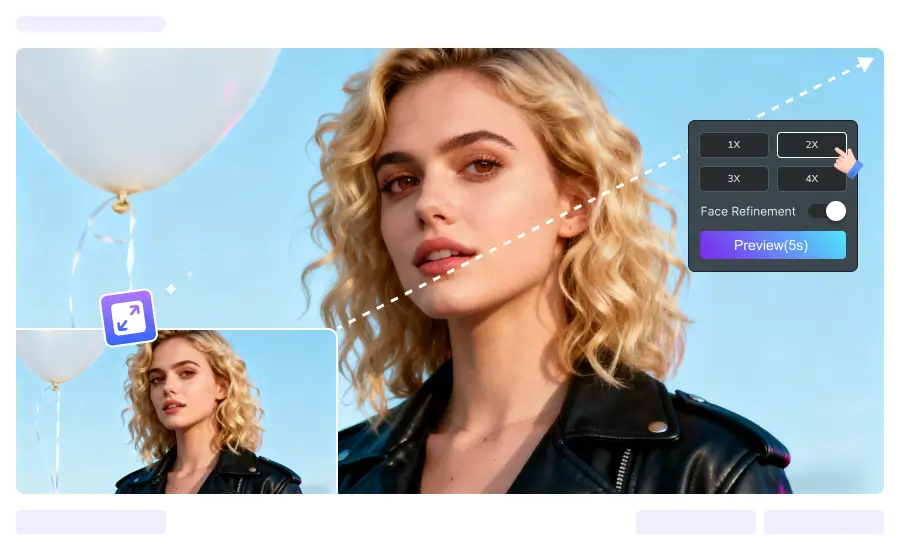
Not sure whether to choose Video Enhancer Cloud or Video Enhancer AI? Here's everything you need to know to make the right choice.
| Category | Video Enhancer Cloud | Video Enhancer AI |
|---|---|---|
| System Requirements | ||
| Graphics Card (GPU) | ✓ Not required (cloud processing) | NVIDIA GTX 1050 Ti / Radeon HD 7000 series or above |
| Processor (CPU) | ✓ Not required | Intel i7 (7th generation) / Ryzen 7 or greater (4GHz and above) |
| Memory (RAM) | ✓ 4GB is enough | 16GB or more |
| Network Requirement | Requires stable internet connection | ✓ Can be used offline |
| Feature Comparison | ||
| AI Video Upscaling | ✓ Up to 4x | ✓ Up to 8x |
| AI Face Enhancement | ✓ Supported | ✓ Supported |
| Video Library | ✓ Supported | ✓ Supported |
| Video Noise Reduction | ✗ Not supported | ✓ Supported |
| Video Deblur | ✗ Not supported | ✓ Supported |
| Frame Interpolation | ✗ Not supported | ✓ Supported |
| Video Object Blur | ✗ Not supported | ✓ Supported |
| Batch Processing | Single file only | ✓ Batch supported |
| Processing Speed | Depends on network | ✓ High-speed local processing |
| Output Formats | MP4 | MP4, AVI, MOV, MKV, etc. |
| Download Now | ||
Perfect for PCs with integrated or older GPUs and anyone who wants quick, easy video enhancement.

If your computer does not have an NVIDIA or AMD dedicated GPU (for example, it uses Intel HD/UHD/Iris Xe Graphics), AVCLabs Video Enhancer Cloud delivers a much smoother experience far beyond local processing.

Not sure if your GPU is powerful enough? If your graphics card is several years old and struggles with heavy software, Video Enhancer Cloud is tailor-made for you.
We recommend Video Enhancer Cloud for users with NVIDIA GeForce GTX 10 series (such as GTX 960, 1050) and earlier models, AMD Radeon RX 5000 series (such as RX 580) and earlier models, as well as all users running Intel integrated graphics—for the best overall experience.

Don't want to install a full desktop program? Only need one or two core features? AVCLabs Video Enhancer Cloud requires no complicated setup—just launch and enhance your video instantly.
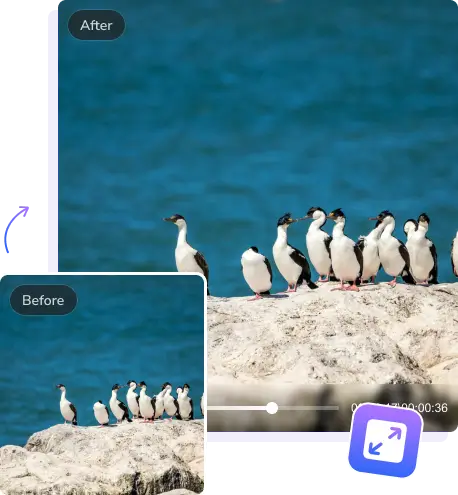
Focus on Core, Maximize Efficiency

Using advanced AI super-resolution algorithms, your videos can be upscaled up to 4x without quality loss, making every frame sharp and full of detail.

Intelligently detects facial details and automatically optimizes and restores blurry faces. Whether it's old footage or low-light videos, facial expressions become vivid and clear.

All processing is done in the cloud without using local resources. Even with integrated graphics or older GPUs, you get smooth and efficient performance.

No complex installation required. Launch core functions instantly for fast and convenient video enhancement with a lightweight workflow.
Enhancing your videos has never been easier. With AVCLabs Video Enhancer Cloud, you can improve video quality, add face enhancement, and upscale footage.
Drag and drop your video file or select it from your computer. AVCLabs Video Enhancer Cloud supports a wide range of formats.
You can select the upscaling factor—up to 4x for sharper images—or enable face enhancement to bring out finer details.
Preview your enhanced video and download the high-definition result with a single click when you're satisfied.


 AVCLabs Video Enhancer Cloud
Buy Now
$9.95, Get 100 Credits Today
AVCLabs Video Enhancer Cloud
Buy Now
$9.95, Get 100 Credits Today
Want to experience all the features? Discover the full version of Video Enhancer AI.

Pioneering in AI, AVCLabs is committed to providing comprehensive tools for enhancing and restoring visual content across industries.


© 2026 AVCLabs Inc. All Rights Reserved





 Video Enhancer Cloud
 Video Enhancer Cloud