8 Best Free AI Image Extenders to Expand Image in 2026
 Posted By: Billie Miller
- Posted On: May 14, 2026
- Category: Photo Editing Tips
Compared to using the complex Generative Expand function in Photoshop, many online AI Image Extenders now offer a simpler and faster way to expand images with just one click. This article selects 8 of the most powerful free AI Image Extenders for 2026. Whether you want to easily extend a photo to a 16:9 aspect ratio or correct an incomplete composition, you can find the most suitable solution among these tools.
Part 1: 8 Best AI Image Extenders to Uncrop & Expand Images
1. Pixelcut.ai
Website: https://www.pixelcut.ai/uncrop
Pixelcut.ai's Uncrop tool is a free online AI image extender designed for e-commerce sellers and social media users to intelligently uncrop or AI extend images. Whether you want to easily adjust the aspect ratio of your images to fit different social media platforms(such as expanding images to the 16:9 ratio used by Instagram), recover photos damaged by incorrect cropping, or add necessary background or white space to your product photos, Pixelcut.ai lets you quickly extend images with high quality.
Pros:
- AI image extender free no sign up with 3 credits everyday.
- Offer 7 preset aspect ratios, such as 1:1, 3:2, 4:3, and 16:9.
- Support custom sizes to fit various platforms and product listing websites.
- Able to AI expand image online or on a mobile app.
Cons:
- High-resolution AI-extended images cannot be saved for free.
📌 Tips:
If you find that free AI extended images have low image quality and blurry details, you can consider using the professional tools provided by AVCLabs for further image quality enhancement and lossless enlargement.
 Enhance Image Online
2. Pxbee AI Image Extender
Website: https://www.pxbee.com/ai-image-extender/
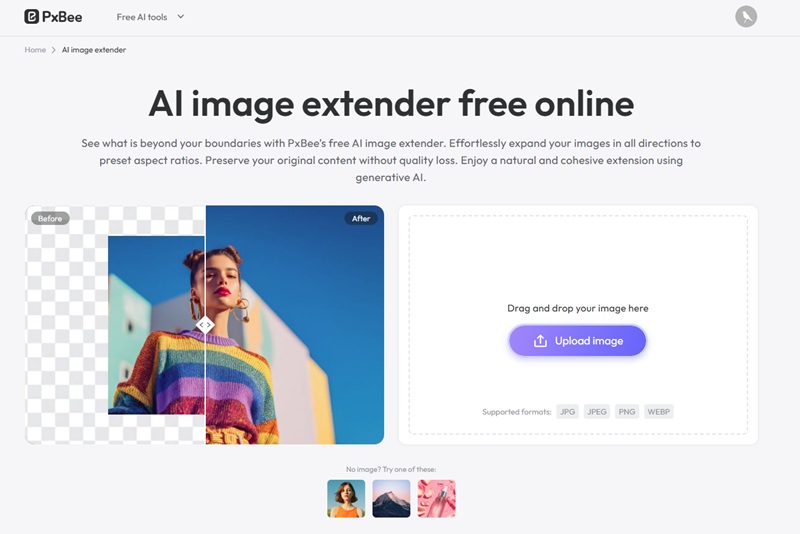
PxBee AI Image Extender is a free online AI outpainting tool that allows users to intelligently extend images in all directions. You can directly extend the image to common preset aspect ratios such as 1:1 and 16:9, or customize the expansion range using the slider with scaling factors from 1.1x to 2.0x.
Regardless of the extend method chosen, you can freely drag and adjust the position of the original image in the new canvas to achieve the ideal composition. Futhermore, you can use the "Result Expand" function on the extended image to perform multiple consecutive expansions, achieving greater adjustments or creative compositions.
Pros:
- Unlimited free AI image extender no sign up required.
- Support saving high-resolution and watermark-free extended images.
- Built-in Result Expand option lets you keep extending the newly generated image without starting over.
Cons:
- Image extension process can take longer than other tools
- Lack manual input for custom width and height of the extended canvas.
You May Also Like: Latest Matching PFP for Couples in 2026: Various Styles in High Quality
3. Hugging Face
Website: https://huggingface.co/spaces/fffiloni/diffusers-image-outpaint
Hugging Face's Diffusers Image Outpaint is a popular image outpainting tool on Reddit, which offers an unlimited extension option with advanced controls. You can input text commands via Prompt to guide the AI to generate specific content within the expanded area.
This free image extender offers a wealth of parameters, such as using Expected Ratio and Target Width/Height to precisely control the size and aspect ratio of the final output image to adapt to various platform requirements; while Alignment determines the positioning of the original image on the new canvas. In advanced settings, users can adjust the number of steps to balance generation quality and speed, and use Mask overlap and the four-directional Overlap parameters to help blend boundaries more naturally.
Pros:
- Completely free and open source image extender with no restrictions.
- Fine-grained control over generation direction, resolution, and style.
- AI-extended images are of high quality and rich in detail.
Cons:
- It might take some learning time for beginners.

Discover the 8 best free AI image description tools of 2026 with no content filters, including AI describe image online, desktop software, and AI plugins.
4. Monica AI Image Extender
Website: https://monica.im/en/image-tools/ai-image-extender
Monica AI Image Extender is a free image expand tool that uses generative AI technology to intelligently extend images. It intelligently analyzes the details and colors of the original image and then automatically generates new background details that blend perfectly with the original.
The highlight of this free AI image extender is its Custom Extension Prompts feature, which is also available in Photoshop's AI extend tool. You can input commands to guide the AI in generating the expanded area according to the prompts, making the extended image more accurate and better suited to their expectations.
Pros:
- Free AI image expander with 8 credits.
- Online extend image with prompts, no need for complicated Photoshop tools.
- The AI expanded content blends seamlessly with the original image.
Cons:
- The output extended image has a watermark.
🔥 Read More: Top 8 AI Image Generators No Restrictions in 2026

5. Picsart
Website: https://picsart.com/ai-image-extender/
Picsart AI Expand tool is an advanced generative AI image extender that can automatically analyze photo content and extend image background while maintaining a consistent style. It includes 72 preset templates covering various commonly used sizes, such as Pinterest profiles, YouTube end screens, LinkedIn company banners, Facebook posts, and more.
Whether you're an individual creator, social media operator, or e-commerce seller, Picsart AI Image Extender provides a highly automated, no-design-experience solution for rapid image extension, making the outpainting process more efficient, flexible, and professional.
Pros:
- Free online unrop and AI extend image, no software installation required.
- Quickly expand image to a ratio suitable for different uses such as social media, web, and print.
- Support input prompts to guide image expansion.
Cons:
- Sign up for free AI image extender to receive only 5 credit.
- Lack of before-and-after comparison function.

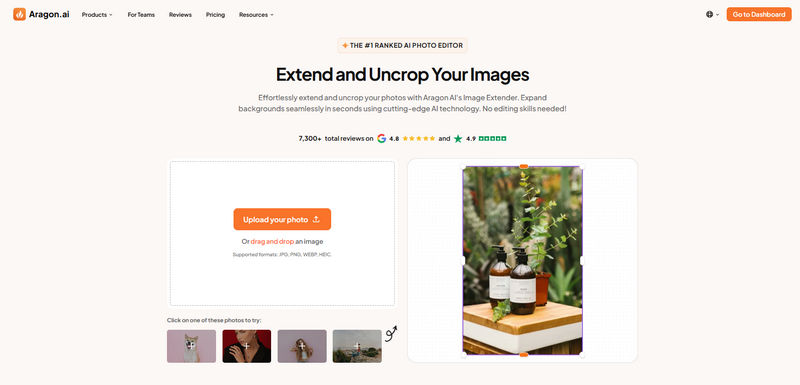
6. Aragon.ai Image Extender
Website: https://www.aragon.ai/photo-editor/image-extender
Aragon.ai Image Extender is a powerful and easy-to-use AI image expand tool, known for its fast and natural background extension. It uses a fixed-ratio automatic extension method (25%-50%), and the original image remains centered on the canvas without manual adjustment, making it ideal for users who want one-click generation without complex settings.
While it cannot freely move the subject or specify the extension direction like professional-grade AI image extenders, this simplified design results in more stable output and makes everyday retouching of cropped areas and makes expanding standard social media sizes and uncropping easier and faster.
Pros:
- Compatible with common image formats such as JPG, PNG, WEBP, and HEIC.
- Highly automated, one-click expansion, suitable for fast image extend.
- The generated extended background effect is more consistent.
Cons:
- Only 6 free credits are provided upon registration.
- It cannot meet the diverse image expansion needs such as posters, banners, and covers.
Explore the top 8 AI movie poster generators free no sign up for 2026 to design eye-catching posters in seconds, all free and easy to use. Learn more>>
7. Kaze AI
Website: https://kaze.ai/ai-expand
Kaze AI provides a free uncrop tool that helps users infinitely extend the image canvas in four directions (up, down, left, and right), and fills new image areas using an advanced AI model that are completely consistent with the style and content of the uploaded image.
To facilitate use in various scenarios, this free image extender includes several preset templates. When using a preset template, your uploaded original image will be centered on the new canvas by default, and AI will expand evenly outwards. If you want more flexibility in controlling the canvas size, you can choose a custom size. The original image will then be fixed in the top left corner of the canvas, and AI will fill the expanded area from that position to the bottom right. This method is particularly suitable for situations where you need white space on the right or bottom of the image to add text descriptions, brand logos, or other design elements.
Pros:
- Offer free credits, making it an excellent choice for users who want to try free AI image extender for the first time.
- Allow you to extend images with one click to adapt them to different platforms.
- Support center-aligned image expansion and image fixed to the top left corner expansion.
Cons:
- It does not support inputting text descriptions to guide AI to expand images.
- It takes about 30 seconds to expand the image, which is not very fast compared to others.
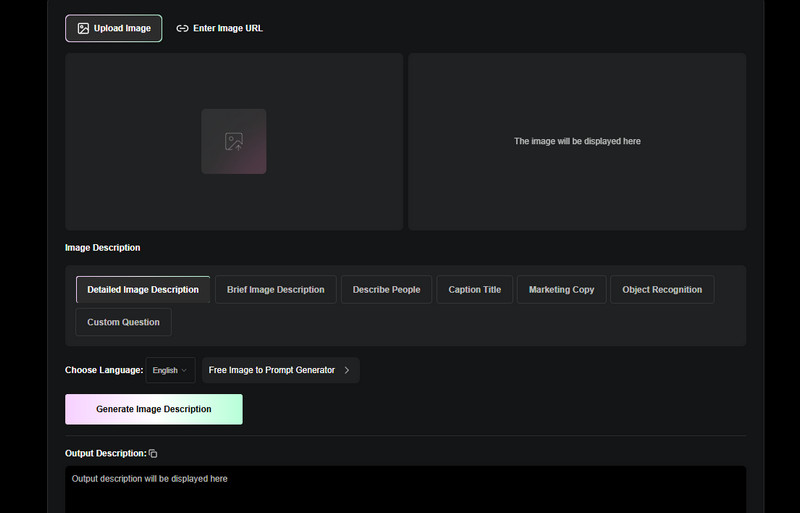
8. VisualGPT AI Image Extender
Website: https://visualgpt.io/ai-image-extender
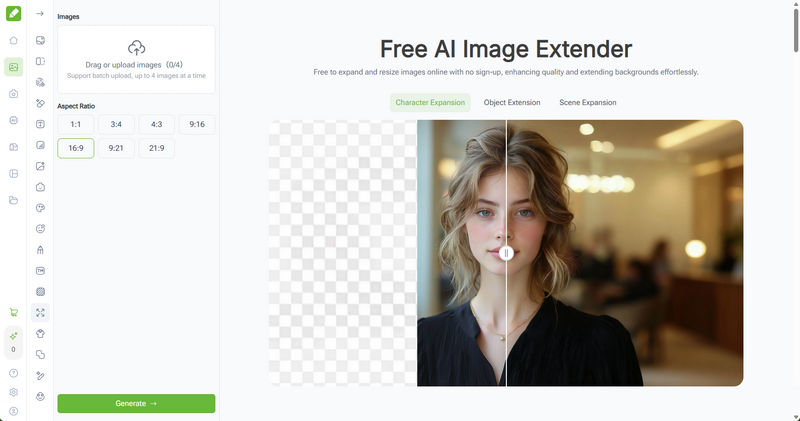
VisualGPT provides a free image extender that allows for quick image expansion without login, supporting image extend such as Character Expansion, Object Extension, and Scene Expansion. While it currently only provides a few fixed aspect ratios, such as 1:1, 9:16, and 9:21, its biggest highlight and advantage is its ability to batch upload up to four images and extend images in batches. It's important to note that the uploaded images will be expanded at the same aspect ratio during batch processing.
However, during testing of this free AI Image Extender, the detail reproduction of the expanded portraits was not ideal, with noticeable changes in facial features in some extened images. Therefore, it is more suitable for background expansion or composition uncropping when expanding images.
Pros:
- A free image extender no sign up required with 12 credits for use.
- It can upload and expand 4 images at a time.
- The extended images are free to save in high resolution and have no watermarks.
Cons:
- Limited expand aspect ratios support.
- The extended effects may have flaws in some scenarios.
Part 2: Why Stop at Image Extender? The Dedicated AI Photo Enhancer: AVCLabs PhotoPro AI
While many free AI image extender can expand images and even improve image quality, they aren't designed to provide professional-grade image enhancement. If you want sharper details, cleaner textures, and more realistic clarity, then a professional image enhancer is the ideal choice.
AVCLabs PhotoPro AI is a comprehensive AI photo editing and enhancing software. Unlike simple image extenders, it uses specialized AI super-resolution upscaling to remove noise from image and sharpen details. It's perfect for restoring blurry photos and low-resolution images, and ensuring that any AI extended image meets a high standard for professional use or printing.
✨ Try AVCLabs Free Online Image Enhancer for high-resolution image!
Key Features of AVCLabs PhotoPro AI
- Create breathtaking images from anime or abstract.
- Colorize your B&W image with stunning color and clarity.
- Increase image resolution by 2x, 3x, 4x without losing quality
- Effortlessly remove any unwanted object with pinpoint accuracy.
- Turn your ideas into visuals in seconds with no waiting or limits.
How to Enhance Photo or AI Extended Image with AVCLabs PhotoPro AI?
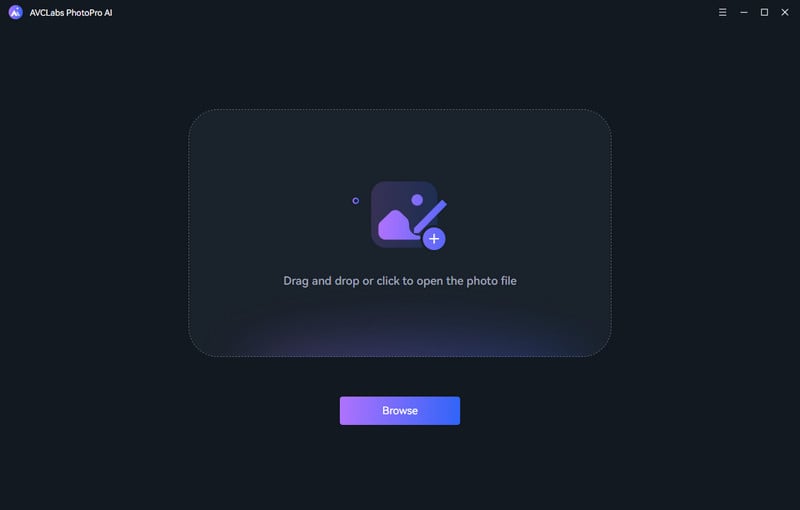
Step 1 Upload Your Image
Launch AVCLabs PhotoPro AI on your computer and upload your extened image or low-quality picture.
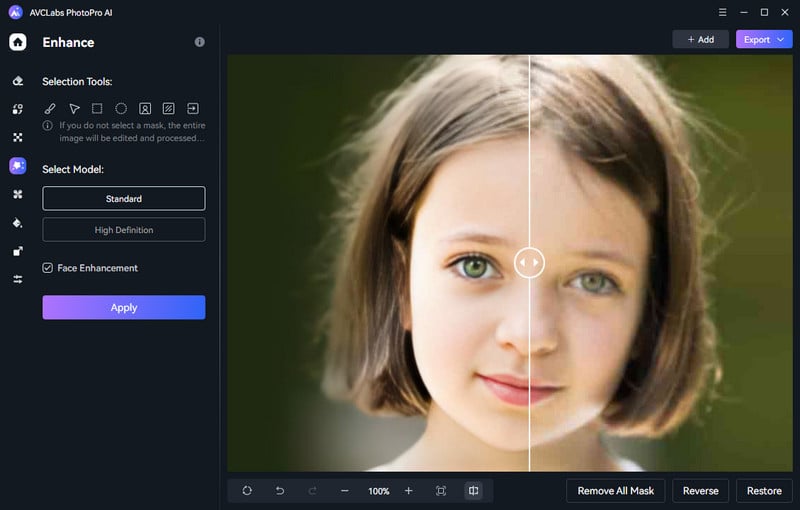
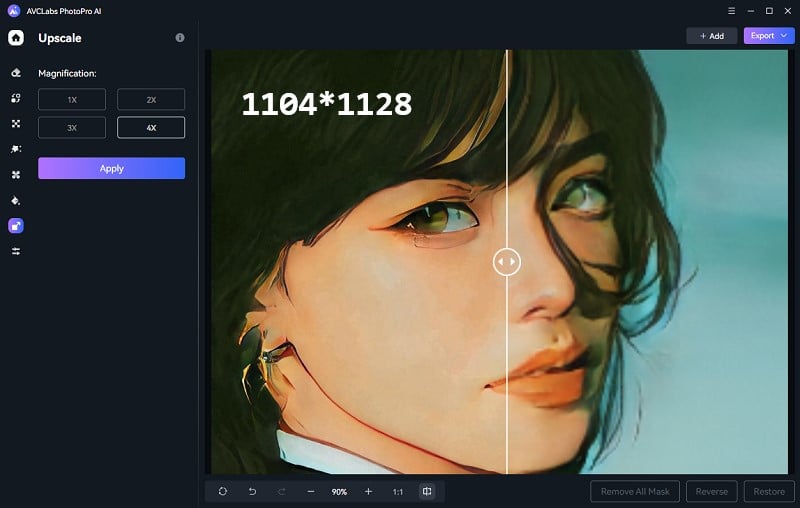
Step 2 Enhance or Upscale Your Image
If you want to improve the image quality, you can select the Enhance function, and then choose either the Standard or High Definition option.
If you want to enlarge your image, you can select "Upscale" and set the desired magnification factor, such as 2x or 4x.
Step 3 Preview and Export
Preview and check the improvement in detail and clarity. Save your improved photo in the format and resolution you prefer.
FAQ About Free AI Image Extender
Can ChatGPT extend images?
Yes. You can outpainting images using ChatGPT's DALL·E image generation model. However, ChatGPT does not provide a dedicated AI image extender interface. Some products advertised as free AI image extenders from ChatGPT are actually developed by third-party companies like aiseo.ai. Please be cautious when using them.
What is the best AI tool for enhance and expand images?
The 8 free image extenders mentioned above are all excellent AI tools for expanding images, such as the Hugging Face outpainting tool, which offers fine-grained options, and the unlimited Pxbee AI Image Extender. Even though some image extenders claim to enhance image quality, it's recommended to use professional photo enhancers like AVCLabs PhotoPro AI to improve image quality.
Conclusion
In summary, these 8 tools, Pixelcut.ai, Pxbee AI Image Extender, Hugging Face, Monica AI Image Extender, Picsart, Aragon.ai Image Extender, Kaze AI, and VisualGPT AI Image Extender—make image extension a task that anyone can easily accomplish. However, it's important to note that image extend is not the same as enhancement.
If you want to enlarge images without sacrificing quality or enhance the image quality of extended images, consider using a professional AI photo enhancement tool like AVCLabs PhotoPro AI.