10 Best Video Redaction Software in 2026: Tested and Compared
 Posted By: Billie Miller
- Category: Video Blurring Tips
- Updated On: June 1, 2026
Some videos, like surveillance recordings, often contain sensitive information such as faces, license plates, or other private details. Video redaction is to protect the sensitive information before made public. An automated solution could save much time than manually editing.
In this guide, we've listed the 10 best video redaction software in 2026, including their deployment types, use cases, and prices — so you can easily find the right option for your needs.
Part 1. What Is Video Redaction?
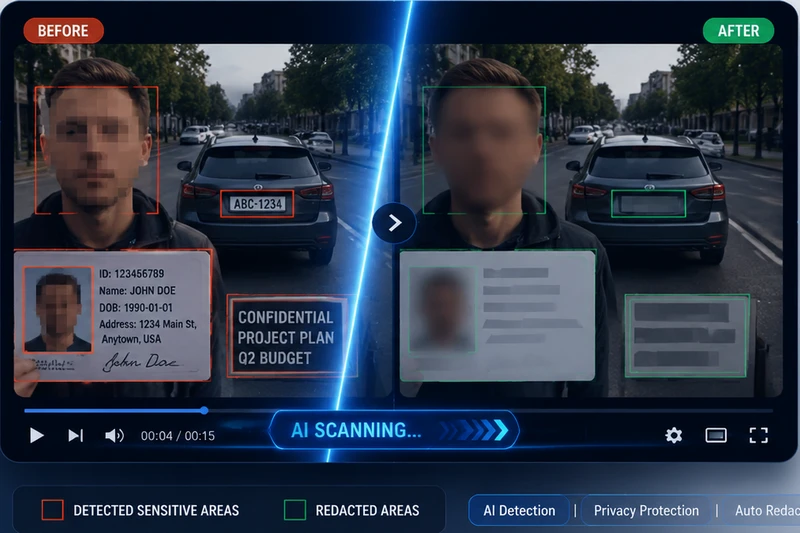
Video Redaction is hiding or removing sensitive information from a video before it is shared, published, or saved. What is private information? It usually includes both visual and audio content, such as faces, license plates, screen content, documents, ID cards, signs, serial numbers, names, addresses, and sensitive conversations.
Video Redaction Software is a tool that can automatically detect and permanently obscure sensitive information in videos. It reduces the time that would normally take 4-8 hours of manual processing for a one-hour video down to just minutes. Most automated video anonymization software relies on high-precision AI recognition to efficiently process people and other sensitive elements.
These tools that provides video redaction services are used across many industries — law enforcement, government, healthcare, retail, education, and legal. They serve a wide range of users, from individual creators and small businesses to large enterprises and government agencies.
How to Choose the Best Video Redaction Software for Your Needs?
In this article, we'll introduce the 10 best video redaction software for you. However, not all tools offer the same level of AI accuracy — and that directly affects how much manual review your team will need to do afterward. We want the most value for the least cost.
- What can it process automatically? Look for face, license plate, screen, weapon, and moving object detection and blurring. Some tools also let you define custom objects to redact.
- Does it track moving objects? A face that moves across the frame should stay blurred throughout. Not all tools handle this well.
- How many faces can it handle at once? This matters in crowd scenes. For reference, AVCLabs supports all faces and selective faces to blur simultaneously; Axon only supports up to 20 faces.
- How does it perform in difficult footage? Test it on low-light, blurry, or crowded video. That's where accuracy gaps show up.
- How is it priced? Some video redaction software charges per video, others offer monthly subscriptions or a one-time purchase.
Quick Comparison: Top 10 Video Redaction Software at a Glance
| Software | Company | Deployment | Key Features | Rating |
|---|---|---|---|---|
| AVCLabs Video Blur AI | AVCLabs | Windows / macOS | Auto-detects faces/plates/moving objects, handles all faces or selected faces simultaneously; includes video object removal | ⭐⭐⭐⭐⭐ |
| CaseGuard Studio | CaseGuard | Desktop + Team collaboration | All media types (video/audio/docs/images), 100+ language transcription | ⭐⭐⭐⭐⭐ |
| FastRedaction | Visual Labs Inc. | Online SaaS | No installation needed, pay-per-video, simple workflow | ⭐⭐⭐⭐ |
| Axon Redaction Studio | Axon | Cloud (Axon Evidence platform) | Deep integration with Axon body-worn cameras | ⭐⭐⭐⭐ |
| Identity Cloak | Facit Data Systems | Desktop + Milestone plugin | CCTV integration, Milestone XProtect support, Europe-focused | ⭐⭐⭐ |
| VIDIZMO Redactor | VIDIZMO LLC | SaaS / Private Cloud / API | 255+ formats, full compliance framework (GDPR/HIPAA/FOIA/FERPA) | ⭐⭐⭐⭐⭐ |
| Sighthound Redactor | Sighthound Inc. | Desktop / Private Cloud / API / White-label | Open API + SDK, embeddable into third-party products, white-label support | ⭐⭐⭐⭐ |
| Veritone Redact | Veritone | Cloud (Veritone aiWARE platform) | Integrated with Veritone AI media platform; premium pricing | ⭐⭐⭐ |
| Secure Redact | Pimloc | SaaS | Wide UK police adoption, multiple EU privacy awards, 280x faster than manual | ⭐⭐⭐⭐⭐ |
| Reduct | Reduct.Video | SaaS | ⚠️ Unique approach: transcript-driven redaction; not a traditional law enforcement tool — best for interviews & meetings | ⭐⭐⭐ |
Part 2. Top 10 Best Video Redaction Software in 2026
We've rounded up all the main types available today: desktop apps, online tools, plugins, APIs, and private cloud solutions. No matter how your team works, there's an option that fits.
1. AVCLabs Video Blur AI
- Price: $119.95/lifetime, $64.98/year, $39.95/month, Enterprise Plan
- Free Trial: Blur 3 video files for free with a watermark
- Deployment: Windows, Mac
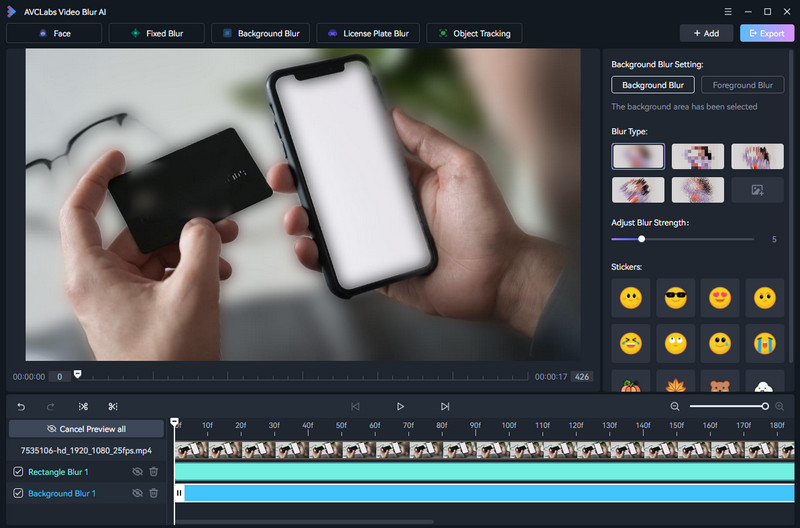
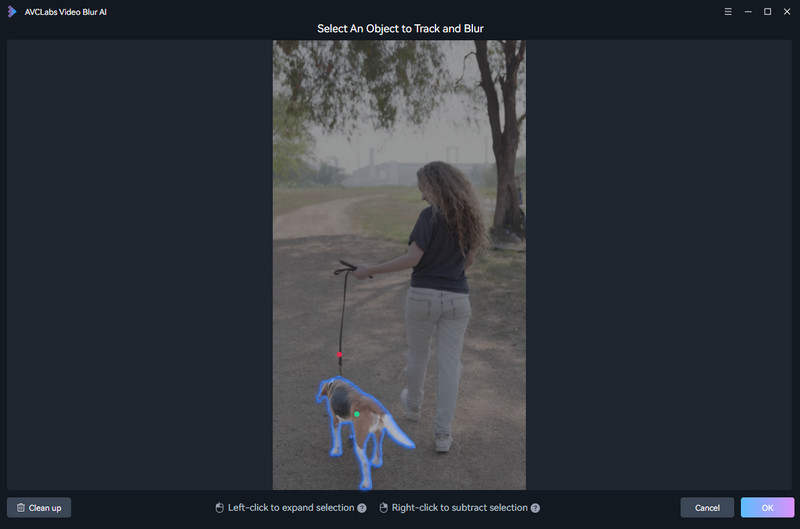
AVCLabs Video Blur AI is a professional solution for AI automated video redaction. It handles everything you'd need to do for video redaction about video editing. It can automatically blur faces, license plates, background, foreground, and other sensitive information in videos. It allows you to adjust blur types, strength, and other customizable settings. All moving objects can be detected and blurred precisely, and the result is a high-quality blurred video.
It is designed to be user-friendly, even for those without video editing experience. It offers a really simple interface and straightforward workflow. It also includes a preview feature, allowing users to see the redaction results before exporting the final video.
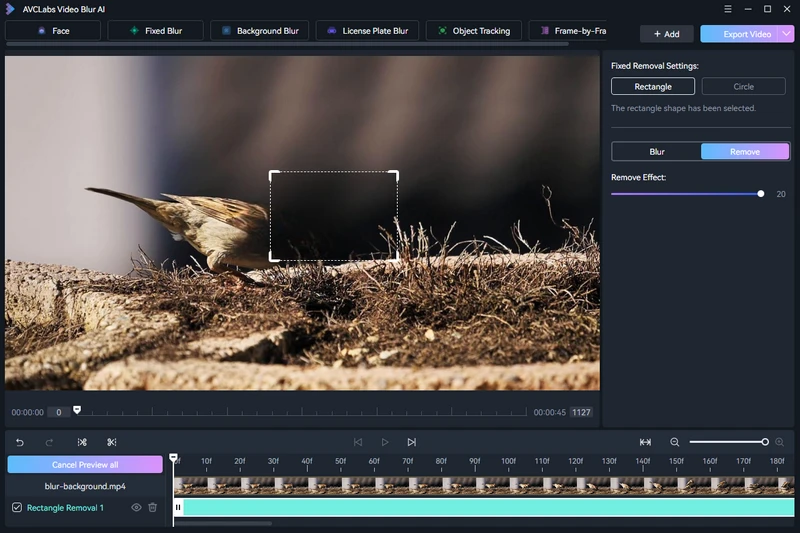
Moreover, AVCLabs Video Blur AI offers AI video removal, which means you can remove object/person/logo from videos. Whether they are still objects, or moving objects. It's erfect for areas where the redaction zone is too large — replace blurring with video object removal for a cleaner, more natural-looking result.
Compared to similar tools, AVCLabs offers more competitive pricing — making it a great value for money. For businesses, television networks, governmental bodies, and large teams, they also offer a customizable Enterprise Plan.
Blur Face in Video:
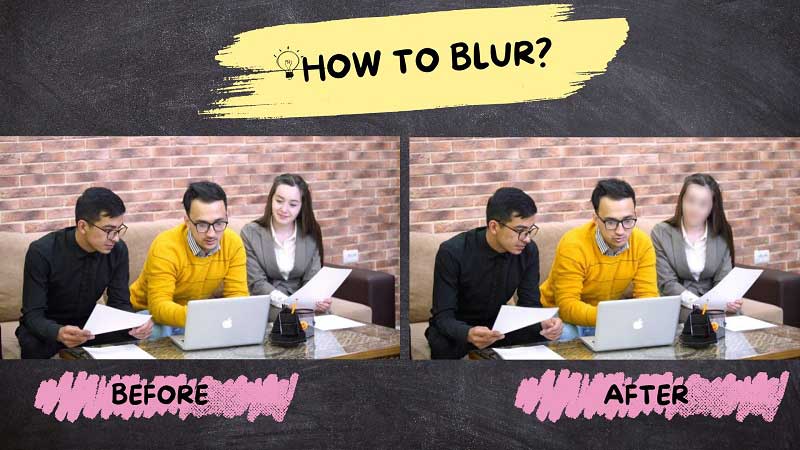
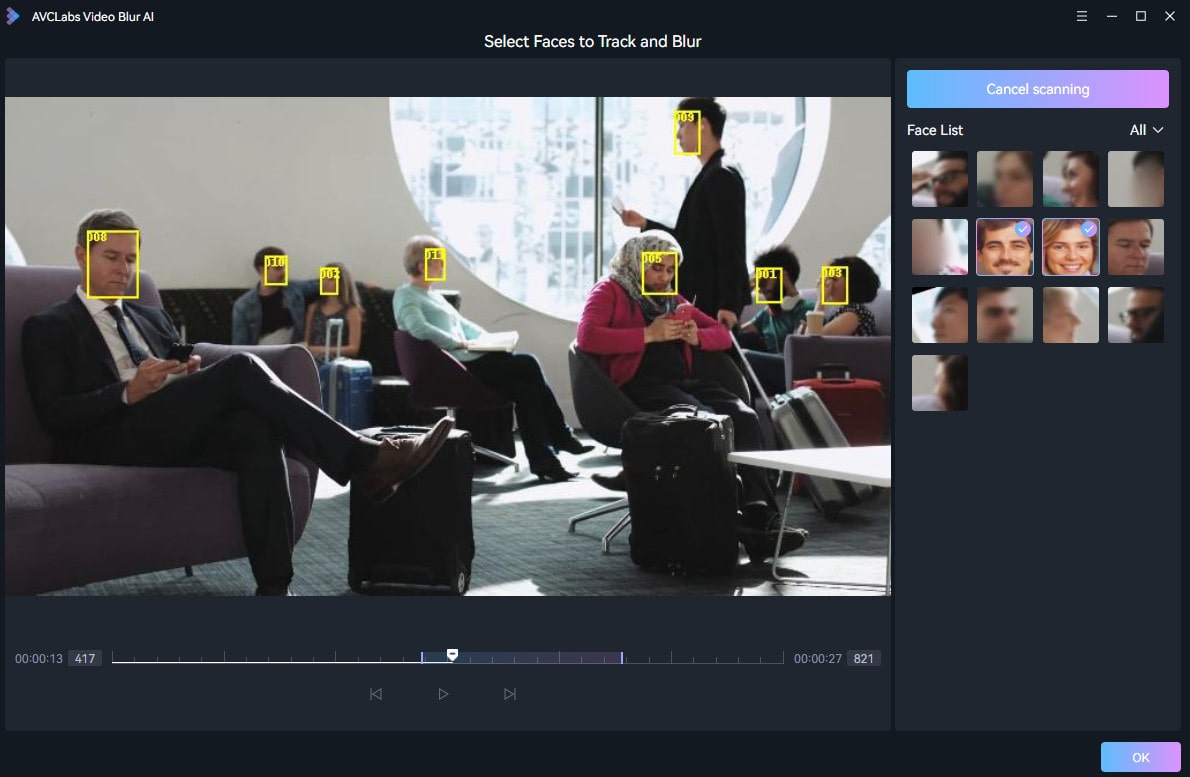
AVCLabs Video Blur AI can automatically detect 100+ faces in a video and blur them with high precision. It supports both blurring all faces and selectively blurring specific faces. Moreover, you can even import an image to tell it only to blur the faces that match the image, or blur the rest of the faces except the one that matches the image.
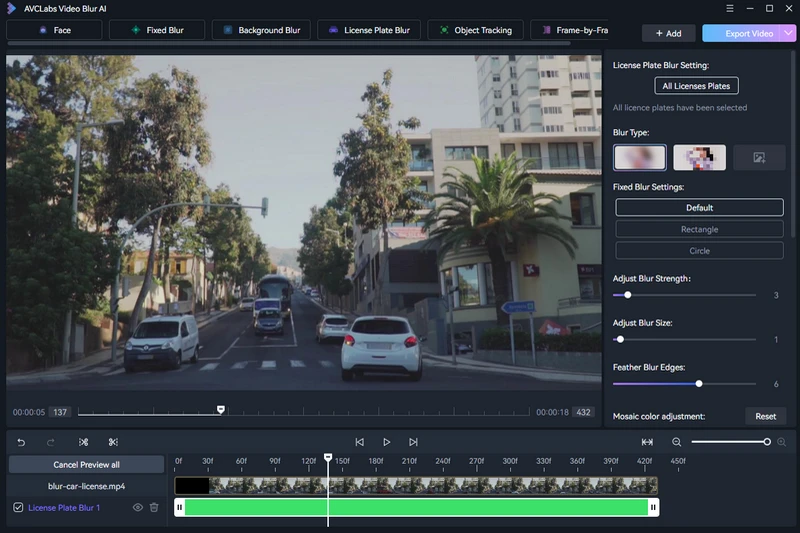
Blur License Plate:
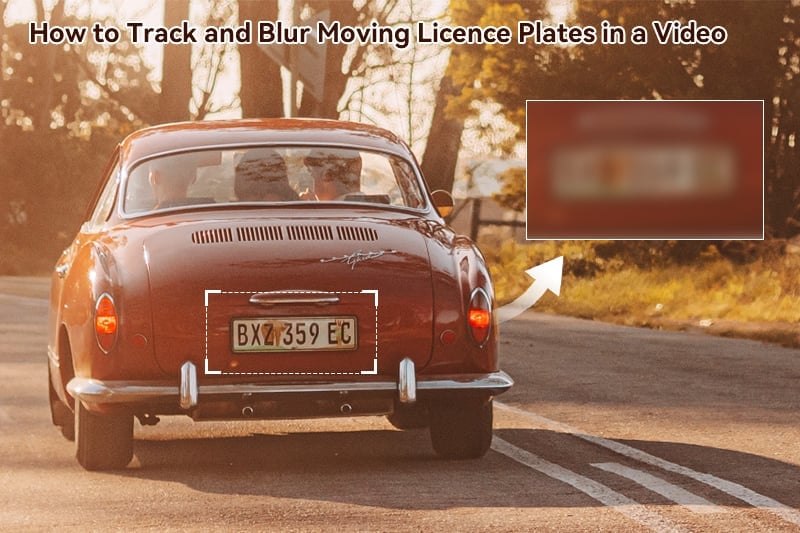
This video redaction software can also blur license plates in videos with high precision in tracking and redaction, ensuring that sensitive information is protected.
Blur Screen Information:
Blur Moving Object:
Remove Objects from Video:
How to Do Automatic Face Redaction in Body Cam Videos?
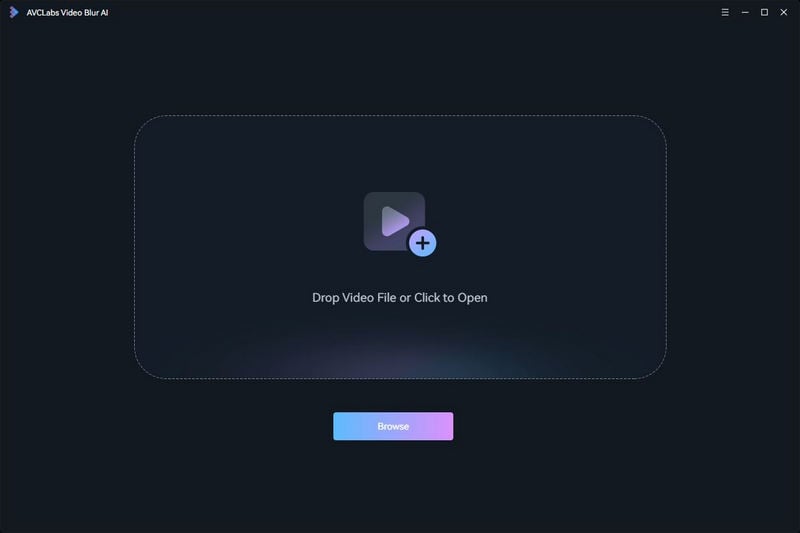
Step 1: Upload the video you want to anonymize faces into Video Blur AI - clik to open folder or drag and drop the video.
Step 2: Select Face Blur from the upper menu; choose to blur All Faces or Custom Selection.
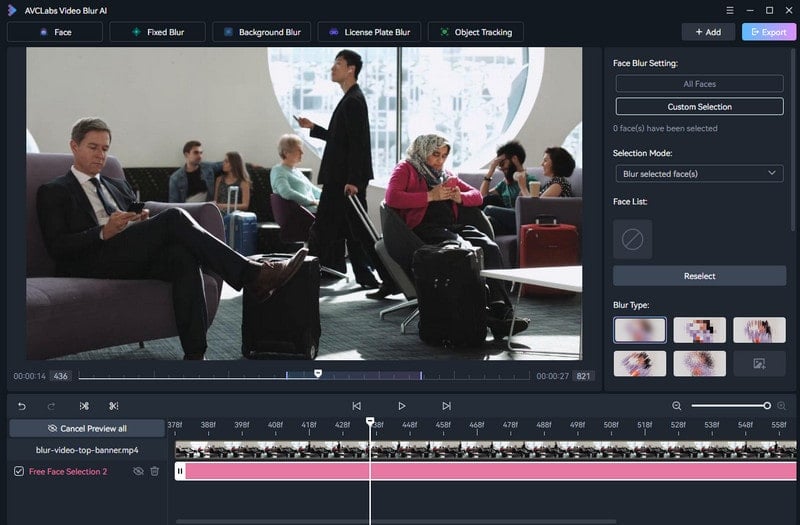
Step 3: Click Custom Selection button to let it automatically detect faces in the video; choose the faces you want to blur by checking them. And, the faces you want to blur are listed on the right area. Then, click "OK" button bellow.
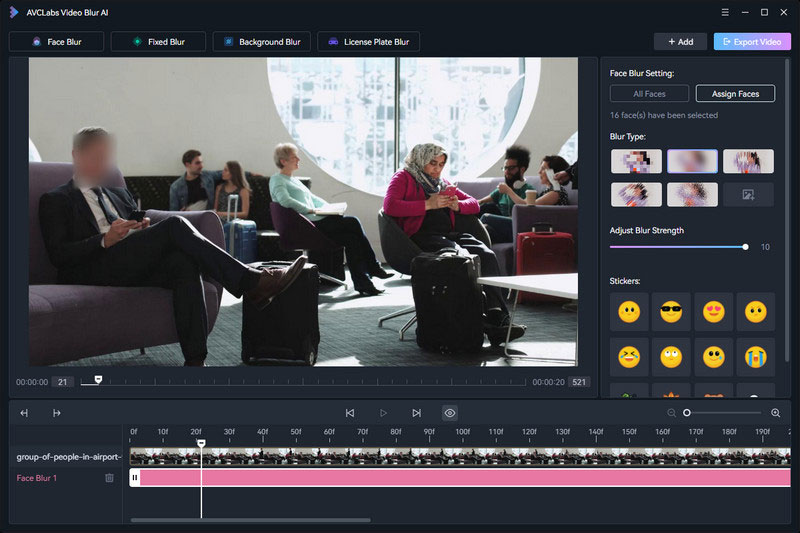
Step 4: You can apply or cancel the preview mode in the lower left corner. Finally, click Export Video button on the upper right when you're done.
2. CaseGuard Studio
- Price: From $99/month (billed annually), up to $329/month, Enterprise Plan available
- Free Trial: Free demo available
- Deployment: Windows
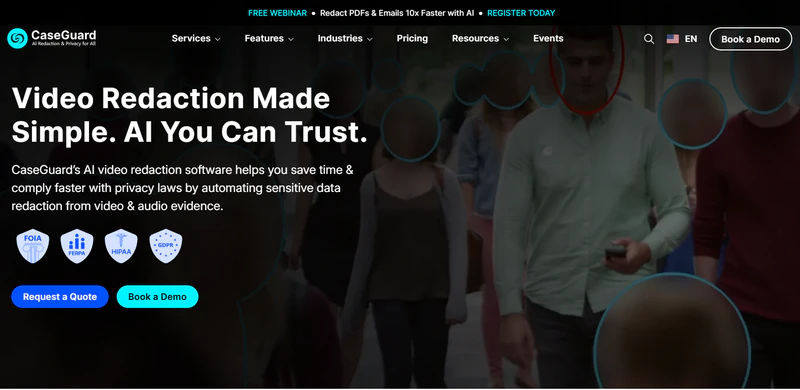
CaseGuard Studio runs as a desktop video redaction software with team collaboration built in. It's designed for law enforcement, government, and healthcare organizations. What sets it apart is how much it covers. Most redaction tools only handle video — CaseGuard goes further. It can process video, audio, images, and PDF document. It offers transcription and translation for over 100 languages, which is a major advantage and makes it ideal for multilingual teams.
3. FastRedaction
- Price: From $19/minute of video, pay-as-you-go
- Free Trial: Free trial available
- Deployment: Web-based (Online)
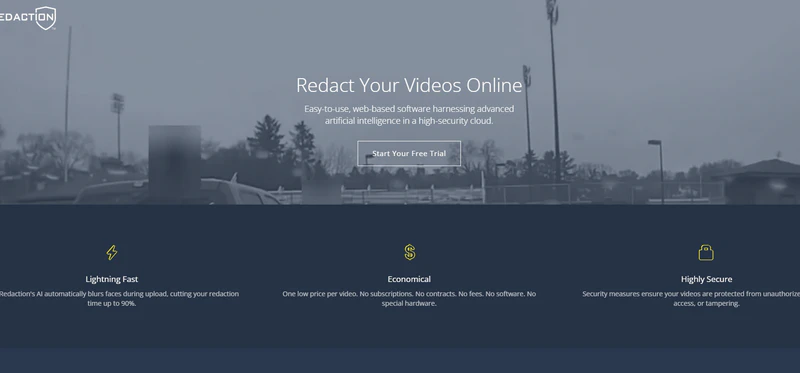
FastRedaction is a fully online video redaction tool — no installation required. It's built specifically for law enforcement agencies that need a fast, straightforward way to redact video footage. The biggest draw is its pricing model. Instead of a monthly subscription, you pay per video. That makes it a practical choice for teams that don't process footage every day and don't want to commit to an ongoing plan.
However, the tradeoff is depth. FastRedaction is built for speed and simplicity, so it lacks the advanced features — bulk processing, audit logs, multi-format support — that larger institutions may need.
Here is a tutorial on how to blur the background in Microsoft Teams meeting on Windows, Mac, iOS and Android.
4. Axon Redaction Studio
- Price: Contact sales; Redaction Assistant add-on at $108/user
- Free Trial: Not publicly available
- Deployment: Cloud (Axon Evidence platform)
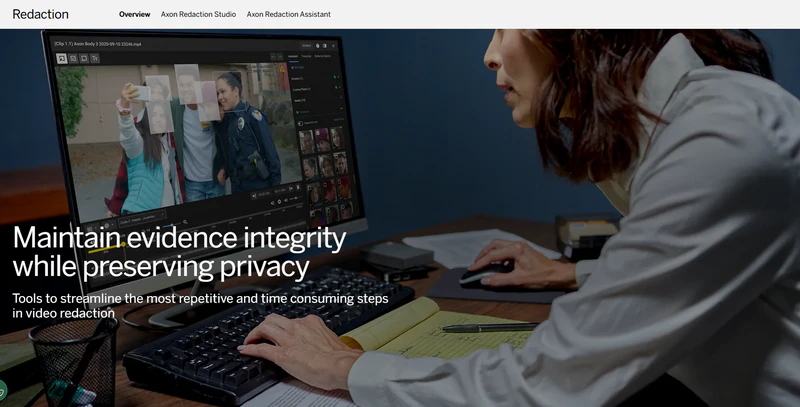
Axon Redaction Studio is a cloud-based redaction tool built into the Axon Evidence platform. It's designed exclusively for law enforcement agencies that already use Axon's body-worn cameras. It requires an active Axon Evidence account, which means it's only accessible to existing Axon customers. Everything lives in its own ecosystem — footage captured on Axon cameras flows directly into Redaction Studio, with no need to export, transfer, or reformat files before you start redacting.
Axon also offers an AI-powered add-on called Axon Redaction Assistant. Once enabled, it automatically detects and redacts faces, license plates, and screens — handling up to 20 faces simultaneously. It's available as a paid upgrade within Redaction Studio.
5. Identity Cloak
- Price: Contact sales for pricing
- Free Trial: Not publicly available
- Deployment: Windows, Milestone XProtect plugin
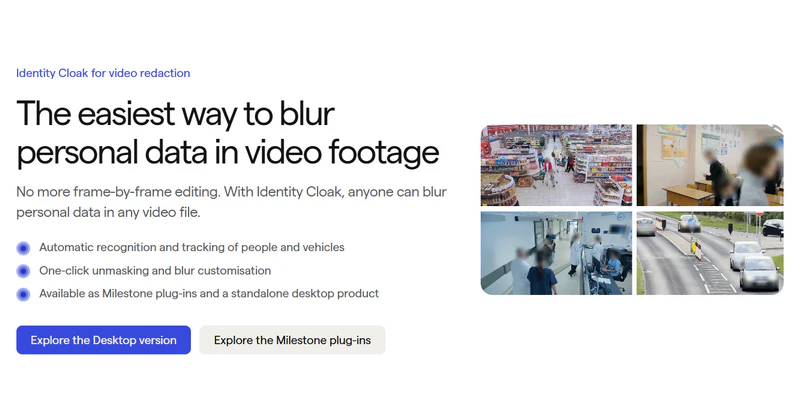
Identity Cloak is a desktop video redaction software too, primarily used in Europe. It integrates directly with Milestone XProtect — one of the most widely used camera management systems available today. That integration matters. If your footage comes from security cameras running on Milestone, Identity Cloak fits straight into your existing setup. No extra steps, no workflow changes. That also defines where it works best. Identity Cloak is the stronger choice for redacting security camera and CCTV footage — rather than bodycam or dashcam recordings.
6. VIDIZMO Redactor
- Price: Consumption-based (Processing Units); contact sales for pricing
- Free Trial: Free trial available
- Deployment: SaaS / Private Cloud / On-Premises / API
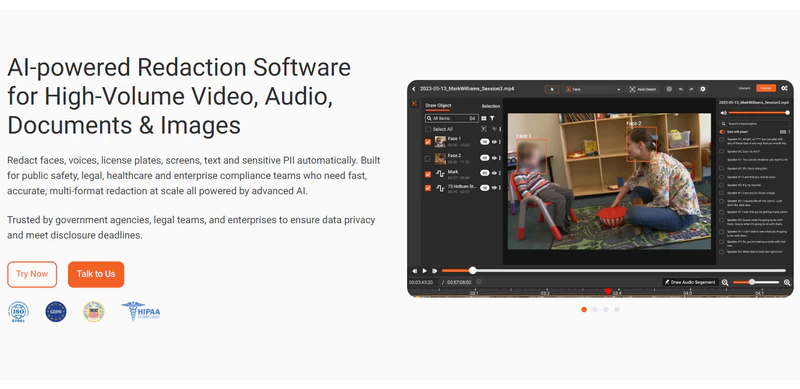
Similar to AVCLabs Video Blur AI, VIDIZMO Redactor is an enterprise-grade redaction platform built for organizations, like government agencies, healthcare institutions, and large enterprises.
Tested with over 1.1 million recordings, it can handle large volumes of sensitive footage (255+ file formats) across multiple formats, like video, audio, image, and documents. It offers flexible deployment, available as a SaaS platform, a private cloud installation, or via API. That is to say, organizations have different choices.
However, this video anonymization software requires time to learn and is expensive. It is more suitable for professionals such as large companies and official teams.
7. Sighthound Redactor
- Price: Contact sales for pricing
- Free Trial: Not publicly available
- Deployment: Windows / macOS / Private Cloud / API / White-label
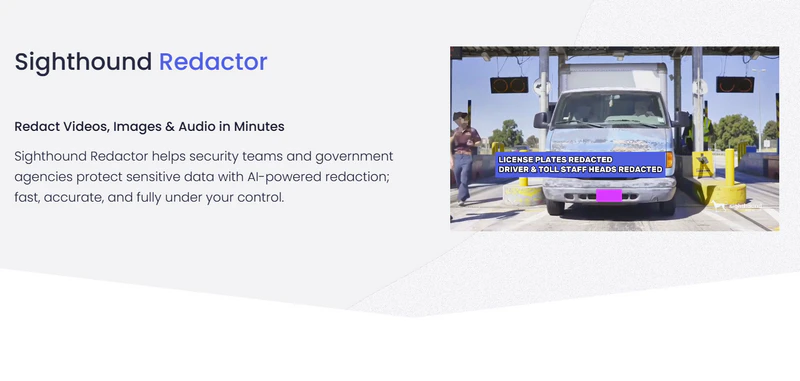
Sighthound Redactor is also an video redaction software based on AI, similar to AVCLabs. Now then, it can process audio and images in addition to video. Many similarities exist: it can detect pedestrians, vehicles, license plates, ID cards, screens, and documents with high accuracy.
Its language redaction service is primarily used for muting sensitive speech. Additionally, it supports batch workflows (a feature not yet supported by most tools). Furthermore, it offers the most comprehensive deployment options: it can run as a desktop, on-premises server, private cloud, or API integration. A key consideration is its price; the professional version starts at approximately $2,500 per year. Therefore, it is more suitable for law enforcement teams and government agencies.
8. Veritone Redact
- Price: ~$9,500/year per 100 hours of content; Enterprise Plan available
- Free Trial: Free demo available
- Deployment: Cloud (Veritone aiWARE platform)
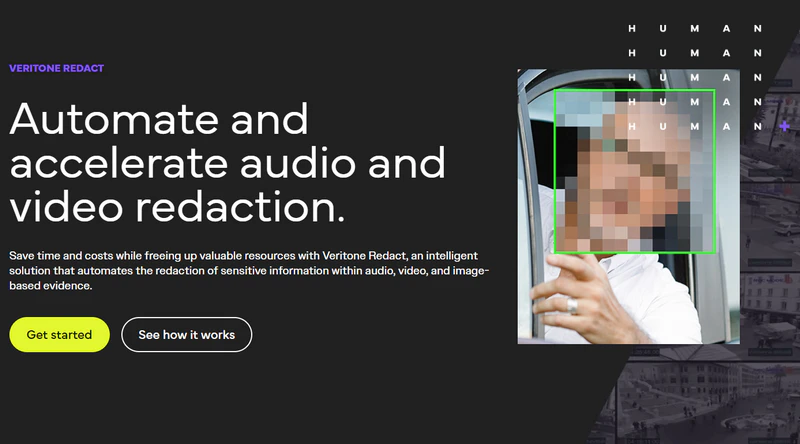
Veritone Redact is a cloud-based video redaction tool built into the Veritone aiWARE platform. It uses AI to automatically detect and redact faces, license plates, and other sensitive content in video footage. It can also do transcription, translation, search, and media management, making it a natural fit for organizations that want everything handled in one platform.
However, its price is higher than others in this list, setting at around $9,521 per year per 100 hours of footage. And, if you're not already a Veritone customer, onboarding into its full ecosystem is a significant commitment. It will not be the most practical choice, if you're evaluating standalone redaction tools on a budget - AVCLabs Video Blur AI rather than Veritone Redact.
9. Secure Redact (Pimloc)
- Price: Custom pricing (contact sales)
- Free Trial: Yes — demo or limited trial available
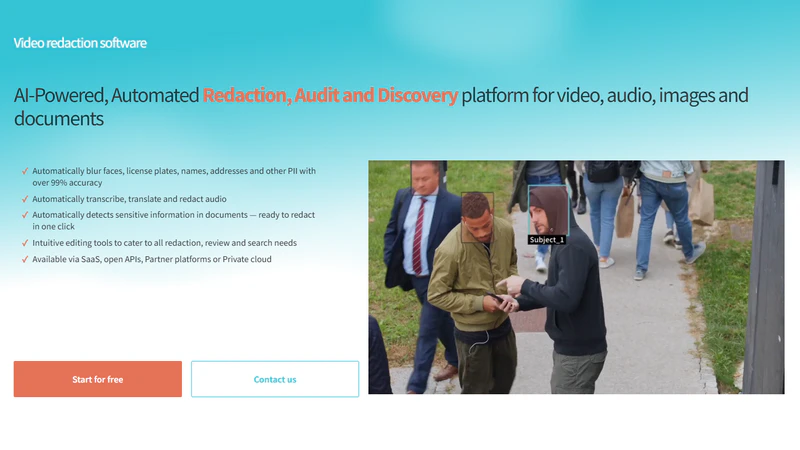
Secure Redact is a cloud-based video redaction tool developed by Pimloc. According to Pimloc, it can process footage up to 280 times faster than manual editing. It has also received industry recognition for its redaction technology, making it a strong competitor to Identity Cloak in the European market.
What sets Secure Redact apart is its focus on privacy and customization. It is best suited for UK and European law enforcement agencies, transportation operators, and insurance companies that need to handle large volumes of footage quickly while staying compliant with GDPR.
Pricing is not publicly available, so you'll need to contact their team directly. For organizations outside Europe, other tools may offer better regional support.
10. Reduct
- Price: Contact sales for pricing
- Free Trial: Free trial available
- Deployment: Web-based (SaaS)
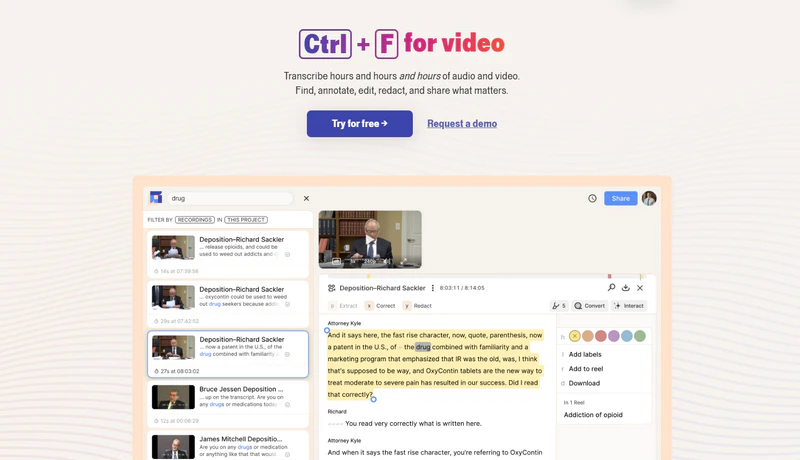
Reduct is a SaaS information editing tool that works quite differently from the other tools on this list. Instead of directly detecting sensitive objects in video frames, it first converts speech to text and then locates and edits content by searching the transcribed text.
It offers a faster, transcribed-text-based way to remove sensitive audio content. Therefore, it's best suited for interview recordings, meeting videos, and research material, where sensitive information is often verbal rather than visual. Instead of sifting through video frame by frame, you can simply find the sensitive moments in the text and edit them.
Discover how to blur part of a video, whether it's a face, object, or background. Step-by-step guide for mobile, online, and desktop editors.Learn more > >
FAQ About Video Redaction Software
Are there tools or techniques to blur content on social media platforms like Instagram?
Yes, there are multiple tools and techniques to blur content on Instagram, whether you need to obscure private information, hide background faces, or create an aesthetic post. For more control, you can use editing features in other video blurring software.
What are effective methods for redacting personal information within AI models to protect privacy in a video?
AI detection, Motion tracking, and object removal. Video redaction software uses AI to automatically detect and obscure sensitive information — faces, license plates, screens, and spoken PII — through blurring, pixelation, or solid masking. Motion tracking ensures that moving objects stay covered throughout the footage. For more advanced use cases, object removal goes a step further by erasing the element entirely and reconstructing the background.
How can I blur or censor specific parts of a video, such as faces, objects, or sensitive information?
With AVCLabs Video Blur AI, just import your video, select what to blur — faces, license plates, or any sensitive area — adjust the blur type and intensity, then export. Done in 3 steps.
What is the best video redaction software to use?
In short, the best video redaction software depends on your specific needs and use case. If you're an individual user or a business looking for a lightweight and easy-to-use solution, AVCLabs Video Blur AI is the best choice. It also offers customizable versions to meet specific needs.
If you're a large enterprise or need API integration, Sighthound Redactor is a more suitable option. And if your work is related to government or law enforcement, it's worth considering Veritone Redact for its compliance-focused capabilities.
Conclusion
The above all are the 10 best video redaction software tools we covered. Together, they cover almost everything you need for modern video redaction workflows.
We also recommend trying the free trial of AVCLabs Video Blur AI, which can not only blur faces, license plates, backgrounds, and moving objects in videos, but also performs high-quality object removal from videos.