Get the Latest News and Promotional Events of AVCLabs

AVCLabs Video Blur AI V4.0.0 Released: New AI Keyword Tracking, Image Blurring, and Faster Performance

New York, September 30, 2026 - AVCLabs, a pioneering developer of AI-powered software solutions, is proud to announce the official release of AVCLabs Video Blur AI V4.0.0. It introduces a range of powerful features, including AI-based keyword tracking, new image-blurring function, customizable face-offset tracking, and a redesigned user interface. Following the release of V4.0.0, versions V4.0.1 and V4.0.2 further refined the editing experience, incorporating various performance optimizations and bug fixes. These updates represent a significant leap forward for AVCLabs Video Blur AI, granting users greater control and flexibility in blurring, tracking, and safeguarding sensitive information.
avclabs video blur ai 4.0.0

What's New in AVCLabs Video Blur AI V4.0.0?

AI-Powered Keyword Detection for Automatic Object Tracking

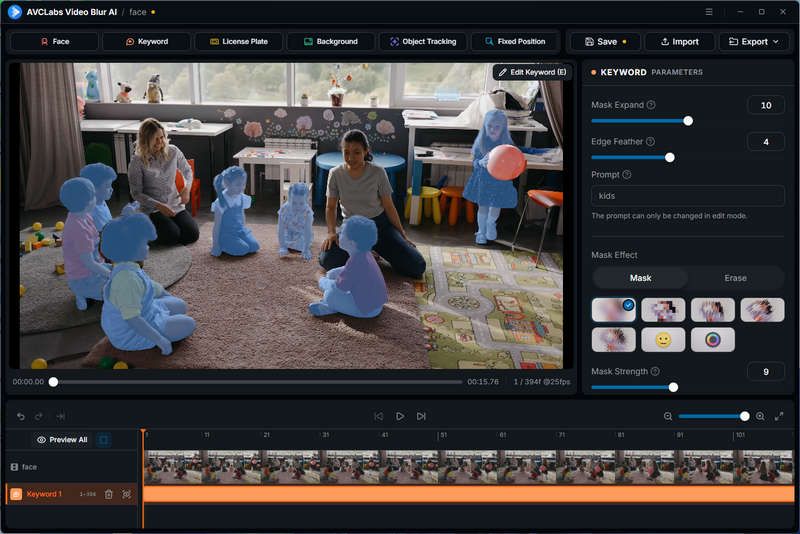
To streamline complex video censoring workflows, AVCLabs Video Blur AI V4.0.0 introduces a Smart Keyword Detection and Tracking feature. Eliminating the need for tedious manual mask drawing, users can now simply enter natural English text prompts (such as "girl", "person", or "car") to automatically identify and track specific subjects across video frames. Users can tailor the output to their specific needs—whether by fine-tuning mask expansion and edge feathering for custom blurring, or leveraging AI-powered object erasing to completely remove target subjects from the frame.

Furthermore, AVCLabs Video Blur AI V4.0.0 allows for the creation of separate keyword tracks for different objects on the same timeline, giving creators comprehensive control over a sophisticated, automated video privacy protection workflow.
ai keyword detection

Dedicated Privacy Protection Solutions for Photo

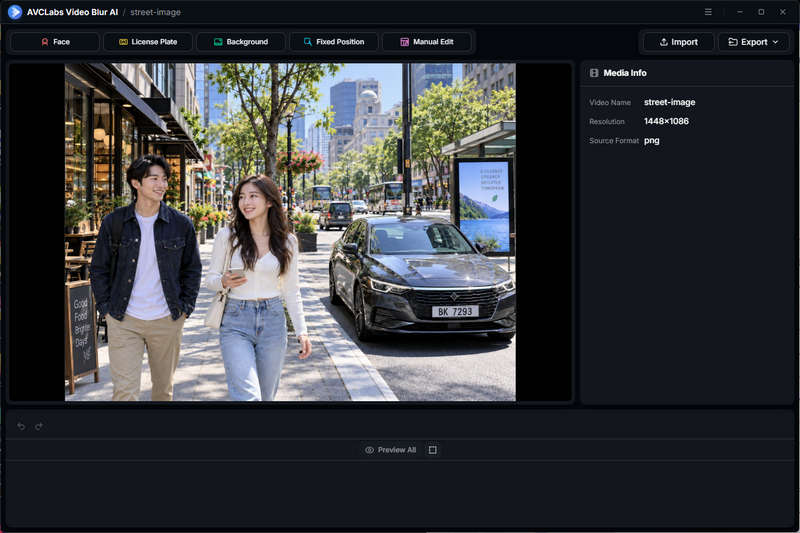
In addition to video privacy protection, AVCLabs Video Blur AI V4.0.0 introduces a powerful, all-in-one image blur and anonymization mode. Users can now import various formats of static images—including common formats JPG, PNG, WEBP, GIF, BMP, TIFF and high-efficiency or professional RAW formats—for rapid, privacy-focused image editing.

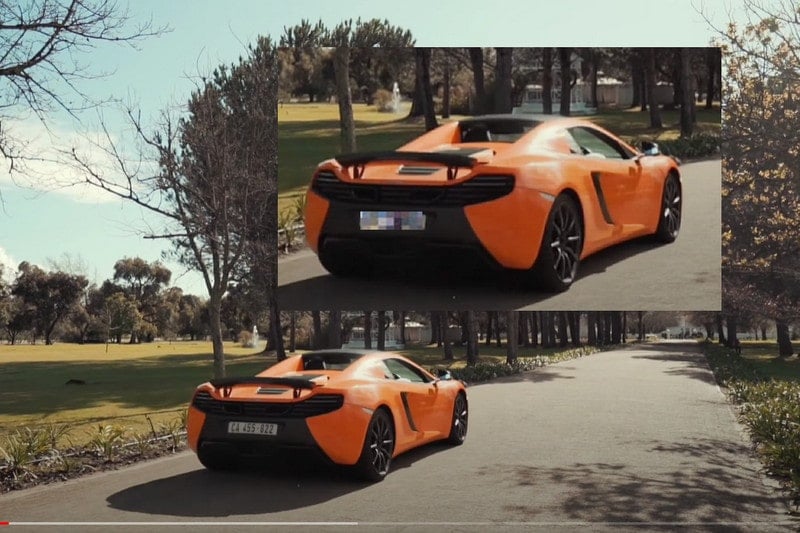
This image blurring mode integrates the core functions of AVCLabs Video Blur AI, covering features such as Face Blur, License Plate Blur, Background Blur, Fixed Position Blur, and Manual Edit Blur. By incorporating these AI Blur features into image processing, AVCLabs Video Blur AI provides a more comprehensive solution for protecting the privacy of video and image content.
blur image in avclabs video blur ai 4.0.0

New Face Offset Controls Enable More Flexible Privacy Protection

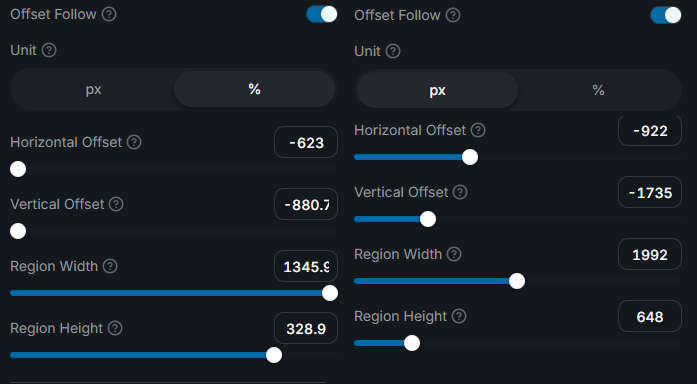
AVCLabs Video Blur AI V4.0.0 introduces a new "Offset Follow" option within its "Face Blur" feature, offering users greater flexibility in controlling the position and size of the blur mask. Instead of being restricted to the boundaries of a detected face, users can freely adjust the horizontal and vertical offsets, as well as the width and height, to precisely cover specific areas surrounding the face.

This feature is particularly useful when sensitive information, such as an identification badge, is located near a face rather than on the face itself. The masked area automatically tracks the movement of the face throughout the video, ensuring the target area remains covered without the need for manual keyframing or frame-by-frame adjustments.
face offset follow blur in avclabs video blur ai 4.0.0

Enhanced Face Detection, Selection, and Blurring Controls

AVCLabs Video Blur AI V4.0.0 introduces more flexible settings for face scanning, allowing users to adjust detection accuracy, recognition accuracy, minimum face area, and face buffer presets. Additionally, this version adds a face duplication function, offering 3 matching modes: Strict, Standard, and Loose. It also supports manual merging of faces and can directly capture faces from video frames, making the selection and management of faces more efficient.

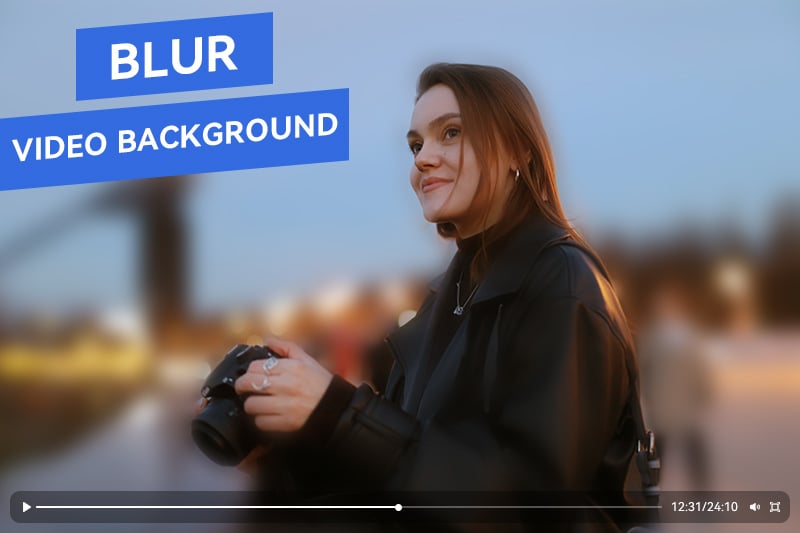
In version 4.0.1, AVCLabs has further expanded its face blurring functionality to blur the background using inverse selection. This feature does not blur the subject's face, but ensures that the subject remains in focus whilst smoothly blurring the rest of the scene.
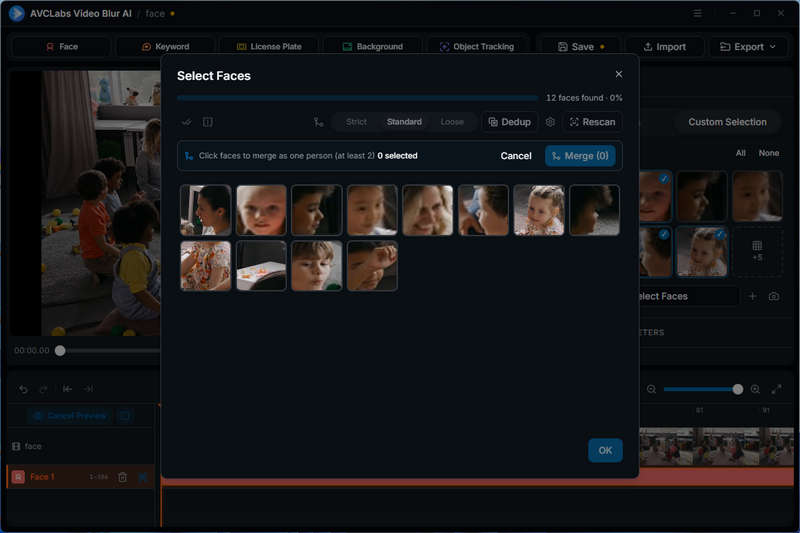

face blur new function in 4.0.0 video blur

A Redesigned Experience with Major Performance Improvements

AVCLabs Video Blur AI V4.0.0 introduces a new generation of AI engine, aiming to significantly enhance the running speed, response capability and long-term stability. Compared with the previous version, the export speed of Video Blur AI 4.0 can be increased by up to 180%, greatly reducing the waiting time for video processing and large-scale privacy protection projects.

In addition to performance improvements, the 4.0 version also features a newly designed user interface, optimized timeline management, and enhanced various editing controls. The new interface maintains a simple and intuitive experience while making complex privacy protection tasks more manageable.

Key Features of AVCLabs Video Blur AI

  • Automatic Face & Object Detection: Automatically detects and tracks faces, license plates, and moving objects across video frames.
  • Customizable Blur Effects: Multiple blur shapes and types with adjustable intensity, size, and position for precise anonymization.
  • AI-Powered Object Removal: Easily remove unwanted objects from videos using smart selection with automatic background blending.
  • Face Import & Identity Tracking: Supports importing face images to apply consistent blur to specific individuals in customized timeline.
video-blur-ai icon

Why Upgrade to AVCLabs Video Blur AI V4.0.0?

AVCLabs Video Blur AI V4.0.0 goes beyond traditional blurring with a smarter, more versatile approach to visual privacy protection. With AI-powered keyword tracking, dedicated image blurring tools, flexible face controls, and major performance improvements, this upgrade makes it easier to protect sensitive content across videos and images.

  1. More Comprehensive Privacy Protection: From video objects and faces to license plates and still images, users can blur, mask, or erase unwanted content in one versatile tool.
  2. Smarter AI-Powered Editing: Keyword-based object tracking automates target detection, reducing manual work and simplifying complex editing tasks.
  3. Greater Precision and Control: Customizable face offsets, adjustable detection settings, and flexible masking options help users achieve more precise results.
  4. Faster, Smoother Workflow: A redesigned interface, upgraded AI engine, and optimized processing deliver export speeds up to 180% faster, alongside ongoing improvements in stability and usability.

How to Upgrade to AVCLabs Video Blur AI V4.0.0?

Method 1: Check for Updates in the Program

If you are using an older version of AVCLabs Video Blur AI, open the program and navigate to the menu in the top-right corner. Select Check for Updates to see whether a newer version is available and follow the on-screen instructions to complete the update.

Method 2: Download the Latest Version from the Official Website

You can also visit the official AVCLabs Video Blur AI download page to get the latest installer.


About AVCLabs

AVCLabs is a developer of AI-powered multimedia solutions, helping users enhance, edit, and transform visual content through intelligent, user-friendly technology. Its growing ecosystem spans desktop software, browser-based online tools, cloud-powered AI services, and AI agent integrations, making advanced media processing more accessible across different workflows and devices.

From video enhancement and image editing to privacy protection, content creation, and AI-driven media processing, AVCLabs continues to expand its capabilities through ongoing innovation. By combining powerful AI technologies with practical, intuitive tools, AVCLabs empowers individuals and professionals to work more efficiently and bring their creative ideas to life.


Contact Us

Email: [email protected]

Website: https://www.avclabs.com/

Product page: https://www.avclabs.com/video-blur-ai.html

Facebook page: https://www.facebook.com/AVCLabs.Official2022

X/Twitter page: https://x.com/AVCLabsofficial