



8 Best Alternatives to 4K Video Downloader in 2026 (Free & Tested)
Looking for the best alternatives to 4K Video Downloader? Here are the 8 best free and tested video downloaders for PC, Mac, and mobile in 2026.
If your 4K Video Downloader is currently stuck on "Parsing Link," don't bother reinstalling it or resetting your firewall. The truth is simpler: video platforms are changing faster than the software can patch.
You need a backup tool list that works without the headache. To save you time and uninstalled apps, we have thoroughly vetted and ranked the 8 best alternatives to 4K Video Downloader.
A Quick Note on the Legality of 4K Video Downloader Alternatives
This article is intended for educational and informational purposes only. We do not encourage, condone, or promote the unauthorized downloading of copyrighted content from YouTube, Vimeo, Dailymotion, or any other platform. Please ensure that you respect the Terms of Service of each platform and only download videos that are in the public domain, licensed under Creative Commons, or for which you have explicit permission from the copyright owner for personal evaluation.

Delivers a rock-solid, zero-error batch downloading experience with native support for videos and subtitles across 1000+ platforms like YouTube.
Why You Need Alternatives to 4K Video Downloader in 2026
Following the bumpy discontinuation of the original software and the forced transition to the premium-heavy 4K Video Downloader Plus Version, the classic utility has lost much of its old charm.
1. Aggressive Limits on the Free Version
The era of a truly generous free tier is gone. In 2026, the free starter version of 4K Video Downloader Plus heavily restricts daily use to push users toward costly subscriptions. You are strictly limited to just 10 individual video downloads per day.
2. Frequent and Frustrating Parsing Errors
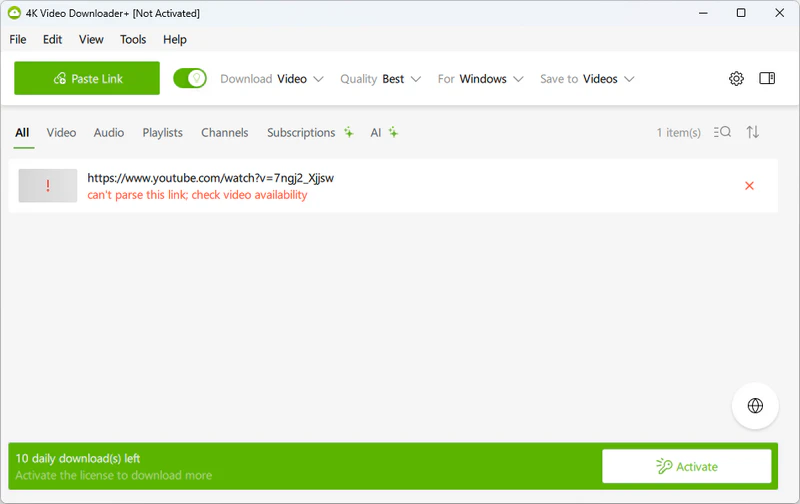
There is nothing worse than clicking a button only to watch a loading wheel spin indefinitely. You would be increasingly encountered major stability roadblocks: "Can't Parse This Link" & "Retrieving Information Stuck".
3. Painfully Slow YouTube Playlist Downloads
If you like hoarding entire channels, music albums, or educational courses for offline archive, 4K Video Downloader will quickly bottleneck your productivity. You are not allowed to download playlists containing more than 10 videos using Free version of 4K Video Downloader. Also, You cannot individually select specific songs you don't need.
4. Poor Support for Niche Platforms
While 4K Video Downloader handles massive mainstream ecosystems like YouTube or TikTok reasonably well, its site compatibility leaves a lot to be desired. Trying to fetch media from alternative platforms like Dailymotion, Vimeo, or regional streaming blogs often results in instant error popups.
8 Best Alternatives to 4K Video Downloader in 2026 (Free & Tested)
In this section, I'll use simple language to help you quickly understand the key features of each of these 8 tools. Not ready to read through every detail? Jump straight to the Side-by-Side Comparison Table to see all 8 alternatives at a glance.
1. Any Video Converter - Best Free Alternative for 4K Video Downloader
- Supported Platforms: Windows, macOS
- Pricing: Freemium
- Resolution: 720P, 1080P, 4K, 8K
- Best For: Anyone who need video donwloading on PC
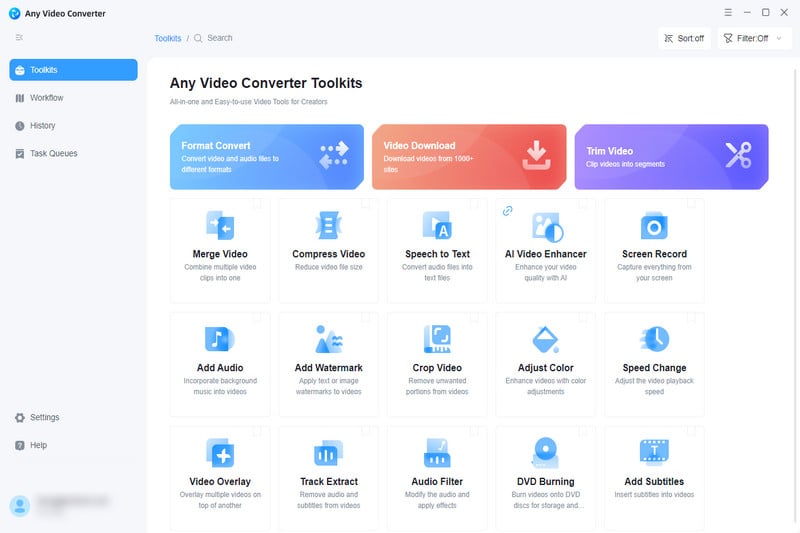
Any Video Converter is the ultimate 1000+ site video downloader for free without limitation, including YouTube, Facebook, X, Vimeo, Dailymotion, Instagram, Twitch, Niconico, SoundCloud, and etc. You can download video from different platfroms with no hidden cost, and you can easily handle lossless 4K/8K downloads and YouTube playlist extraction, choosing whether to download the entire playlist or just a few tracks. You have full control over resolution and frame rate settings.
Not only Video Download tool, most of the tools in Any Video Converter's Toolkit are free, such as Format Convert and Track Editor, etc. You can convert the video you just downloaded into any video or audio format, such as turning MKV to MP4 or converting video to MP3. Total free!
Pros
- Free version has NO download restrictions.
- YouTube Playlists can be downloaded for free.
- 100% Free, Ad-Free, and Powered by Yt-dlp.
- Free video format conversion.
- Free extraction of audio, subtitles, etc. from videos.
Cons
- No image downloading
- Downloading as the specified format requires payment.
Should You Use It?
It can download smoothly. The main difference is that it can download entire playlists for free. Most other tools usually require payment, such as 4K Video Downloader.
2. Seal - Best Android Alternative to 4K Video Downloader
- Supported Platforms: Android, HarmonyOS
- Pricing: Free
- Resolution: 1080P, 4K, 8K
- Best For: Android users wanting a clean, ad-free, Yt-dlp powered downloader.
The best alternative to 4K Video Downloader on mobile is probably Seal. It's ad-free on mobile and also built on Yt-dlp. On Android, you can batch download playlists, extract high-bitrate audio, and even download videos in up to 8K resolution. Seal allows you to customize download settings: adjust video quality, select audio formats, and download subtitles or thumbnails. In terms of downloading features, it's just as powerful as desktop tools.
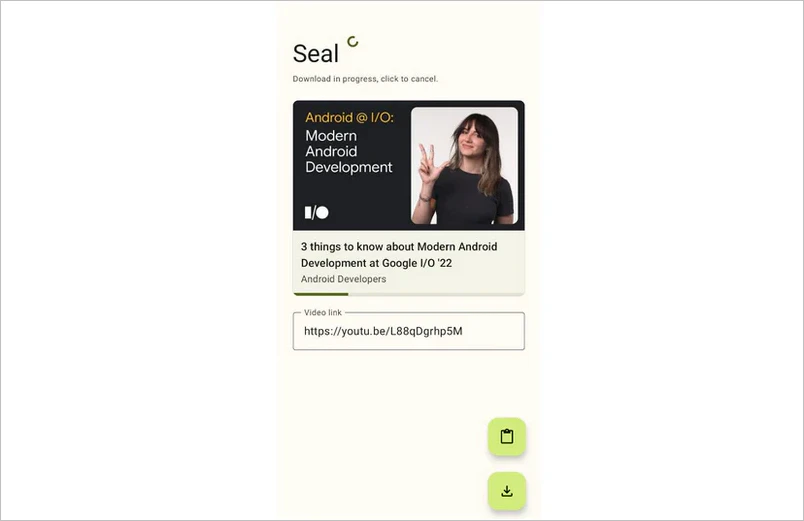
Image credit: Official brand website. All rights reserved by the original creator.
Pros
- Built on Yt-dlp, supporting video extraction from 1,700+ websites.
- Beautiful interface with dynamic themes and zero ads.
- Supports one-click YouTube playlist downloads.
Cons
- No iOS/iPhone support.
- Users must manually sideload the APK.
- Higher resolutions (like 4K) are sometimes restricted to the MKV container due to platform codecs.
Should You Use It?
Yes, it's worth noting that using it doesn't require logging into a Google or YouTube account. Therefore, there's no risk of your account being banned.
3. PullTube - Most Beautiful macOS Downloader Alternative
- Supported Platforms: macOS
- Pricing: From $8.99/mo | Free for 7 days
- Resolution: 1080P, 4K, 8K Ultra HD
- Best For: Mac users wanting a premium, beautifully designed GUI with smart gesture controls.
PullTube is the best alternative to 4K Video Downloader for macOS users. It supports you to download video, music, audio, playlist, and subtitle from 1000+ sites. Popular video codecs is offered, like HEVC (H.265) and VP9/8. If you want to use an extension in Safari, Chrome, or Firefox, PullTube video downloader can handle it easily as well. You can also subscribe to it through third-party platforms like Setapp. This can be more secure because Setapp reviews and checks the apps it includes.
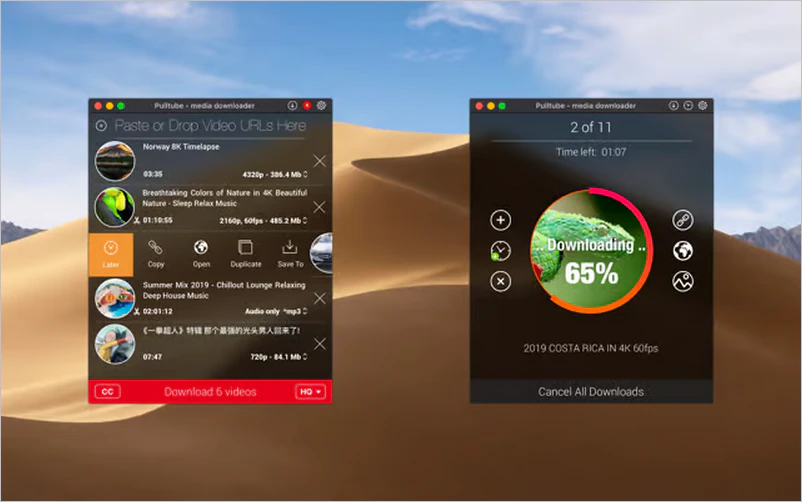
Image credit: Official brand website. All rights reserved by the original creator.
Pros
- Stunning, modern macOS interface that blends perfectly with Apple's design language.
- Built-in video trimming and audio cutting tools before downloading.
- Supports Picture-in-Picture mode and browser extensions for Safari, Chrome, and Firefox.
Cons
- It is a premium paid software (not fully free like open-source options).
- Exclusively built for Mac; no Windows or mobile support available.
Should You Use It?
Yes, it's worth considering for macOS users. Its clean and simple interface fits the Mac style very well, and it runs smoothly. But its installer is about 400MB, which is relatively large compared to other tools.
4. Yt-dlp - Best Open-Source 4K Video Alternative
- Supported Platforms: Windows, macOS, Linux
- Pricing: Free & Open-source
- Resolution: Up to 4K, 8K
- Best For: Tech-savvy users who want zero download limits via command line.
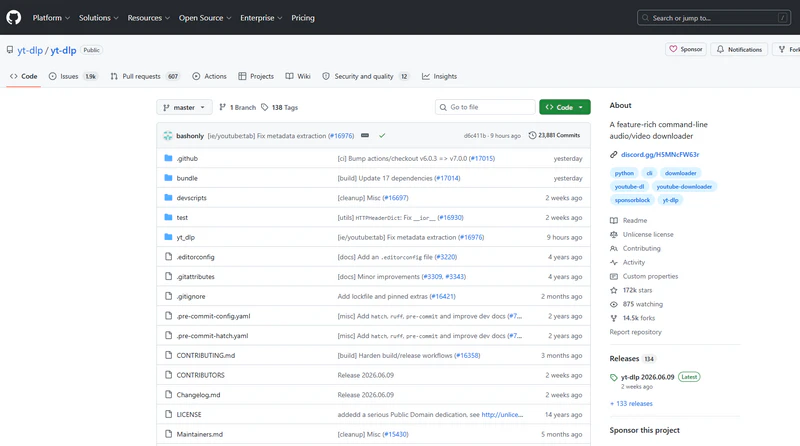
Yt-dlp works on all major platforms, and it supports downloading videos from over 1,000 websites, not just YouTube. It also allows multi-threaded downloads of video segments, which gives it a speed advantage when the internet connection is slow. On top of that, it can also handle more advanced needs, such as downloading specific time ranges, embedding subtitles and thumbnails, and splitting videos by chapters.
This is a great 4K Video Downloader alternative for technical users. It's completely free and open source, and many tools are actually built on or powered by its core technology, such as Seal and PullTube. It also gets frequent updates with fast bug fixes and new features. The code is open and transparent for anyone to use or review, but it may be a bit difficult for non-technical users.
Pros
- Automatically selects the highest quality video codecs
- Embed subtitles, thumbnails, and chapter information
- Supports more platforms through plugins/extensions
- Can configure proxies/VPN to bypass regional restrictions
Cons
- Requires command-line usage, so there is a steep learning curve
- No graphical interface, making it less intuitive to use
Should You Use It?
It's definitely worth considering. If you're comfortable with the command line and want maximum control over your downloads, Yt-dlp is the most powerful free option available. If not, however, a dedicated desktop app like AVC is a far more practical choice.
5. WinX Video Downloader - Reliable 4K/8K Video Downloader
- Supported Platforms: Windows, macOS
- Pricing: Freemium (From $34.95 / 3 PCs)
- Resolution: 720P(Free), 1080P, 4K, 8K
- Best For: Stable, code-free desktop downloading for 4K/8K videos.
WinX Video Downloader is a reliable alternative to 4K Video Downloader. It supports downloading videos from over 300 websites and offers multiple formats such as MP4, WebM, and FLV. The interface is simple, secure, and easy to use even for beginners.
For free users, WinX Video Downloader allows up to 10 video downloads per day, with a maximum quality of 720p. In addition, free users cannot download full YouTube playlists. So if you don't plan to upgrade to a paid plan, it can still work well as a "backup option".
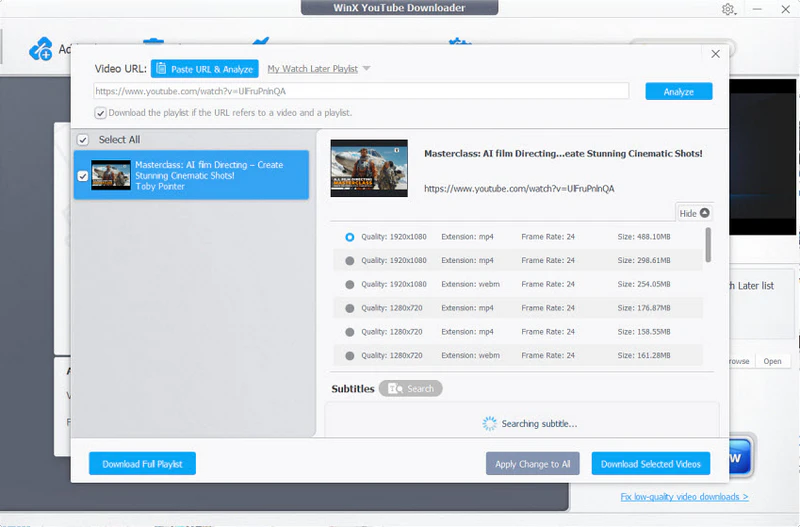
Image credit: Official brand website. All rights reserved by the original creator.
Pros
- Highly intuitive interface.
- Supports high-speed downloads for 4K/8K YouTube videos and playlists.
- Clean installation with zero bundled malware or intrusive third-party ads.
Cons
- Frequently displays upgrade pop-ups promoting their full-featured AI suite.
- Mac version sometimes receives slower patch updates compared to Windows.
Should You Use It?
WinX Video Downloader is a solid, no-fuss option for Windows and Mac users who want a clean GUI experience. That said, the free version's 720p cap makes it a hard sell if 4K/8K downloads are your primary goal — you'll need to pay up or look elsewhere.
6. ClipGrab - Simple, Open-Source Desktop Software
- Supported Platforms: Windows, macOS, Linux
- Pricing: Free & Open-source
- Resolution: 720P, 1080P
- Best For: Users wanting an easy, ad-free desktop downloader with a built-in search bar.
ClipGrab Video Downloader is a completely free, open-source alternative to 4K Video Downloader with no download limits. It supports downloading from multiple platforms such as YouTube, Vimeo, Facebook, and Dailymotion.
Like Any Video Converter and WinX, ClipGrab also has a built-in search bar, so you can search YouTube videos directly inside the app without leaving it. It supports converting downloads into formats like MP4, MP3, WMV, and OGG, and it can monitor your clipboard to automatically detect copied video links.
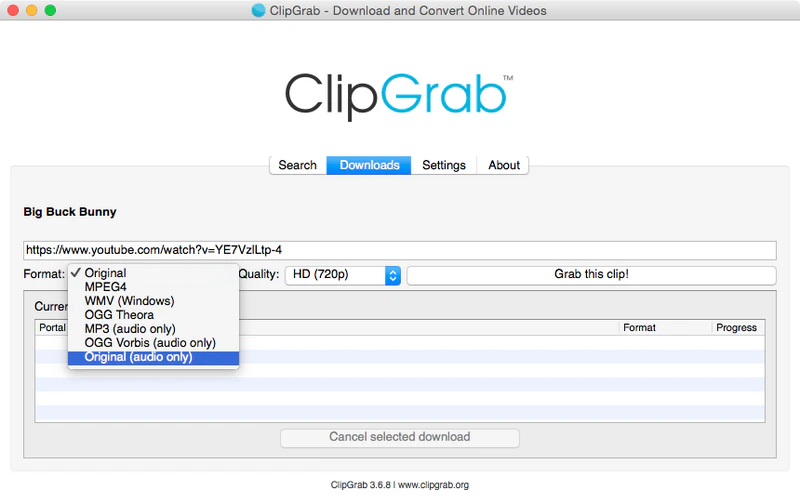
Image credit: Official brand website. All rights reserved by the original creator.
Pros
- No subscription fees, no watermarks, no download limits.
- Search YouTube videos directly without leaving the app.
Cons
- No batch downloading or playlist support.
- Poor experience with large files.
🔥 Recommend: Perchance AI Image Generator: Full Review & Best Alternatives
Should You Use It?
If you're looking for a no-cost, ad-free desktop downloader for occasional use on YouTube, Vimeo, or Dailymotion, ClipGrab is worth a try — especially for users who appreciate the convenience of its built-in search bar.
7. YT5s / Y2Mate - Best Lightweight Online Alternative (No Installation)
- Supported Platforms: Web-based (Windows, macOS, Android, iOS, Linux)
- Pricing: Free
- Resolution: 360P / 720P / 1080P (Higher res often restricted to audio-only)
- Best For: Users who need to grab quick video clips without installing any software.
🔗 Try YT5s Online → | Try Y2Mate Online →
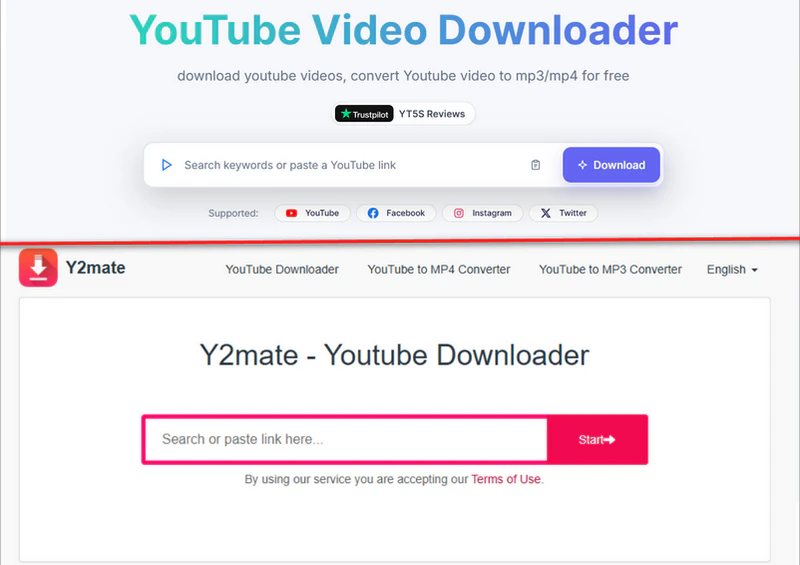
YT5s and Y2Mate are the most frictionless and lightweight options on this 4K Video Downloader alternative list. These onlien tool need no downloads, no accounts, just paste and go. For a one-off video grab on any device, they get the job done.
That said, both tools come with a real trade-off: aggressive ads, privacy risks, and unreliable HD downloads mean they're best treated as a last resort rather than a daily driver.
Pros
- No installation required
- No account registration required
- Fast short-video download performance
- No subscription fees
Cons
- 1080p HD downloads often fail
- No support for batch downloads or playlists
- Heavy pop-up ads and deceptive redirect links
- VPN required for access in regions such as the US, UK, and Germany
Should You Use It?
YT5s and Y2Mate are hard to beat for those who download a video once in a while. Just treat every "Download" button on the page with suspicion.
8. 4K Video Downloader Plus - Best Browser Extension Alternative
- Supported Platforms: Windows, macOS, Ubuntu
- Pricing: Freemium (7 days free · From $1.67/mo)
- Resolution: 1080P, 4K
- Best For: Users who prefer downloading media directly from their web browser with one click.
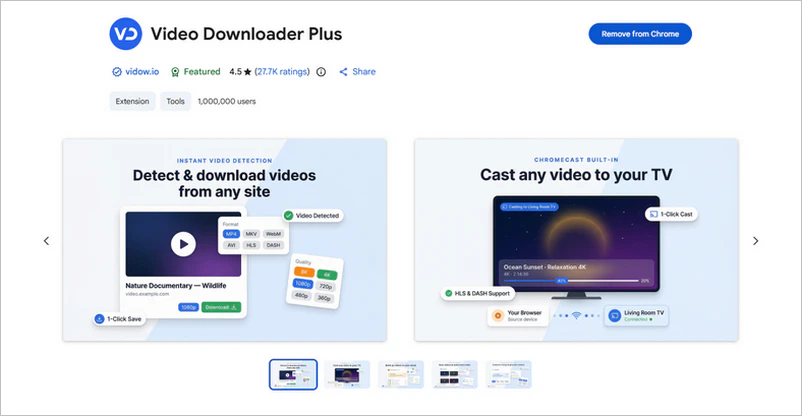
Video Downloader Plus is the only browser extension recommended in this list as an alternative to 4K Video Downloader. The paid version supports downloading full playlists, channels, and subtitles. It also includes a built-in browser that can access private YouTube videos. One of its standout features is support for downloading 3D videos and 360° VR videos.
For free users, it limits downloads to 10 videos per day and up to 10 playlists. It is mainly focused on YouTube and other streaming platforms, and officially supports only 17 websites, which is a much smaller range compared to similar competitors.
Pros
- Smart Mode preset formats provided
- Audio extraction support with export to MP3, M4A, etc.
- 3D video and 360° VR video download support
- Installer scanned by 52 antivirus engines
Cons
- Audio quality capped at 128 kbps maximum
- Occasional platform restrictions limiting downloads to 1080p
Should You Use It?
Video Downloader Plus delivers a polished, low-friction experience that's hard to match at this price point. The $42 lifetime Pro license is genuinely good value — just go in with clear eyes about the 17-site limit and the company's history of not honoring previous lifetime licenses.
Side-by-Side Comparison Tables of 8 Alternatives to 4K Video Downloader
| Tool | Platform | Pricing | Max Resolution | Best For |
|---|---|---|---|---|
| 👍 Any Video Converter | Windows, macOS | Freemium | 8K | Anyone who needs video downloading on PC. |
| Seal | Android, HarmonyOS | Free | 8K | Android users wanting a clean, ad-free downloader. |
| PullTube | macOS | From $8.99/mo | 8K | Mac users wanting a premium GUI with gesture controls. |
| Yt-dlp | Windows, macOS, Linux | Free & Open-source | 8K | Tech-savvy users who want zero limits via command line. |
| WinX Video Downloader | Windows, macOS | Freemium (From $34.95) | 8K | Stable, code-free desktop downloading for 4K/8K videos. |
| ClipGrab | Windows, macOS, Linux | Free & Open-source | 1080P | Users wanting an easy desktop downloader with built-in search. |
| YT5s / Y2Mate | Web-based (All platforms) | Free | 1080P | Quick video grabs with no software installation required. |
| Video Downloader Plus | Windows, macOS, Ubuntu | Freemium (From $1.67/mo) | 4K | Users who prefer one-click downloading via browser extension. |
🔥 Recommend: 10 Best Free Korean Drama Websites to Watch Korean Dramas in 2026
[Guide] How to Fix Blurry Downloads with AI in 3 Steps
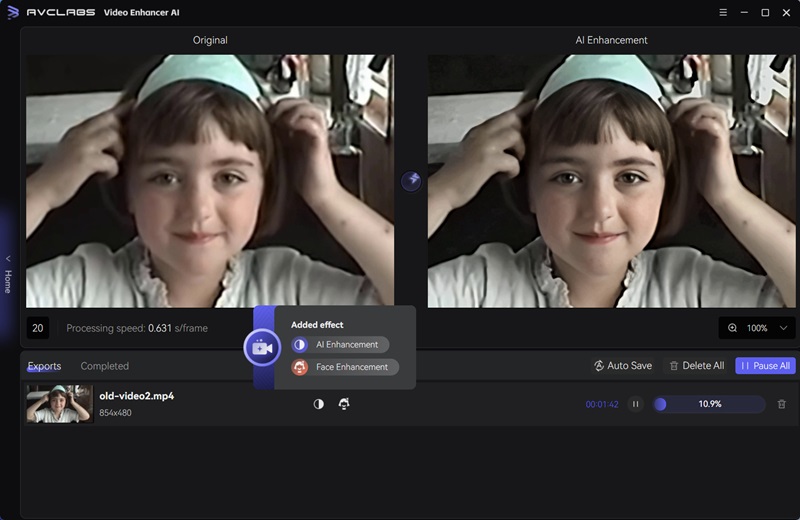
Not all classic or old videos are available in high definition. AVCLabs Video Enhancer AI is the missing piece of your puzzle. It can upscale 480p, 720p, or 1080p videos to 4K or 8K locally on Windows/Mac. It can effortlessly stabilize shaky footage, colorize black-and-white videos, refine faces, and remove distractions.
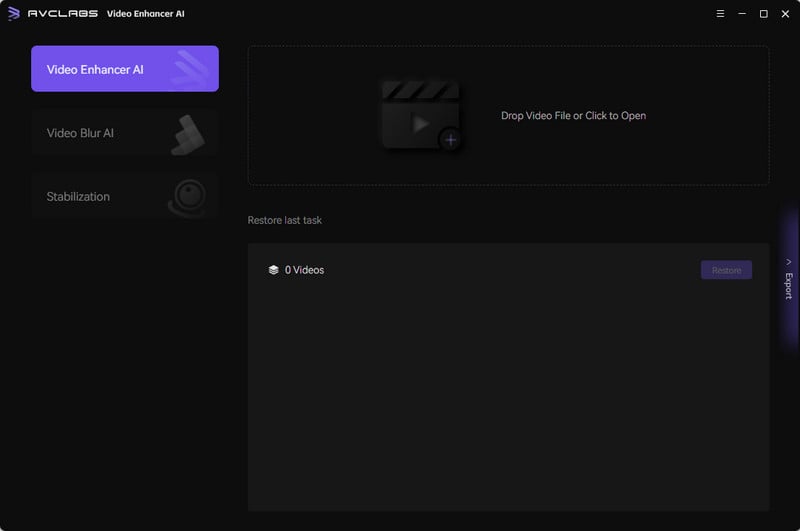
Step 1: Launch AI Video Enhancer
Download and install AVCLabs Video Enhancer AI, then drag and drop your video file into the main interface.
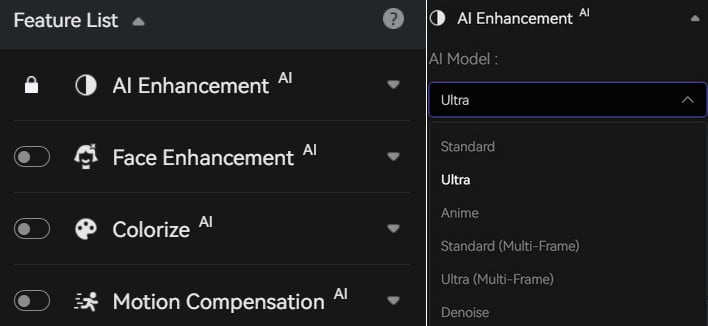
Step 2: Choose AI Model(s)
Select the AI model that best suits your needs — whether you're upscaling resolution, reducing noise, or sharpening blurry footage.
Step 3: Start Exporting
Hit the Export button and your enhanced video will be saved locally to your chosen folder, ready to watch or share.
FAQs About 4K Video Downloader Alternatives
Is there a 100% free alternative to 4K Video Downloader with no limits?
Yt-dlp is the most powerful free option with no daily limits, no paywalls, and support for 1000+ sites — but it requires command-line setup. If you prefer a proper GUI without restrictions, Any Video Converter is worth checking out as a clean, no-limit desktop alternative.
Why does 4K Video Downloader keep failing to parse links?
YouTube frequently updates its backend to block third-party downloaders, and 4K Video Downloader needs a matching update every time this happens. If you're seeing parse errors, check for a pending app update first — if that doesn't fix it, it may be time to switch to a more actively maintained tool.
Is there any YouTube downloader that actually still works in 2026 (without breaking every week)?
Yes — tools built on actively maintained backends like Yt-dlp tend to be the most resilient, since they push compatibility patches quickly after YouTube changes. Any Video Converter is a solid pick here, as it receives regular updates to stay compatible without requiring any manual tinkering on your end.
What is the best way to download YouTube videos?
It depends on your setup: for maximum control, Yt-dlp via command line is the gold standard; for a simple point-and-click experience on Windows or Mac, Any Video Converter, as a desktop app, is the way to go.
Conclusion
There's no single best alternative to 4K Video Downloader — it all comes down to your needs and device. Browse the options above, pick the one that fits your workflow, and you'll be downloading in no time. For 99% users, Any Video Converter Free can handle all video downloading tasks.

Billie Miller
She has spent years writing about video tools, streaming tech, and digital productivity software. She tests every tool hands-on before recommending it, with a particular focus on finding free and open-source alternatives that actually hold up in real-world use.



 Sherry Johnson
 April 24, 2026