How to Watch Private YouTube Videos [3 Proven Ways]
 Posted By: Billie Miller
- Category: Video Download Tips
- Updated On: June 04, 2026
"Is there a way to view private YouTube videos? I have the URL to it." -- Quora ❓
When you receive a link but can't watch the video, that feeling of missing out can be really frustrating. Now, YouTube's permissions and privacy policies continue to evolve. How do you view private videos on youtube in 2026?
If you're looking for how to watch private YouTube videos or legally recover deleted private YouTube videos, this guide introduces three safe and effective methods. Among them, the first method offers a success rate of up to 99%, helping you reliably access locked or removed content.
Just a quick reminder: based on extensive testing, many websites that claim to save or restore private or deleted YouTube videos simply do not work. Currently, only the three methods below have been proven effective for watching private YouTube videos.
👍 Best Way to Watch Private YouTube Videos in 2026:
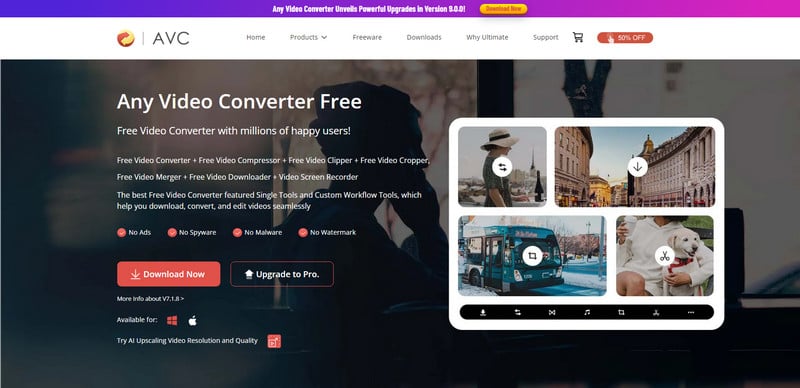
Any Video Converter allows you to download private YouTube videos using the video's link. Simply paste the private video URL into Any Video Converter, and it can securely fetch the video for offline viewing. In addition, you can edit audio and video, remove or extract background music, and convert between all popular formats without quality loss.
Further Reading: 6 Ways to Download Part of YouTube Video in 2026 | 10 Top MP4 Movie Downloader for Mobile and PC in 2026
Part 1: 3 Proven Ways to Watch Private YouTube Videos [2026 Update]
Here is a quick view for each method:
| Methods | Mode | Highlights | Other Notable Features | Free? |
|---|---|---|---|---|
| 1. Download Video Directly | GUI | Quickly save a copy of private videos locally with high quality | Fast download, direct access to video file | Free |
| 2. Record via Web Archive | Screen Recording | Find and watch privated videos in Web Archive without needing a direct link | Preserves historical content, works without video URL | Free |
| 3. Obtain Permission & Save Locally | Manual Download | Save private videos legally with permission to watch anytime | High-quality backup, safe & fully authorized | Free & Paid |
Method 1: Download the Video Directly - Quickly Get a Copy
Using Any Video Converter to download the videos is the best way to watch private YouTube videos. Unlike most online downloaders that fail when encountering restricted or unlisted content, AVC can analyze and extract private video URLs with higher accuracy. It supports downloads from YouTube in 1080p, 4K, or even 8K resolution, ensuring the best possible playback quality.
With multi-thread acceleration, downloads are completed within seconds while maintaining stable connections for longer or large-size videos. Once saved locally, you can play these videos offline without login or network restrictions. So, it's perfect for private viewing or archiving.
Moreover, AVC provides a secure, offline environment, ensuring your account privacy, viewing history, and personal content stay protected at all times. Combined with its built-in Format Converter, you can even covert and watch privated videos in any format, remaining crisp HD or 4K quality.
How to Download and Watch Private YouTube Videos with AVC
Step 1 Launch Any Video Converter
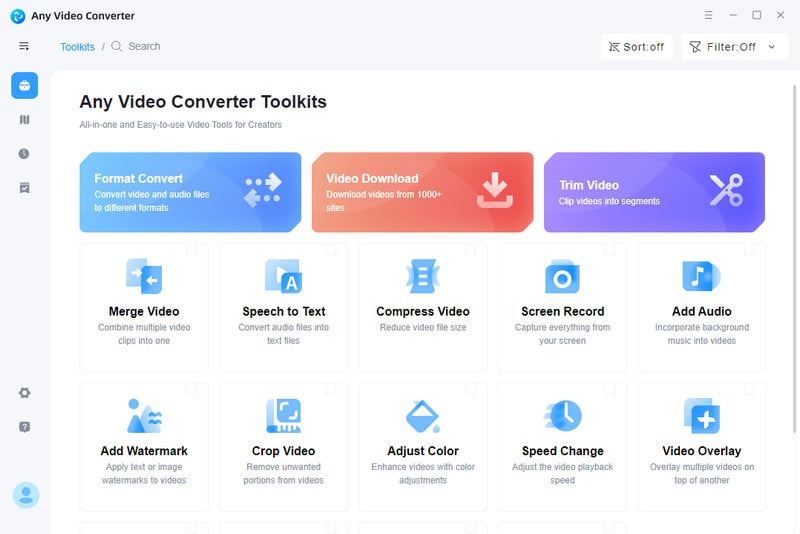
Open Any Video Converter on your computer. Navigate to the Video Download button from the main interface. This tool is specifically designed to handle YouTube and other streaming platforms like X, and Facebook, allowing you to analyze video links automatically, even for private or restricted videos.
Step 2 Copy and Paste Private YouTube Video Link(s)
To watch private YouTube videos or save clips for offline viewing, simply copy the private YouTube video link you wish to keep. Then paste the link into Any Video Converter Video Download tool.
Click Analyze button, AVC will automatically detect and analyze the URL, allowing you to access private YouTube videos or restricted content with ease.
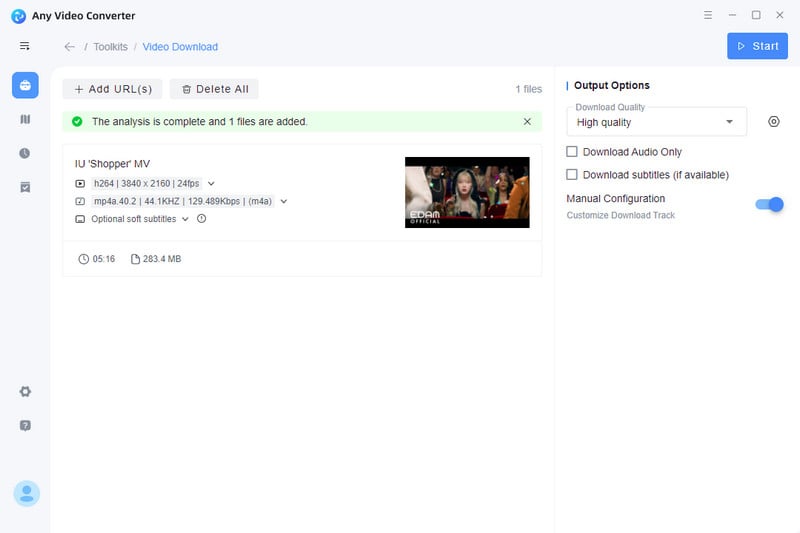
Step 3 Customize and Download in the Quality You Want
You can preview and adjust available formats, selecting from HD, 4K, or even 8K quality before downloading. For premium users, Any Video Converter offers advanced customization options — allowing you to download as your preferred video or audio format, choose a specific frame rate and audio quality, and even download subtitle files from your desired subtitle track.
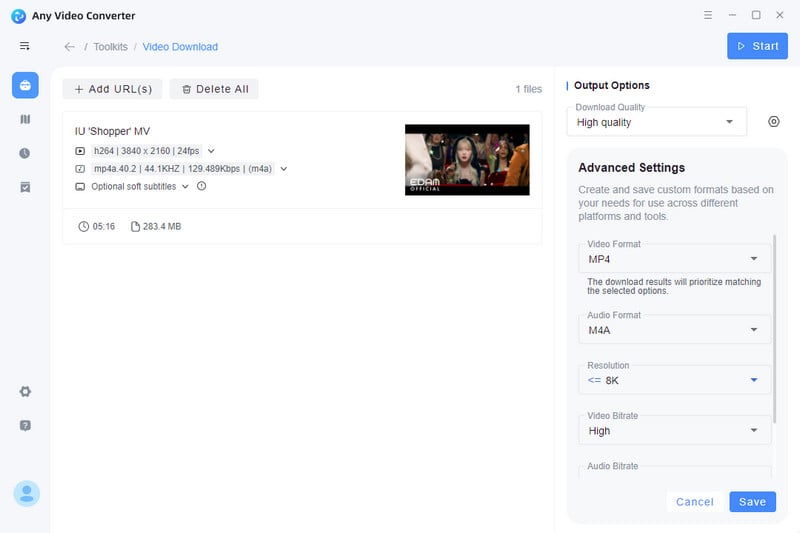
Step 4 Save Private YouTube Video Without Watermark
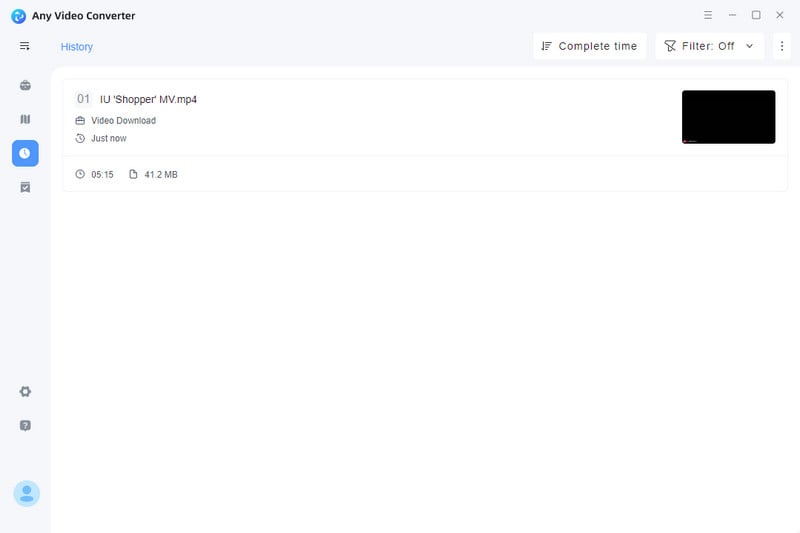
Click Download Now button to start saving the private YouTube video instantly. Best of all, Any Video Converter ensures your video is downloaded without any watermark, preserving the original quality and resolution.
You can even rename, trim, or convert the video into other formats like MP4, MOV, or MKV, and then it'll be easier to share or watch YouTube private videos on different devices.
Learn how to easily get transcript of YouTube video on your computer, mobile device, and with the free YouTube transcript generator. Learn more>>
Method 2: Find and Record via Web Archive - No Need for Video Link
The Wayback Machine allows you to find deleted or private YouTube videos without needing the original video link. It lets you filter videos by uploader, publication date, or title keywords, making it easier to locate specific content.
No login is required, and this method provides safe access to videos that are no longer available online while preserving the original resolution and audio quality.
When combined with tools like AVC’s Screen Recorder, you can capture videos in Full HD or even 4K quality, record multiple clips in one session, and pause or resume recording as needed—making it a reliable way to save rare or important content for future use.
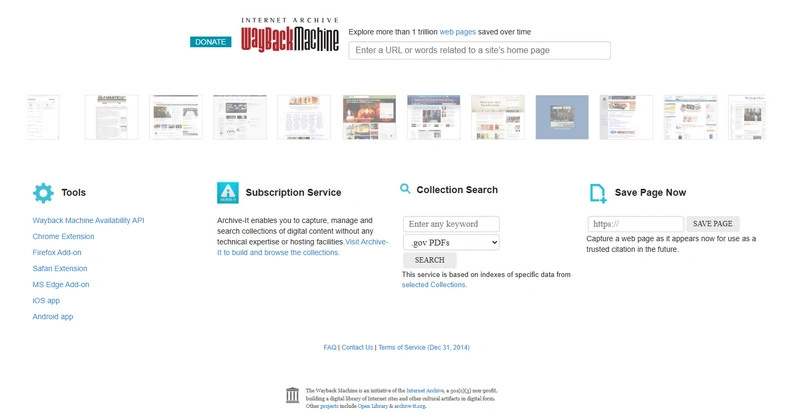
📌 How to Find Deleted YouTube Videos Without Link [Access Private or Deleted YouTube Videos]
Step 1 Open the Wayback Machine (web.archive.org).
Step 2 Filter and search for the video based on date, creator, or title to locate the correct snapshot.
Step 3 Browse through the archived versions and find a playable snapshot.
Step 4 Use Any Video Converter's Screen Recorder to capture the video in full 1080p quality.
Step 5 Save and watch it offline anytime.
Note: When recording with Any Video Converter's Screen Recorder, you can capture the video in full HD or 4K while preserving audio quality. You can also pause and resume recording anytime, giving you full control over the final output.
Note: This method does not work for videos that were always private or never archived.
Method 3: Obtain Permission and Save Private Video Locally - Watch Anytime
Obtaining permission from the uploader is the most straightforward and reliable way to access private YouTube videos legally and safely. If a private YouTube video is important to you, it is highly recommended to request access directly from the video owner. Once permission is granted, you can download and save the video locally. For commercial use, it is especially important to respect the creator’s privacy and copyright.
This approach also allows you to watch private YouTube videos in their original quality. You can organize them into personal playlists, back them up to external drives, or convert them into different formats using tools like Any Video Converter. As a result, important memories, educational materials, or professional clips can be securely preserved.
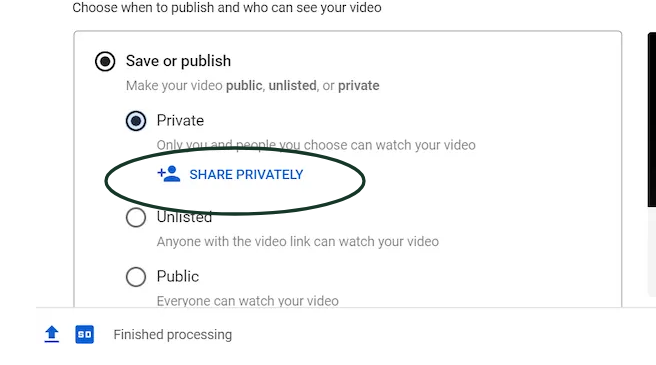
📌 How to Access and Save Private YouTube Videos [Get Permission & Watch Anytime]
Step 1 Go to the YouTube channel and find the About tab or contact info.
Step 2 Write a polite message explaining why you want to access the private video.
Step 3 Send the request via email, business form, or YouTube message.
Step 4 Wait for the creator's reply. Once approved, you can watch private youtube videos at any time, or download them locally.
Step 5 Use Any Video Converter or directly download in YouTube to save the video with original quality.
Step 6 Follow the creator's rules and do not share without permission.
Note: Obtaining permission ensures full legal access to private videos. Please always keep a record of the creator's permission (e.g., email replies) for future reference. This ensures full compliance with copyright laws and avoids potential disputes.
Part 2: [Bonus] How to Make Private Video Clearer with AI Upscaling
Do you have a cherished private video—perhaps an old family clip or a precious personal moment? If you’ve ever wondered how to watch a private YouTube video or make your personal clips clearer, this guide is for you!
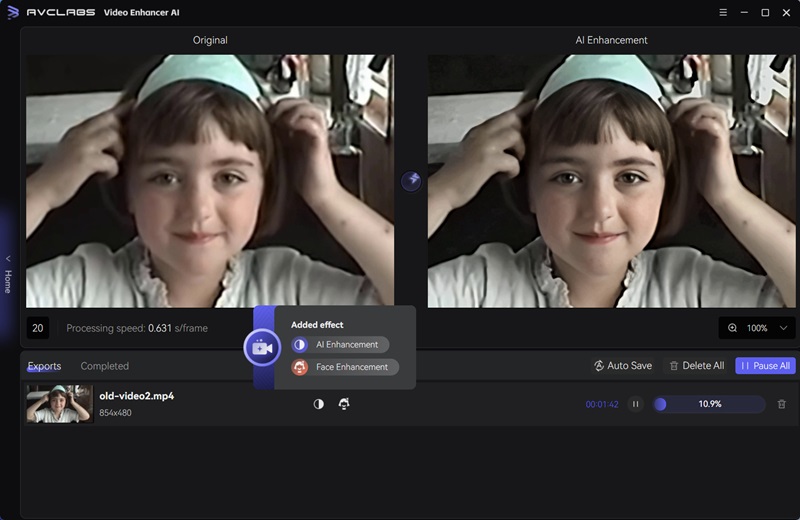
With AVCLabs Video Enhancer AI, you can transform low-resolution private videos into 4K quality. It intelligently removes motion blur and noise, restores lost details, and brings every subtle element of your video to life. Even old or shaky clips become crisp and professional-looking, making each moment more vivid.
The tool also enhances colors and perfects lighting in seconds, automatically adjusting exposure and contrast for cinematic-quality visuals. For added privacy and convenience, it can precisely blur faces and license plates, giving you full control over the final output while protecting sensitive content.
Try AVCLabs Video Enhancer AI to dramatically improve video clarity—you’ll never be satisfied with traditional enhancements again. It’s the best way to watch and enjoy private YouTube videos without compromising quality.
Key Features of AVCLabs Video Enhancer AI
- Transform low-res videos into stunning 4K clarity.
- Eliminate motion grain and artifacts for crystal-clear visuals.
- Bring out every shimmering detail in your videos.
- Enhance colors and perfect lighting in just seconds.
- Automatically blur faces and license plates with AI precision.

How to Improve Private Video Clarity Using AI Upscaling [3 Steps]
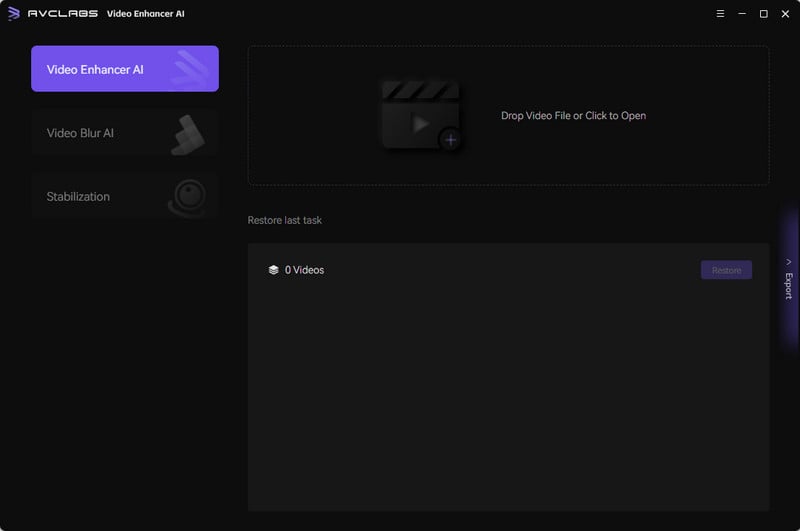
Step 1 Import Your Private Video into AVCLabs Video Enhancer AI
Open AVCLabs Video Enhancer AI and import the private video you want to upscale. The software supports a variety of formats, allowing you to work with standard-definition (SD) or low-quality footage seamlessly.
Step 2 Choose Your AI Upscaling Settings
Select the upscale resolution you want, whether HD, 4K, or 8K. Then, customize additional settings such as Denoise AI, and 4K Ultra AI. You can adjust the sharpness, and color enhancement. These adjustments allow the AI to intelligently refine every frame.It will removie grain and artifacts while preserving natural textures, lighting, and color tones.
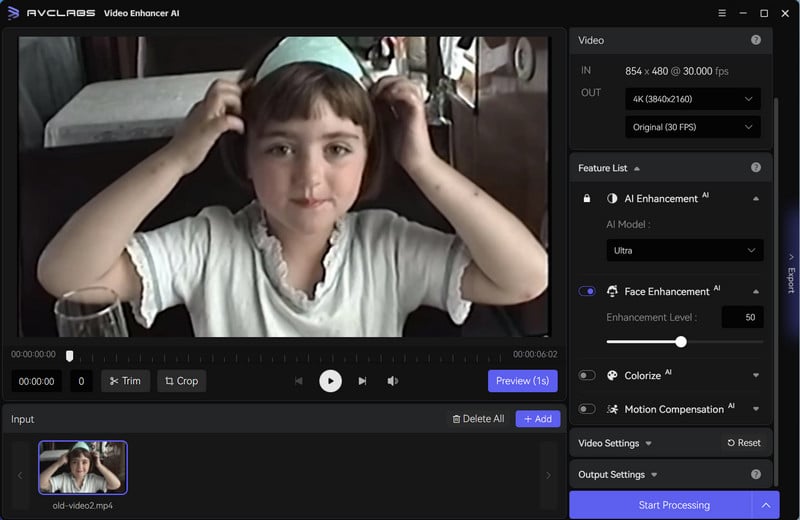
Step 3 Start AI Upscaling & Export the Enhanced Video
Click Export button to intelligently reconstruct missing details. Once finished, export the video in your chosen resolution. The output will be a crisp, high-definition version of your original private footage, ready to watch or archive. In this way, you are effortlessly upgrade your video into 4K, 60fps.
FAQ About Private YouTube Video Watcher
What happens when a video is private?
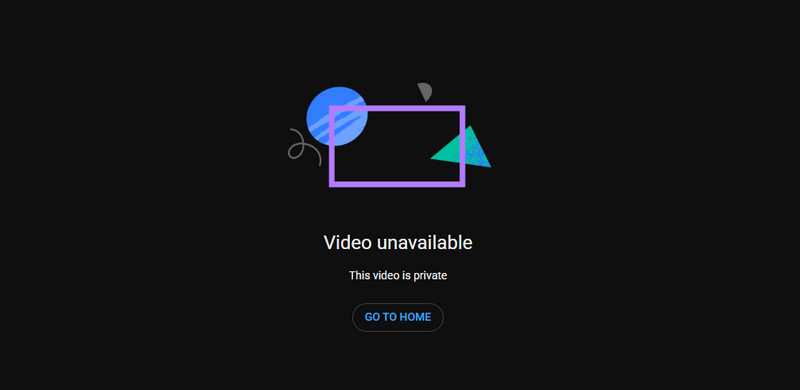
A private YouTube video can only be viewed by users who have explicit permission from the uploader. It won't appear in search results, recommendations, or the uploader's public playlist. Without access, viewers will see a “This video is private” message. This successfully prevents them from watching or sharing it.
How to find and watch private YouTube videos other than webarchive?
Besides using archives, you can access private YouTube videos the following ways. These methods ensure you can watch private videos on YouTube safely, legally, and without compromising quality.
- Obtaining permission from the creator and saving the video locally.
- Using trusted tools like Any Video Converter to download videos once you have access.
- Leveraging screen recording with AI video enhancement tools for personal offline viewing.
Conclusion
Now, you can access private YouTube videos or deleted content without frustration. By following the methods outlined in this guide, you now know exactly how to watch private YouTube videos and how to find deleted YouTube videos efficiently and safely. These approaches ensure you can stay up to date without breaking any rules, especially downloading private video to your device using Any Video Converter.
Keep Any Video Converter handy, and you'll always have reliable ways to access the videos you need!