Grok Image Is Moderated: Causes and Fixes in 2026
 Posted By: Billie Miller
- Posted On: April 28, 2026
- Category: Photo Editing Tips
In early 2026, a growing number of Grok users began noticing a frustrating message: "Content moderated. Try a different idea." On Reddit, one user also pointed out that even image moderation seemed to have become stricter.
Grok image generator initially gained attention for its no restriction feature. However, now, the "Grok Image Is Moderated" message is appearing frequently. This article will explain in detail why this message appears and its moderation mechanism, and provide available solutions and alternative tools to help you continue to use AI image generation efficiently in 2026.
Part 1: What Does "Content Moderated. Try a Different Idea" Mean in Grok?
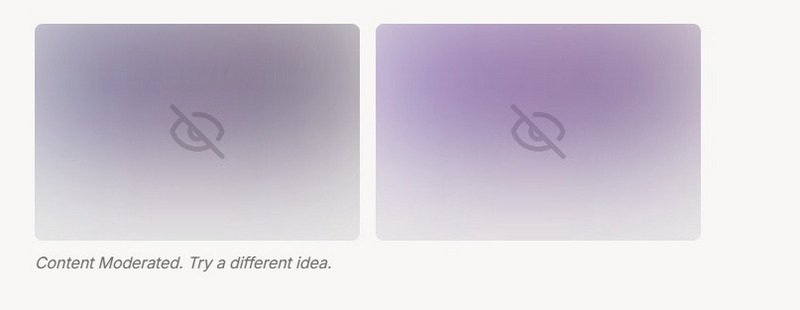
When you see the message in Grok "Content Moderated. Try a Different Idea.", it means your input text or generated image has triggered the platform's content review mechanism, potentially involving sensitive, policy-violating, or NSFW content.
During image generation in Grok Imagine, this warning generally appears in two ways:
The first is immediate blocking. A notification appears immediately after you send the prompt, indicating that the text contains sensitive words or phrases identified by the content review filter.
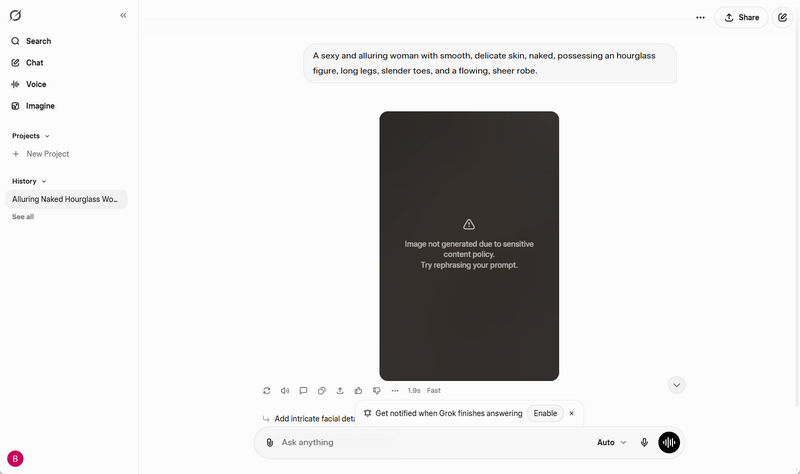
The second is blocking during generation. During rendering, the real-time image detection system detects that the generated image may contain inappropriate or sensitive content and is therefore automatically terminated.
Part 2: Why Does Grok Display Grok Content Moderated?
Here are some of the common causes that may trigger Grok image Is moderated:
1. Adult or NSFW Content
The most common reason is adult or NSFW content. Image generation requests are usually automatically blocked if the system detects language or semantics related to nudity, sexual innuendo, or explicit scenes.
2. Real People, Celebrities, or Deepfake Risks
Prompts involving real people, public figures, or celebrities are also likely to trigger Grok image is moderated, mainly to prevent misinformation, identity theft, or deepfakes.
3. Violent, Illegal, or Harmful Scenarios
Grok AI image generator typically directly blocks words involving weapons, crime, gore, or disturbing scenes to avoid generating dangerous content.
4. Copyrighted Characters and Intellectual Property
Attempts to generate copyrighted characters or well-known IP may also show Grok content moderated, which is sometimes identified as protected content by the platform.
5. Stricter Moderation and Policy Updates
To comply with laws and regulations in various regions around the world, xAI announced policy adjustments in January 2026 aimed at strengthening protective measures. Some users may attempt to bypass Grok Imagine filter using special prompts, but such requests may also be blocked because the images predicted by the model may pose risks.
Part 3: How to Fix or Avoid the Image Is Moderated Error?
If Grok keeps showing the "Content Moderated. Try a Different Idea"warning, you can try the following methods to fix the issue or avoid it in the future.
1. Identify and Replace Triggering Words
Delete or replace sensitive words with safer or neutral terms. This is the most basic and effective way to fix the Grok image is moderated error.
For example, Replace weapons with tools or equipment. Replace Spider-Man with a superhero wearing a red and blue mask.
2. Describe the Prompt as Art or Fiction
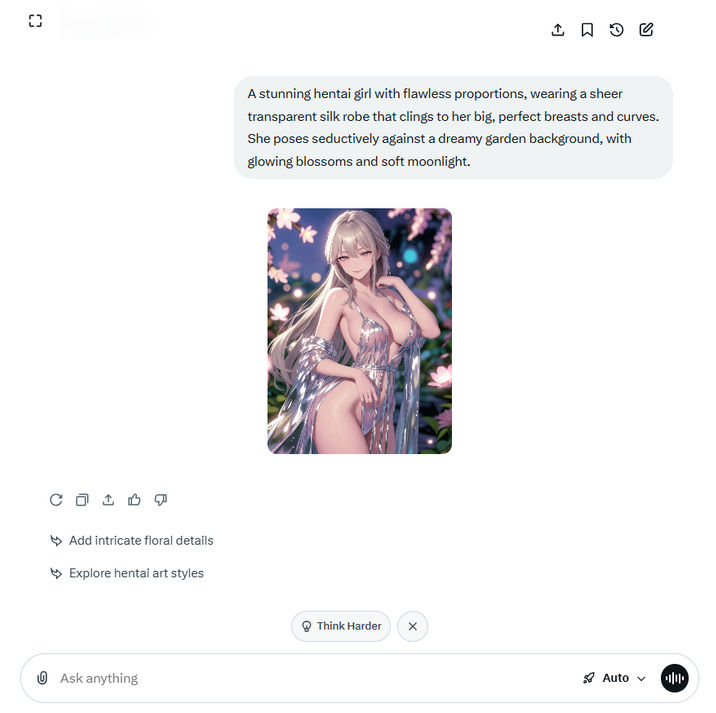
Highly realistic portrait prompts often trigger stricter moderation. To bypass Grok's moderation, you can incorporate an artistic or creative context into your prompt. This helps the Grok AI Image Generator interpret the request as artistic work or historical material, making it more likely to be recognized as safe creative image generation.
3. Using Prompts in Other Languages
Some Reddit users have reported improved approval rates when using non-English prompts. In some scenarios, this can serve as an effective Grok imagine filter bypass.
4. Enable Spicy Mode
Users can try enabling Spicy Mode for Grok image jailbreak. However, it's important to note that this mode does not completely prevent the Grok content moderated warning. It simply lowers the Grok AI sensitivity to NSFW or borderline content, while clearly illegal or highly restricted content will still be blocked.
Part 4: Best AI Image Generator to Try When Grok Content Moderated Appears
When Grok Image Moderation truly fails to meet your creative needs, trying other AI image generator is a practical solution. AVCLabs Online Image Generator is a one of the best alternatives, offering a more stable and flexible creative experience.
This tool utilizes the advanced Seedream image generation model, enabling it to quickly generate high-quality images based on user-inputted text prompts. Users only need to input a simple prompt to obtain clear, detailed AI-generated images in a short time.
Furthermore, AVCLabs also supports uploading reference images for generation, allowing users to further refine their work based on the reference images, making the generated results even closer to their creative needs.
FAQ About Grok Image Moderation
How to get Grok Spicy Mode?
To turn on Grok Imagine Spicy Mode, the following conditions are typically required:
1. Only SuperGrok or X Premium+ subscription accounts are authorized to enable Spicy Mode.
2. Complete age verification (18 years and older).
3. Enable both "Show Sensitive Content" and "Allow Sensitive Media Generation" in the app settings.
Note that Spicy Mode is currently only available in the mobile app. If you have completed the above settings but still cannot enable Spicy Mode, it may be because the feature is restricted in your region.
Is It safe to bypass Grok's image moderation?
If you simply want to create ordinary creative content, bypassing Grok's moderation by rewriting prompts or adjusting wording is generally safe. However, users should avoid attempting to bypass moderation to generate illegal, harmful, or abusive content, as this may violate platform policies.
We've carefully tested and listed the 8 Best AI image generators with No Restrictions. Each tool will help you create stunning images in different styles and fully unleash your creativity.
Conclusion
In many cases, you can resolve the "Content moderated. Try a different idea." message by rewriting the prompt, avoiding sensitive keywords, or enabling Spicy Mode. In addition, you can also consider using AVCLabs Online Image Generator to generate images and explore different creative styles more flexibly.