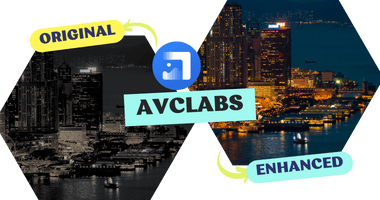
AVCLabs Photo Enhancer AI Review 2026: How to Improve Image Quality in Bulk
 Posted By: Billie Miller
- Updated On: January 23, 2026
- Category: Photo Editing Tips
In 2026, we no longer ask if AI can fix a photo, but how fast it can handle a thousand. We don't just upscale images, but intelligently "rebuild" them. In this review, we'll dive deep into AVCLabs Photo Enhancer AI, a powerhouse designed to bridge the gap between high-end image restoration and massive-scale workflow.
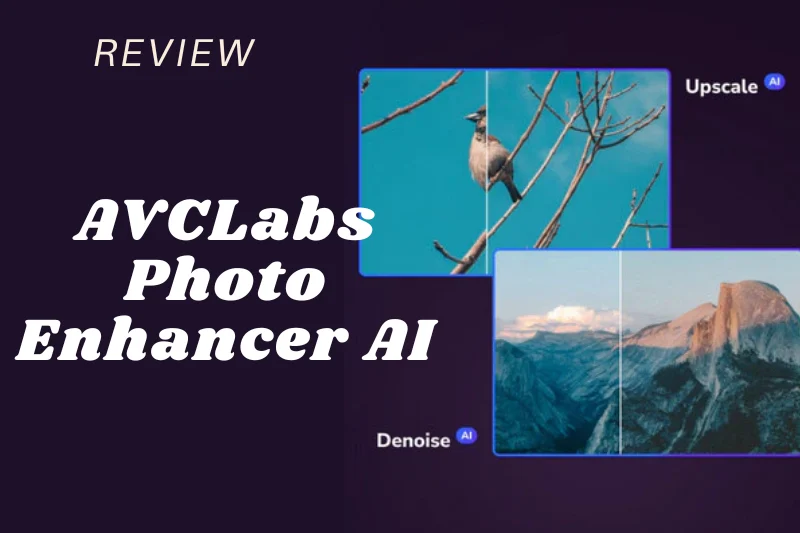
👉️ You may also be interested in: Best AI Video Maker: AI Image to Video Generator Free Online
Part 1: What Is A Photo Enhancer AI and How Does It Work?
A photo enhancer AI helps improve the quality of digital photos. It uses smart algorithms to find and fix common issues such as blur, shadows, noise, and exposure problems. These tools are becoming more popular because they save time and reduce manual work. They also help users achieve results that are hard or even impossible to get with traditional editing.
A photo enhancer AI works by analyzing an image and adjusting it based on what it detects. For example, if a photo looks too dark, the AI will brighten it. If the image is blurry, the AI will sharpen it. The system then applies the right changes automatically to improve overall image quality.
AVCLabs Photo Enhancer AI is one such tool that uses AI technology to enhance photos. It supports both JPEG, RAW and other formats and works on Mac and Windows computers. To use it, simply choose the photos you want to improve and let the software handle the rest.
Part 2: Why Choose AVCLabs Photo Enhancer AI - Core Features
You can turn your low-quality product image into sharp and professional photos with AVCLabs Photo Enhancer AI. Use its Color Calibration and Upscaler models to enlarge your images up to 400%. It's ready for online stores, catalogs, menus, and ads without any Photoshop work. For faded old photos, you just need to restore them in AVCLabs Photo Enhancer AI. Remove blur and reduce noise to repair multiple photos at once within minutes.
AI Upscaler
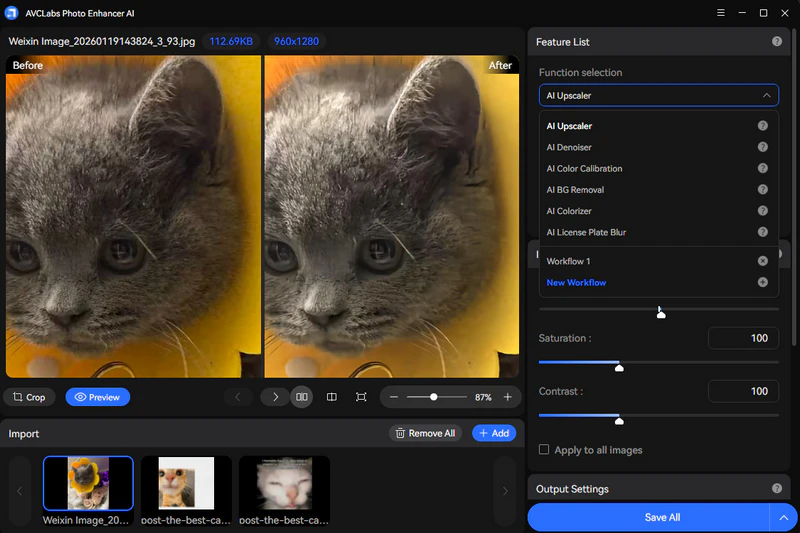
AVCLabs AI Upscaler increases image resolution while preserving clarity and details. It intelligently enlarges photos to 400% without introducing heavy blur or artifacts, making low-resolution images sharper and more suitable for professional use, printing, or online display.
Those images originally taken with older cameras, mobile phones, or downloaded at small sizes show a noticeable improvement after upscaling. Edges become cleaner, textures look more defined, and important details remain natural instead of pixelated. This makes the upscaled photos ready for product listings, presentations, social media posts, or large-screen viewing.
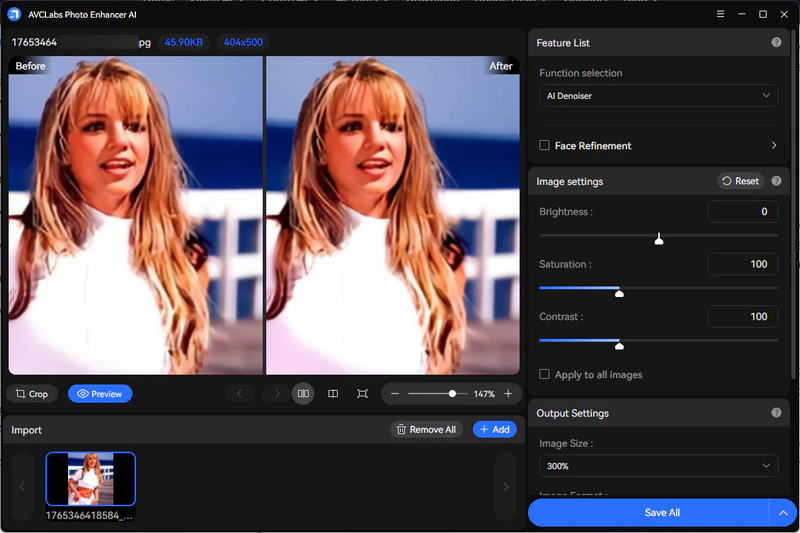
AI Denoiser
AVCLabs AI denoiser helps reduce noise and grain from photos taken in low light or with high ISO settings. It keeps important details sharp while cleaning up unwanted noise, so your images look clearer and more natural for work, sharing, or professional use.
Photos shot at night, indoors, or with entry-level cameras appear noticeably cleaner after denoising. Fine textures such as skin, fabric, and product details remain intact, while rough grain and color speckles are removed. The result is a balanced, natural-looking image that is ready for presentations, online listings, or everyday sharing. You can effectively avoid the over-smoothed look common in manual noise reduction.
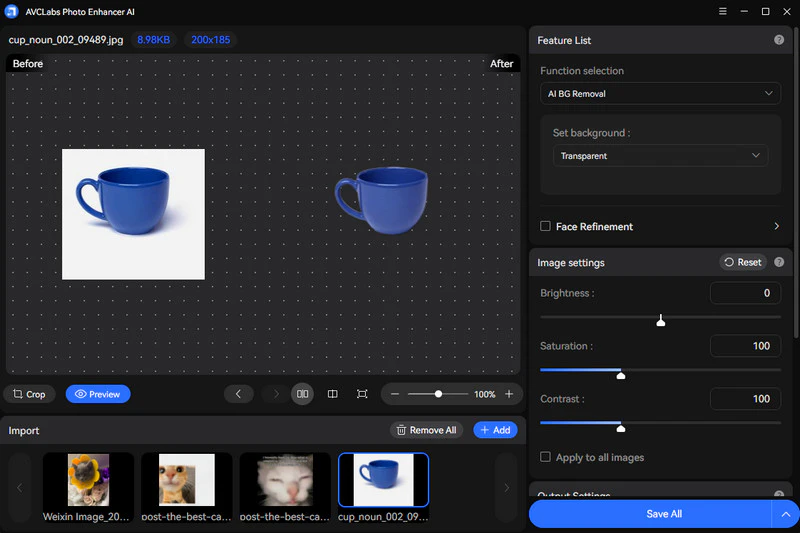
AI Background Removal
This feature detects subjects precisely and removes backgrounds in seconds. You can easily get a transparent image background, or change it to pure white/green/black ones. Also, you are free to add your own image to be the background. AVCLabs Photo Enhancer AI creates clean cutouts for product photos, marketing materials, or presentations, without manual masking or complex editing steps.
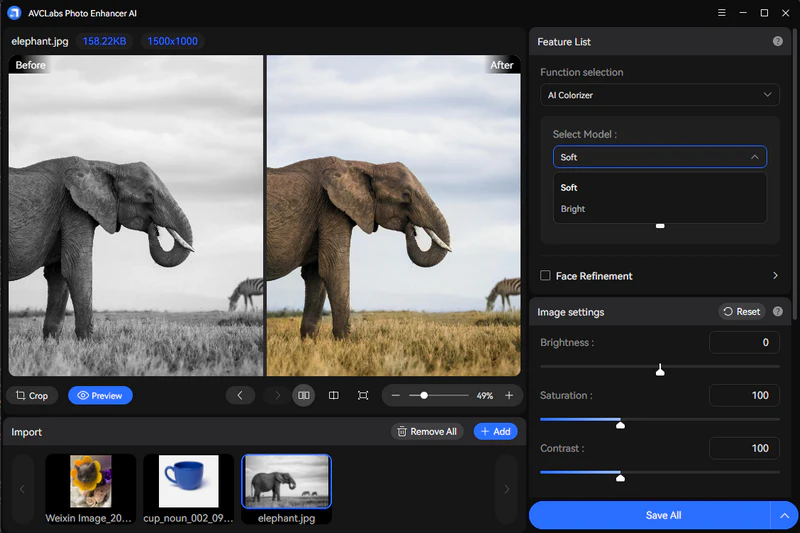
AI Colorizer
AI Colorizer brings black-and-white photos to life by adding natural-looking colors automatically. It analyzes the image content and applies realistic color tones, making old photos more vivid and easier to share or archive. You have 2 models to choose: Bright and Soft render model. Then, set your render factor if needed.
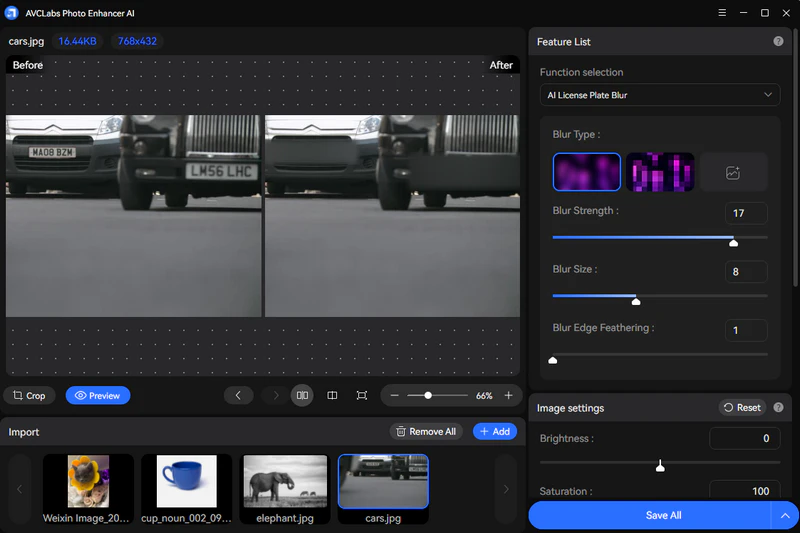
AI License Plate Blur
AVCLabs Photo Enhancer AI ensures you can edit and share photos safely for word and business. You will edit photos locally, so all your activity are protected in the software.
This blur effect is offered to bulk process the photos that contains license plates. It covers all these sensitive information within seconds in high quality, and then you can use them for presentations, marketing, or even paper writings.
AI Color Calibration
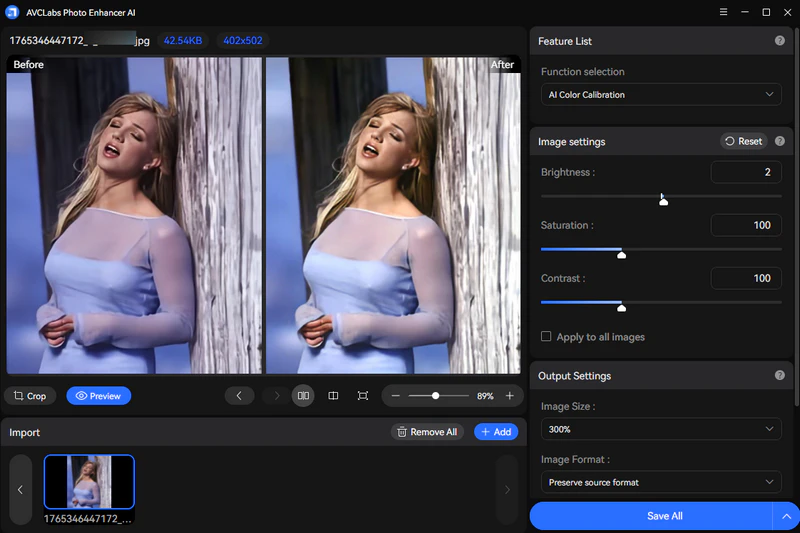
AI Color Calibration automatically corrects color balance, exposure, and tone. It fixes dull or inaccurate colors and makes photos look more realistic and consistent, which is ideal for product images, catalogs, and branded visuals. You can adjust the brightness, saturation, and contrast of images. Then, apply to all imported images in one click. As we can see below, even a photo that has been reddish for a long time can help restore your original skin tone.
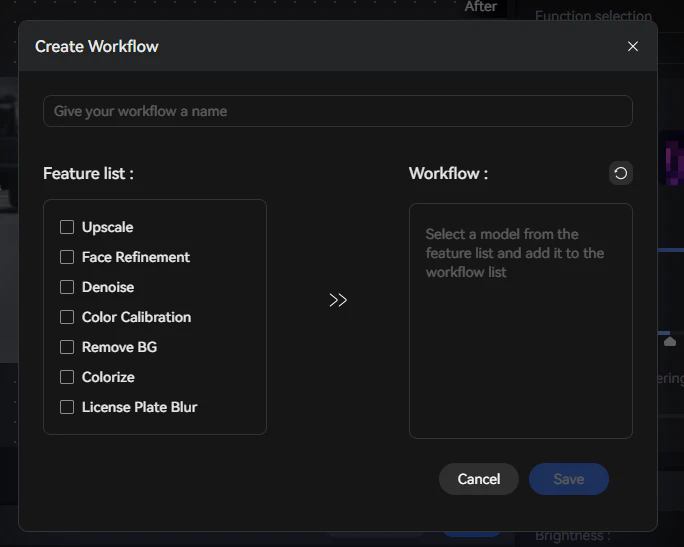
Create New Workflow
You can name your customized image optimization workflow, specifying that your images should first be upscaled, then colorized, and finally have the background removed. There are also other options. This feature takes into account the specificities of individual workflows, significantly saving manual time and proving highly efficient in practical applications.
Adjust Image DPI
Typically, 300 DPI is sufficient for most printing standards. However, AVCLabs Photo Enhancer AI allows you to set it up to 1500 DPI to meet the ultra-precise professional industrial needs and the post-processing flexibility of large images. This means that you won't easily blur the image quality during post-editing.
Pros:
- Quickly fix common defects without manual effort.
- Achieve professional results that are difficult to reach manually.
- Adjust precise settings to customize the final look.
- Revive old or damaged photos using advanced AI models.
- Handle sophisticated tasks through an intuitive interface.
Cons:
- Demand significant GPU/CPU power for smooth AI processing.
How to Improve Image Quality in Bulk with AI?
Today, quality and speed must go hand in hand. You don't need to be a professional editor to achieve high-end results for large volumes of photos. Discover how AVCLabs Photo Enhancer AI batch processing simplifies complex tasks.
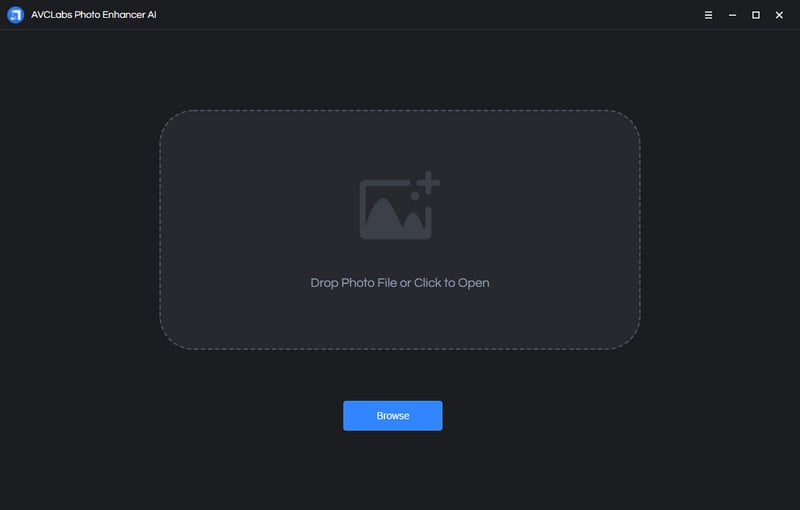
Step 1 Import photos
Double-click the icon to launch the program and click the Browse button to import the image or drag and drop the image to the program window directly.
You also can import multiple images and process them at one time. There will be snapshots of all the imported photos displayed at the bottom of the main interface. Click on the snapshot to switch between photos.
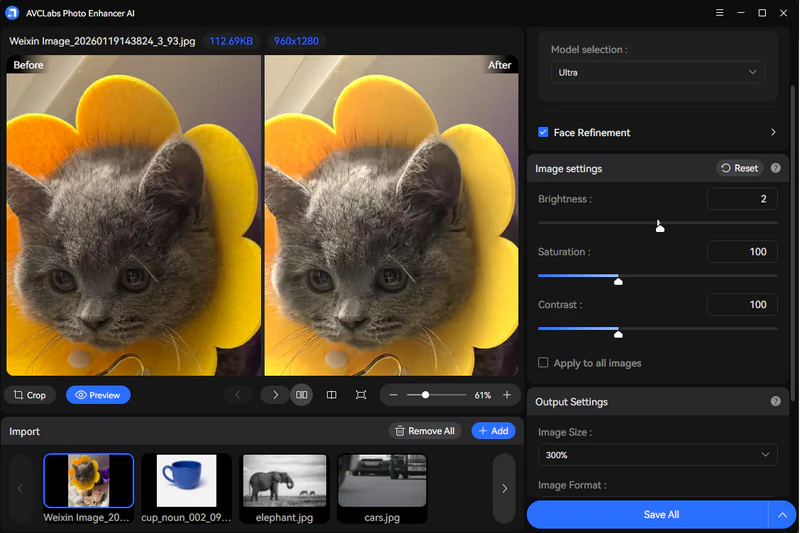
Step 2 AI Upscaler
Open the Model List to run AI Upscaler model. Then, choose "Standard" or "Ultra" model according to your needs. You can click on Preview button to check the effect at any time.
Step 3 Preview the effect
If you want to view a compare result in the program, you can click the Eyes button. Then the program will generate the optimized image for the current photo and you can view the comparing effect between the original and enhanced.
Step 4 Export photo(s)
Finally, when finishing these settings you can choose the output format. AVCLabs Photo Enhancer AI supports exporting photos in the formats of png, jpg, jpeg, and bmp. you can set the format in the Settings of the program. Then click the button Save All/Save Current, and the program begins to remove the blur of the photo(s) and save to the defined folder automatically.

✨ With these simple steps, you can enhance your photos using AI Upscaler in just a few clicks. No complex settings are required.
FAQ About AI Photo Enhancer
Does anyone know of a free AI image enhancer?
Yes, there are free AI photo enhancers like AVCLabs Photo Enhancer AI that let you improve image clarity, sharpness, and colors. Also, it provides an AI image upscaler online free.
Which is actually the best free AI photo restoration tool out there?
You can use AVCLabs Photo Enhancer AI to get the best effect now. First, import all your ol photos. Then, choose AI Upscaler and AI Color Calibration to batch improve image quality in seconds.
Do photographers use AI Image Enhancing? Or should they?
Yes, many photographers use AI tools as part of their editing workflow to save time and handle repetitive tasks. Around half to two-thirds of pros report AI adoption, especially for enhancement and routine fixes.
👉️ Quick Access: Enhance Picture Quality Online Free
Unwrap top 8 AI image describers with no filter in 2026 that instantly turn any picture into human-like descriptions.
Conclusion
AVCLabs Photo Enhancer AI is a useful tool for anyone looking to improve photo quality. Whether you are a professional photographer or a casual user preparing photos for sharing, it offers an easy and effective way to enhance images and achieve better-looking results with minimal effort.