



Unlucid AI Review: Is This Free Uncensored AI Tool Worth It?
Is Unlucid AI worth it? This in-depth review covers its image generator, video AI, effects, editing tools, pricing, pros and cons, and real performance testing results.
After testing Unlucid AI's image generator, video generator, AI effects and editing tools, I found that it is one of the easiest AI creative platforms for generating social media content. While it offers impressive creative freedom and beginner-friendly tools, its output quality can be inconsistent compared with premium AI generators.
Quick Verdict: Is Unlucid AI Worth It?
| Feature | Best For | Key Strength | Rating |
|---|---|---|---|
| Image Generation | Fast image generation with multiple styles like Anime, Cartoon, Pencil, 3D Render and NSFW. | Image quality and detail can be uneven; Lacks advanced controls for professional use | 8/10 |
| Video Generation | Supports text-to-video and image-to-video with quick rendering and flexible prompt input, making it easy for video content creation. | Limited control over duration, audio, and advanced settings; Motion artifacts may appear in complex scenes. | 6.5/10 |
| AI Effects | Offers one-click template effects, enabling the rapid creation of engaging short-form social media videos. | No customization of intensity, speed, or direction; output is fully template-based. | 6.5/10 |
| Image Editing | Includes object removal, background replacement, clothing change, and other AI editing tools with a simple prompt-based workflow. | Lacks precision compared to professional tools like Photoshop. | 7.5/10 |
What is Unlucid AI?
Unlucid AI is a free online AI creative tool designed to help users quickly generate images, edit photos, create videos, and animate static images into short video clips - all directly within the browser. Unlike other AI generation tools with strict content filtering restrictions, Unlucid AI offers users greater creative freedom in image and video creation. This uncensored AI tool allows users to explore more avant-garde, surreal, and even adult-oriented artistic themes.
It enables anyone to transform ideas into visual content in seconds—without the need for professional skills, software downloads, or concerns about content censorship. This has made it highly popular among hobbyists, social media creators, and users eager to explore creative concepts.
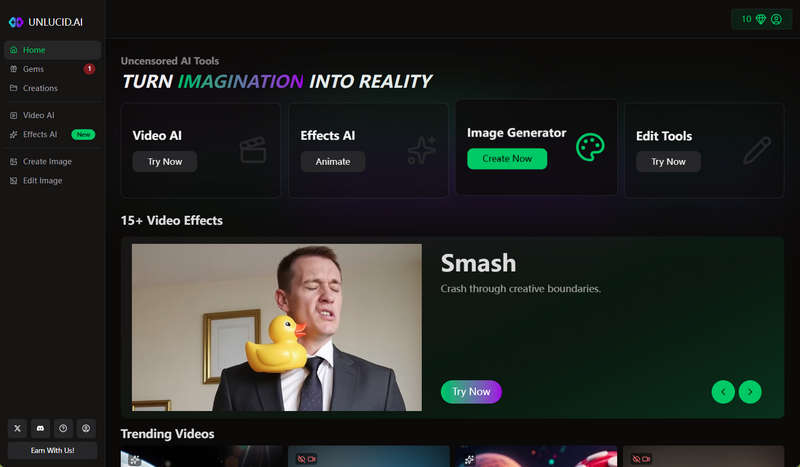
My Experience Testing: Key Features of Unlucid AI
To test Unlucid AI's performance in real-world scenarios, I used its 4 core AI tools: Video AI, Effects AI, Create Image, and Edit Image. I also enabled the "Show Mature Content" setting in my account to test its capabilities in that area.
1. Image Generation
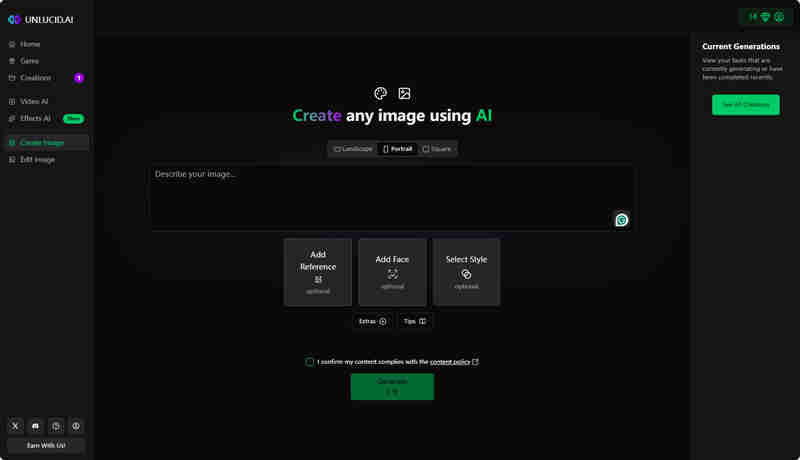
Unlucid AI's image generation function supports Text-to-Image and Reference-to-Video. It offers various style modes, including Cartoon, Pencil, Anime, and 3D Render, to meet different creative needs. Additionally, it provides features such as seed setting, high-definition upscaling, and Add Face, allowing users to generate more personalized and high-quality images.
The generation process is very intuitive. Just input the prompt words and this ai image generator no restrictions will output the result within 10 to 30 seconds. The generated images usually meet the requirements of the prompt words, including NSFW content.
🔥 Guess You Like: Best 7 AI Hentai Generators in 2026 [Desktop & Online]
Our Verdict:
Unlucid AI performs particularly well in generating anime-style works, presenting excellent color composition and creative details. However, image quality and detail consistency can occasionally be uneven. This free AI image generator is well-suited for casual creative projects and social media content creation.
2. Video Generation
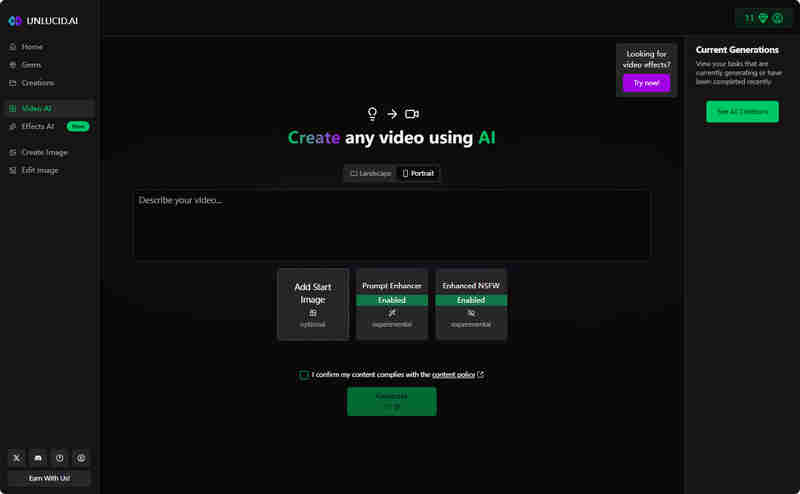
Unlucid AI's video generation feature supports both text-to-video and image-to-video modes. Users can either describe a scene using text prompts or upload an image for the AI to transform into a short video clip. This free AI video generator also offers Prompt Enhancer and Enhanced NSFW options.
During the test, I tried some porn prompts, such as "The person in the picture has taken off all his clothes." The platform did not block or filter these contents. However, the actual impact of the Prompt Enhancer remains unclear, as there is no visible indication of how it optimizes the prompts.
🔥 Read More: 8 Best AI Video Generators Free No Sign Up in 2026
Our Verdict:
This uncensored AI video generator offers a fun and low-risk way to bring static images to life or test out dynamic concepts. However, compared to other tools, its video generation feature has relatively fewer professional features and setting options. For instance, it lacks options for video duration and voice generation, and the video size options are only landscape and portrait.
3. AI Effect
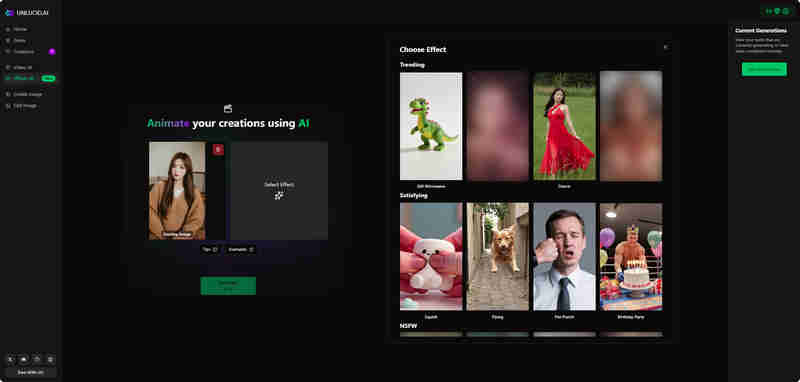
The Effects AI feature stands out as one of Unlucid AI's most entertaining highlights. Users can instantly create dynamic content simply by uploading an image and applying various preset AI effects. It offers a library of over 40 video effect presets—ranging from common ones like Dance, Squish, Punch, and Zoom to NSFW-related options.
However, its main drawback also lies in these effects. It largely relies on fixed templates - you cannot adjust the intensity, speed, or direction of the effects. The generated video is the final result and cannot be personalized and finely tuned.
Our Verdict:
The advantages of Effects AI lie in its entertainment value and speed, making it suitable for users who want to quickly create eye-catching content. The style of the effects is generally exaggerated and dramatic, but lacks professional controllability. If you want to create viral videos, memes, or interesting social media clips, Unlucid AI is definitely worth a try.
4. Image Editing
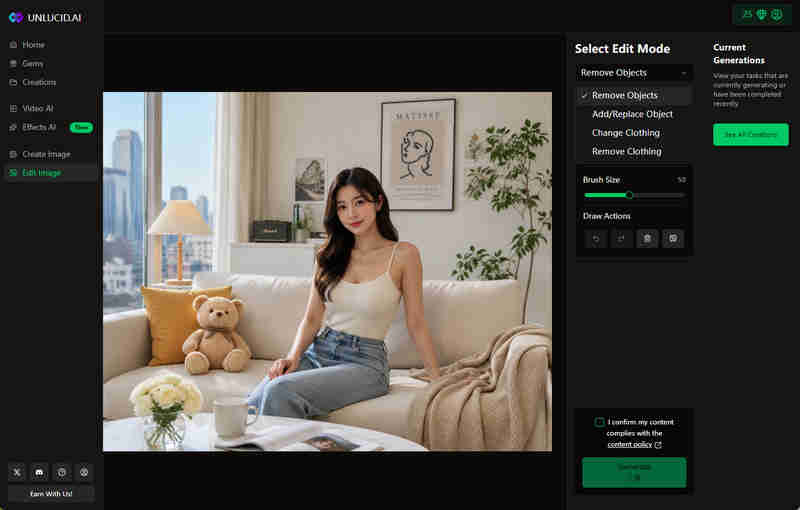
The image editing tool of Unlucid AI has four main functions: removing objects, adding or replacing objects, changing clothing, and removing clothing. In terms of the overall experience, its editing process is very intuitive: upload the image, select the draw mode, input the prompt words, and then wait for the AI to handle it automatically.
I tested various prompt words that are usually strictly filtered. Unlucid AI can successfully edit and generate new images without any restrictions. This indicates that its content filtering mechanism is indeed very lenient, making it suitable for users who need more freedom in their creative work.
Our Verdict:
The advantage of Unlucid AI's image editing function lies in its speed and simplicity of operation, making it suitable for light creative work. Although they cannot offer the same high level of precision as professional software like Photoshop, for users who do not possess advanced editing skills but still wish to modify images, they provide a fast and easy-to-use solution.
Unlucid AI Review: Price, Pros & Cons
Price
Unlucid AI adopts the Gems credit system. Features such as image generation, video generation, and editing all require the consumption of Gems. New users can obtain 10 free Gems upon registration, and an additional 5 Gems can be received through daily check-ins. Users can also earn free Gems by inviting friends. Each successful referral awards 4 Gems, with a maximum limit of 100 referrals.
For users requiring additional credits, Unlucid AI offers three paid packages based on a pay-per-use model:
- 120 Gems: $8.99
- 450 Gems: $29.99
- 1,250 Gems: $59.99
Overall, Unlucid AI has a low barrier to entry regarding pricing, allowing free users to earn credits through check-ins and referrals. However, features like video generation and Effect AI consume Gems rapidly and heavy users may need to purchase extra credit packages to continue using them.

Pros & Cons
| ✅ What Works Well | ❌ Where It Falls Short |
|---|---|
| Truly uncensored - no filter restricting mature prompts | Video quality inconsistent in complex scenes |
| Daily free Gems & referral rewards lower the barrier to access | Credit consumption is relatively high for video generation |
| Image editing tools are fast and effective for basic tasks | No built-in audio generation, requiring users to add sound separately in post-production |
| 40+ one-click Effects perfect for memes and quick social clips | No other customizable video options available. |
| Fast generation speeds, no queue waiting | No dedicated mobile app, limiting flexibility for on-the-go creation |
7 Best Unlucid AI Alternatives for Image & Video Creation
1. AVCLabs Online AI
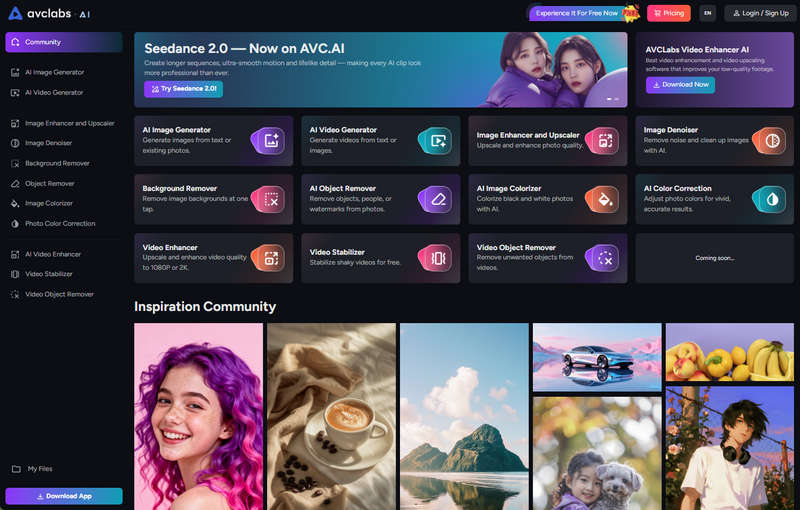
If you are looking for a multi-functional AI tool similar to Unlucid AI, AVCLabs Online AI tool is one of the most outstanding alternatives available. This platform integrates AI image generation, AI video generation, image and video enhancement, object removal, background removal and other creative tools within a single online workspace. In terms of video creation, AVCLabs currently integrates the Seedance 2.0 model and provides users with powerful text-to-video and image-to-video functions.
Transform your photos into high-quality videos instantly using AVCLabs AI Video Generator. Powered by Seedance 2.0, it creates smooth, realistic motion for social media, marketing, and creative projects.
Create high-quality images using text prompts or by uploading reference images. AVCLabs AI Image Generator helps you quickly produce visuals for creative projects, social media, and design concepts—all in seconds.
2. Pollo AI
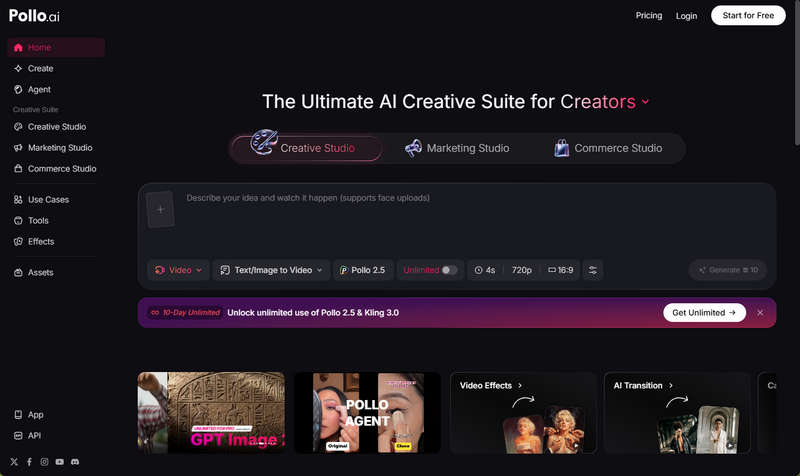
Compared to Unlucid AI, Pollo AI offers more professional functions in video production and creative control, making it highly suitable for social media creators, marketers, and e-commerce content producers. Its strengths lie in its three specialized studios - Creative Studio, Marketing Studio, and Commerce Studio - which are deeply customized for different user scenarios, as well as features like multi-model switching, an extensive library of effects and templates, AI-driven transitions, and advanced camera control options.
3. Kling AI
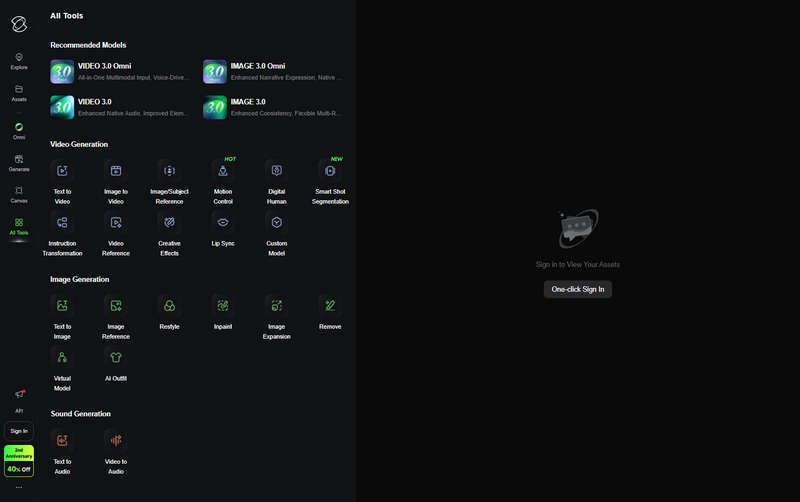
Kling AI specializes in video and image generation, serving as a premier alternative for high-quality AI video creation. With its realistic motion and cinematic image quality, Kling AI has become one of the most popular AI video generation tools. It focuses more on generating high-quality videos with natural movements and visually coherent visuals, suitable for advertising, short films, or more professional content creation. If users find Unlucid's template-based videos too simple, Kling AI can provide a more professional alternative.
4. Runaway
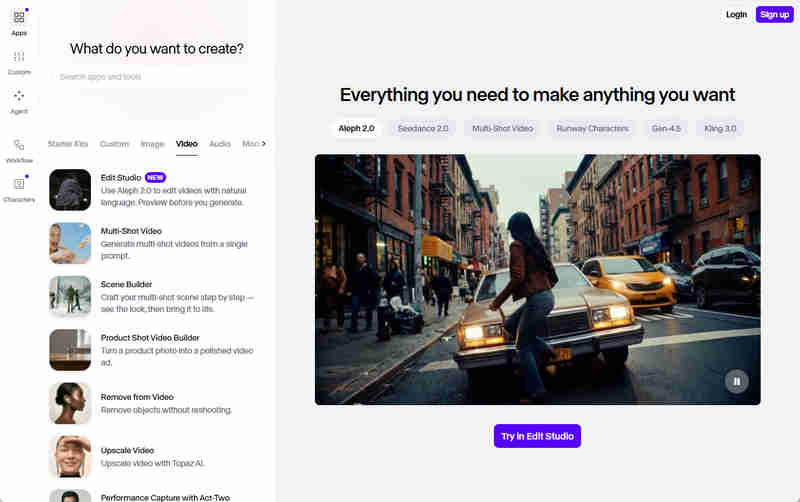
Runway is a professional AI video and image creation platform specifically designed for creators who require advanced tools and precise control capabilities. It supports text-to-video conversion, image-to-video conversion, video editing, image inpainting, motion tracking, as well as green screen compositing, background replacement, and AI effects. Its Gen-4.5 model leads in video generation in terms of motion coherence and texture details.
5. Vidu AI
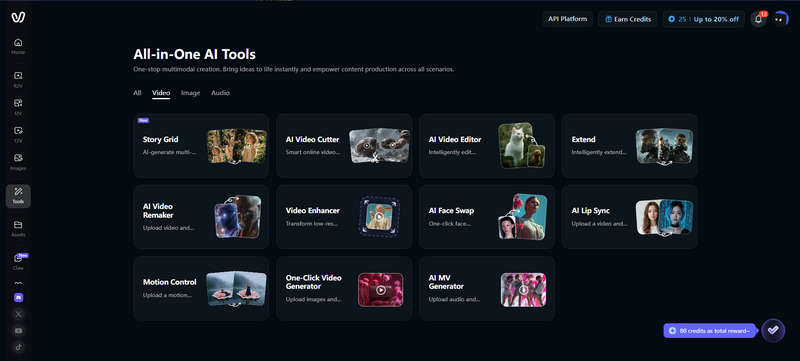
Vidu AI specializes in high-quality AI-generated videos and boasts excellent character consistency. It is a strong alternative to Unlucid AI. It supports workflows such as text to video, image to video, and reference to video, allowing users to animate static images, generate videos based on prompts, or maintain consistency in characters and styles across different scenes. This platform relies on its self-developed Vidu model and excels in smooth camera movements, cinematic transitions, and realistic scene compositions. It is highly suitable for creating feature films, short films, and social media content.
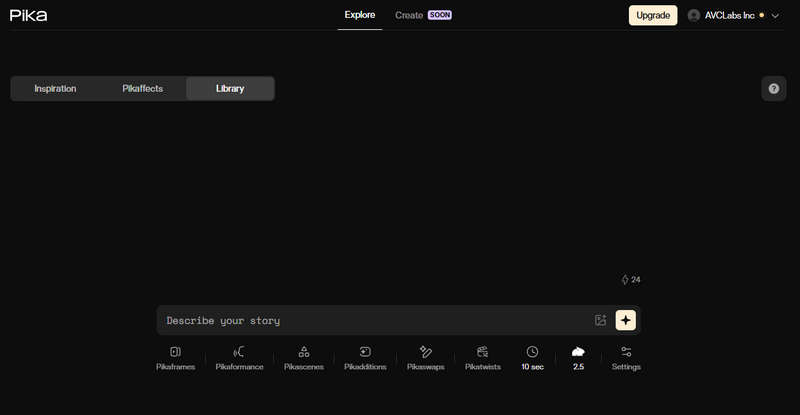
6. Pika Labs
For those social media creators who prioritize speed, fun, and trendy visual effects, Pika Labs is the preferred alternative. Pika offers over 150 special effects (such as AI hugs, kisses, melting, squeezing, etc.), and can quickly generate 3D animations, anime or cartoon-style videos. Its Pikaffects special effects and camera control tools enable users to create captivating short videos in just a few seconds, making it highly suitable for platforms like TikTok, Reels, and YouTube Shorts.
7. Midjourney
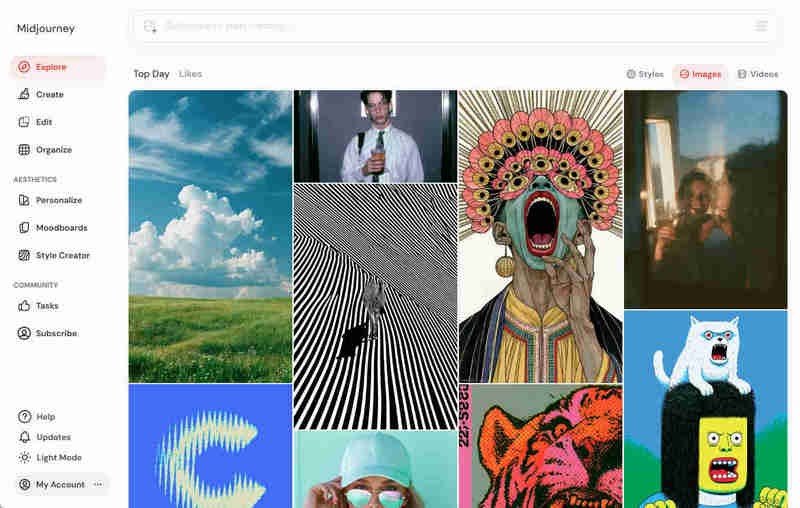
Although Midjourney has strict content moderation, it is undoubtedly an excellent Unlucid AI alternative in the field of image generation. Its Midjourney V8 Alpha delivers a fivefold increase in generation speed and produces native 2K high-definition images. The generated images are extremely realistic in terms of skin pores, clothing textures, and the handling of complex lighting. It is one of the few AI tools that can precisely create clear, correctly spelled English words or logos in the generated images according to your instructions.
FAQ About Unlucid AI
Is Unlucid AI free?
Unlucid AI offers a free plan that allows users to generate images and videos with limited Gems. New users receive free Gems upon registration, and additional credits can be earned through daily check-ins and referrals. However, frequent usage may require purchasing additional Gems.
Is Unlucid AI safe to use?
Yes, Unlucid AI is generally safe to use as an online AI creative platform. However, it offers very flexible content generation with minimal filtering, which means users should be mindful of the content they generate. It is recommended for personal and creative use within legal and ethical boundaries.
Conclusion
After testing Unlucid AI, it is an easy-to-use platform for quickly producing social media content with strong creative freedom. However, its output quality and advanced controls can sometimes be inconsistent compared to more professional AI tools.
For users looking for more powerful alternatives, tools like AVCLabs Online AI, Kling AI, Runway, and Pika Labs offer more advanced capabilities in areas such as video generation, editing control, and production quality.

Billie Miller
Billie Miller is an AI product content strategist who writes about AI-powered tools for image generation, video creation, editing, and creative workflows. She focuses on hands-on testing and real-world use cases, helping readers understand how different AI tools perform in practice and choose the right solution for their creative needs.


 Sherry Johnson
 April 24, 2026