
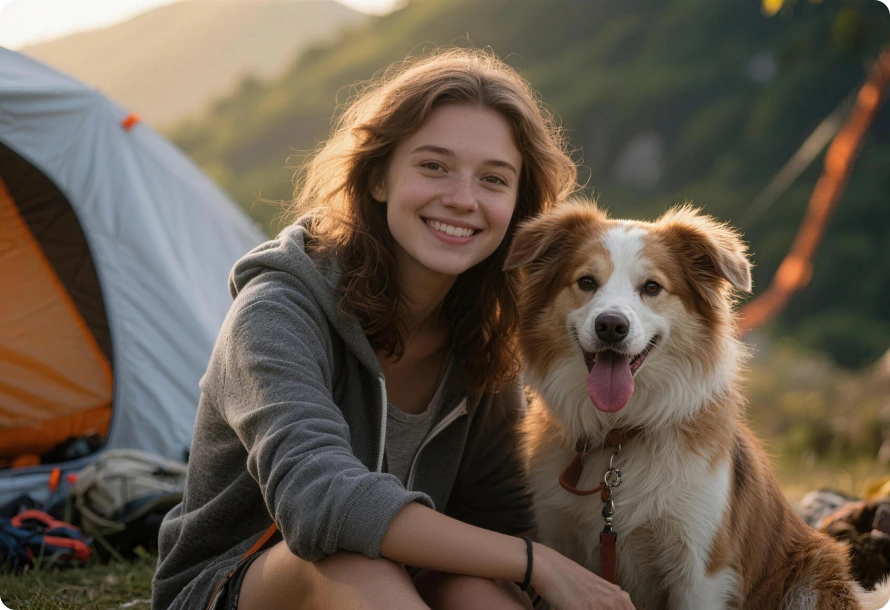
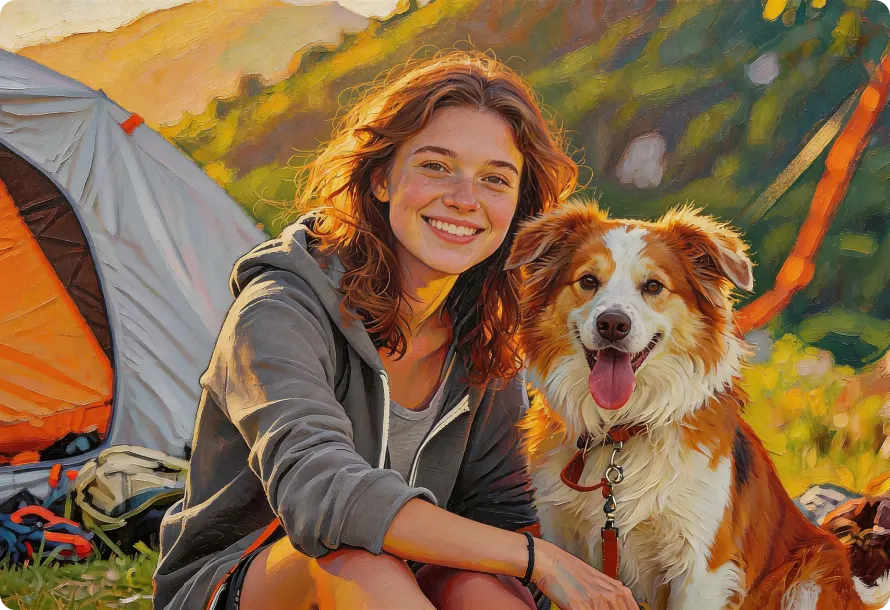
For effortless and high-quality oil paint creation, Any Video Converter provides powerful AI image generator designed for fast processing, precise edge detection, and stable performance.
Ideal for convenience, quick edits, or users with limited hardware.
Ideal for large images, fast rendering, or professional control to increase productivity.
Upload your photo into AVCLabs online photo to oil paint converter.
Specify how you want this image transformed and the style of oil painting.
Select the aspect ratio and output resolution: 720p, 1080p, or 2K.
Hit "Generate" and download your oil painting image(s) online for free.
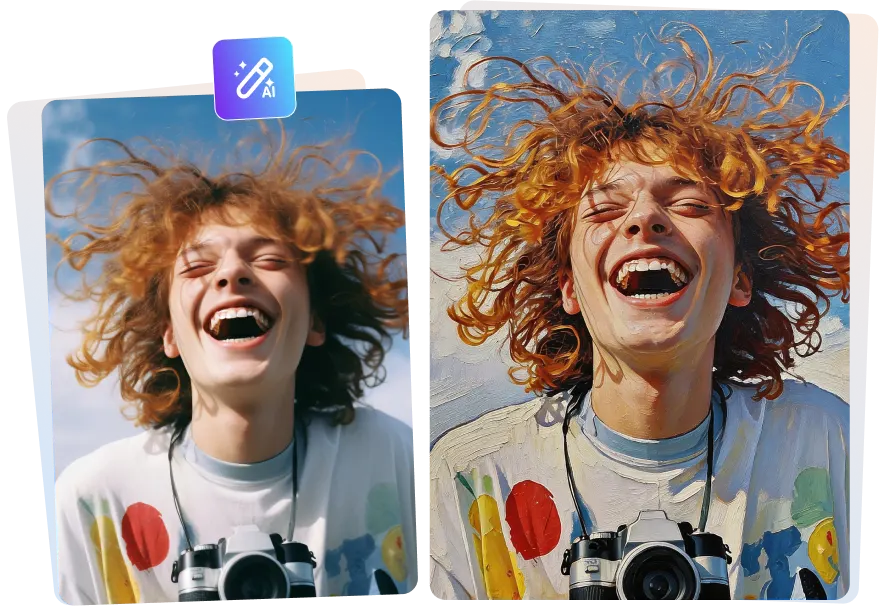
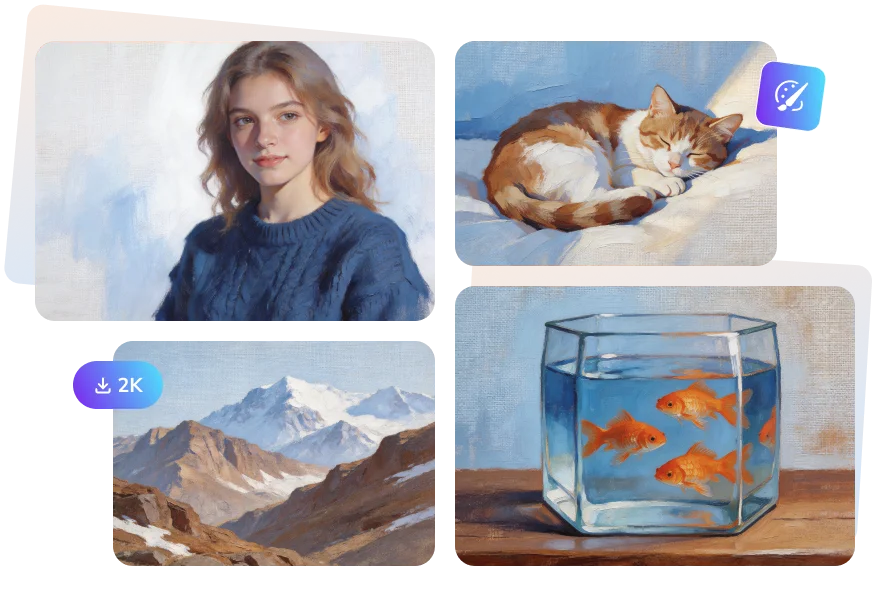
AVCLabs photo to oil paint converter can convert portrait pictures to paintings online for free. Your facial details can be preserved without being overly abstract. The portrait can remain unchanged or largely different, and the colors are soft or bright according to your prompts.
It doesn't turn shadows into a mass of dirty black in the generated oil painting; instead, it intelligently interprets the color blocks and "paints" them into realistic states, such as shadows of shades or reflections in water. Besides, it can convert your photo to oil painting naturally and appropriately even with exaggerated facial expressions.
You can convert photo to oil painting online free with a realistic texture. Compared to adding an oil painting filter, what you get is a more three-dimensional and realistic AI oil painting artwork.
For example, the natural brushstrokes on the canvas, the textural variations of oil paint under different lighting conditions, and the layers highlighted by different coloring sequences. These are the strengths of AVCLabs that you can NOT miss.
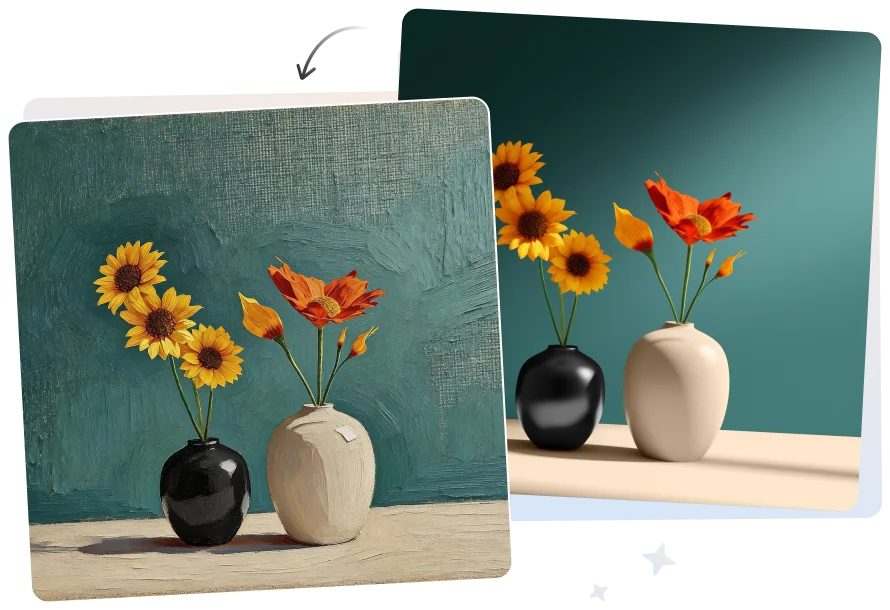
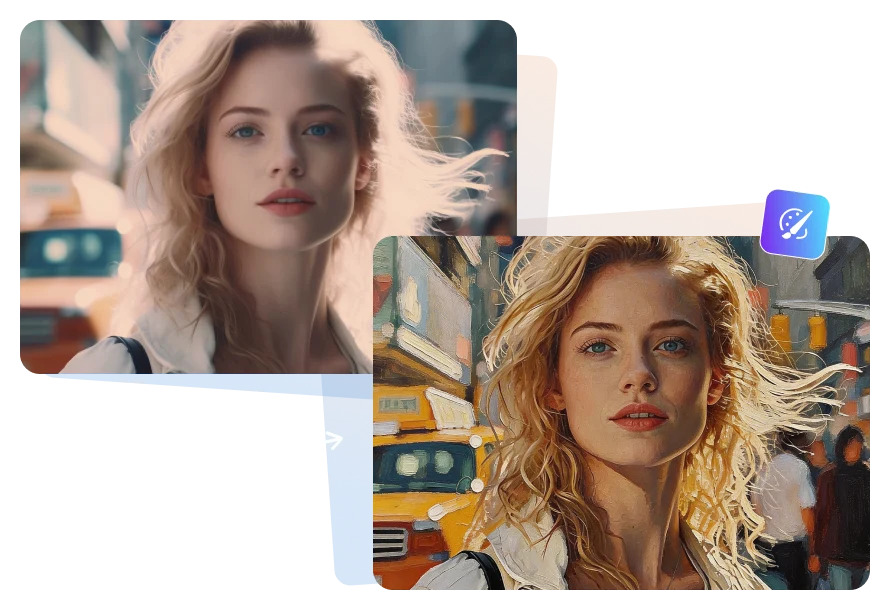
You can automatically convert a picture into a painting and intelligently finish your artwork with AVCLabs AI image generator online for free. Also, you are free to have it reference brushstrokes from a classic painting, as it learned main brush painting techniques.
During the conversion process, this tool automatically corrects unsightly and cluttered lighting in the photo, transforming an ordinary photograph into something more artistic. It makes your real-time oil painting more worthy of sharing and dissemination.
AVCLabs photo to oil paint converter offers a solid way for you to tell stories through paintings. It generates oli paintings from photos that seamlessly for various styles, like classic portrait painting or vibrant watercolor-inspired oil painting.
Moreover, you can save high-quality oil paintings up to 2K resolution in AVCLabs oil paint generator. It turns your memories into masterpieces, and then it can be your personalized Christmas cards, social media posts, or albums covers.
I converted a close-up portrait of an interview subject into an oil painting style for a project thumbnail using AVCLabs image generator. The facial structure remained accurate, and the brush textures added depth without distorting the expression.

I used it to transform product photos into oil painting visuals for seasonal promotions. The color adjustments made everything look more cohesive, and I didn't have to manually tweak lighting in Photoshop.

For a presentation, I converted building photos into oil painting style images to give them a conceptual look. The texture details were subtle but realistic, which helped the visuals stand out without looking artificial.

I turned a travel portrait into an oil painting for a blog header image. The skin tones stayed natural, and the overall color balance looked more refined compared to typical oil painting filter apps.

A customer asked for a family photo to be turned into an oil painting for framing. I exported it in 2K and the details held up well during printing with AVCLabs. It saved us from outsourcing custom artwork.

You can use AVCLabs AI Image Converter to transform your photo into both illustrations and oil paintings. Simply upload your image and enter a short prompt describing how you want it transformed. The AI will generate the artwork automatically, preserving key details while applying the selected artistic style. No manual drawing skills are required.
To create an oil painting from photo, upload your image into AVCLabs AI image converter that supports oil painting styles. Choose the desired painting effect, adjust resolution if needed, and let the AI apply realistic brush strokes, natural textures, and balanced color tones to achieve an authentic oil painting look.
To achieve a soft, out-of-focus effect on an art oil painting canvas, use smooth brush blending techniques and reduce sharp edges and contrast. When AVCLabs photo to oil paint converter, you can describe the effect as “soft focus,” “blurred edges,” or “dreamy oil painting texture” to create a more diffused and atmospheric result.
Yes. You can convert a photo to an oil painting online for free using AVCLabs AI image generator. Simply upload your image, describe your oil painting style, and generate the result instantly. No software installation or downloads are required, making it convenient for quick edits on any device.
For desktop users, Any Video Converter is a strong choice. It offers AI-powered oil painting conversion with stable local processing, higher resolution output options (4K), and more control over texture, brush stroke detail, and overall style—ideal for professional or large-image workflows.
Free Download Free DownloadInstanly and precisely turn image into silhouette with AVCLabs free silhouette maker online.
Read MoreConvert images to Studio Ghibli style online for free with charming, dreamy anime effects.
Read MoreEasily turn pet photos into stunning pet portrait online, including oil paintings, watercolor or cartoon styles.
Read MoreRemove emoji from video online for free with 99% original background details.
Read MoreCreate viral video memes instantly with AVCLabs Free video meme generator online free.
Read MoreGenerate kissing videos from your crush, idol, or anime character free online.
Read MoreUse AVCLabs free AI girlfriend generator to customize your dream AI mate online.
Read MoreInstantly turn your photo to cartoon online free, or bring your ideas to life.
Read MoreRemove unwanted objects, people, or watermarks from videos with just one click.
Read More
Copyright 2026 AVCLabs Inc. All rights reserved